TFT screen power button bypass help

Thread Starter

Mike Baker

Joined Aug 31, 2017
148
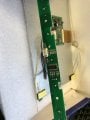
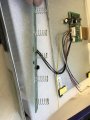
Can anyone tell me how i can bridge the contacts on my screen power control board so that it will always be on when it is plugged in? (middle one)
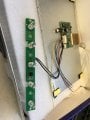
IMG_4084.JPG
IMG_4085.JPG
IMG_4086.JPG
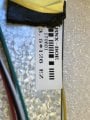
IMG_4087.JPG
 

smooth_jamie

Joined Jan 4, 2017
107
By "always on" do you mean, "not in standby mode" or do you want to do something with the supply? It looks like battery contacts, so I guess you want to power them from something else?
 

Thread Starter

Mike Baker

Joined Aug 31, 2017
148
By "always on" do you mean, "not in standby mode" or do you want to do something with the supply? It looks like battery contacts, so I guess you want to power them from something else?
Hi, They are not battery contacts, they are touch sensitive buttons....
 

Thread Starter

Mike Baker

Joined Aug 31, 2017
148
Hi Sorry,

This will be used for my N64 portable build, at the moment when you add 12v to the monitor you have to press the button on the front for it to turn on.

I want it to automatically turn on when the 12v is supplied. I.e. by bridging the contact somehow

Cheers
 

smooth_jamie

Joined Jan 4, 2017
107
Hi Sorry,

This will be used for my N64 portable build, at the moment when you add 12v to the monitor you have to press the button on the front for it to turn on.

I want it to automatically turn on when the 12v is supplied. I.e. by bridging the contact somehow

Cheers
I have a similar one, it automatically "wakes up" from "sleep" upon receiving an input signal on the HDMI input. Have you tried using it with the N64 input signal to check? I'm sure if you boot the console up at the same time as turning on the monitor it will most likely achieve what you need it to do (without bridging any contacts).
 

Dodgydave

Joined Jun 22, 2012
11,395
Looking at the keypad pcb, the wires are +/-/ir/key. So it needs a serial data to tell the motherboard to power up,. I would use a relay with a 555 powered from the 12V to give a pulse on power up for say 5 seconds which shorts the "On key" out.
 

smooth_jamie

Joined Jan 4, 2017
107
I don't think you will be able to simply bridge the contacts if the buttons are capacitive touch sensors. There's a few different types and the implementation of each differs slightly. see here to read more: https://www.allaboutcircuits.com/technical-articles/introduction-to-capacitive-touch-sensing/

I would probably look at replacing the controller. Take the serial number off the back of the screen and type it into ebay, you can usually buy a full controller from China cheap.
 

Thread Starter

Mike Baker

Joined Aug 31, 2017
148
Looking at the keypad pcb, the wires are +/-/ir/key. So it needs a serial data to tell the motherboard to power up,. I would use a relay with a 555 powered from the 12V to give a pulse on power up for say 5 seconds which shorts the "On key" out.
Thanks, How would i go about this, i.e. circuit design/componants
 

Dodgydave

Joined Jun 22, 2012
11,395
It's how the chip works and how to connect it.

Looking at the circuit, it looks like it uses the AC signal from your body to operate it.

You can try to link the "ON" spring to ground to see if it powers up.

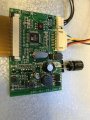
Can you post pictures of the main circuit board chips.
 

Thread Starter

Mike Baker

Joined Aug 31, 2017
148
It's how the chip works and how to connect it.

Looking at the circuit, it looks like it uses the AC signal from your body to operate it.

You can try to link the "ON" spring to ground to see if it powers up.

Can you post pictures of the main circuit board chips.
No Problem,
IMG_4088.JPG
 

smooth_jamie

Joined Jan 4, 2017
107
OK, I was wondering if a cheap replacement driver board was available but I won't know without the serial.

Looks like you best bet now is with Dave's suggestion above. Have you tried triggering the sensor with a pulse yet?
 
Top