Facebook
 Google
 GitHub
 Linkedin

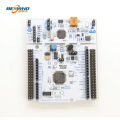
I've been working on a project where I have two identical Nucleo boards each with an attached NRF24L01+.
This little project has been going very well, I've been gradually refactoring, rebuilding and retesting and using two debugger instances and had zero problems with this setup.
Each board is plugged into a USB slot on my desktop PC and I use VisualGDB with Visual Studio, the setup has been working robustly for months.
A few minutes ago I made some more refactoring changes and started a debug of the transmitter and then the receiver.
But the receiver acted very weird, it didn't seem to go normally and looked as if the code had catastrophically crashed, I assumed I had a nasty bug perhaps illegal pointers or something.
But now every time I try to start debugging the receiver it fails:
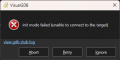
looking at that stub log:
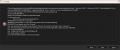
This is the same result I get when I do a test of the debugger:
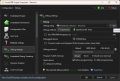
If I do the test on each board here's the result
Receiver:
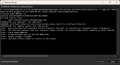
Transmitter
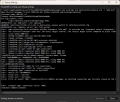
Despite that Error seen there this is normal, the transmitter can be debugged fine.
I rebooted, connected the board to a different USB and so on, but it always fails.
It looks as if the board itself has changed, and I wonder if the firmware has somehow become corrupted - can that be checked? fixed?
Thanks
This little project has been going very well, I've been gradually refactoring, rebuilding and retesting and using two debugger instances and had zero problems with this setup.
Each board is plugged into a USB slot on my desktop PC and I use VisualGDB with Visual Studio, the setup has been working robustly for months.
A few minutes ago I made some more refactoring changes and started a debug of the transmitter and then the receiver.
But the receiver acted very weird, it didn't seem to go normally and looked as if the code had catastrophically crashed, I assumed I had a nasty bug perhaps illegal pointers or something.
But now every time I try to start debugging the receiver it fails:
looking at that stub log:
This is the same result I get when I do a test of the debugger:
If I do the test on each board here's the result
Receiver:
Transmitter
Despite that Error seen there this is normal, the transmitter can be debugged fine.
I rebooted, connected the board to a different USB and so on, but it always fails.
It looks as if the board itself has changed, and I wonder if the firmware has somehow become corrupted - can that be checked? fixed?
Thanks