SUCCESS STORIES: Repair thermoelectric cooler

K6216

Joined Jul 23, 2017
21
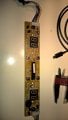
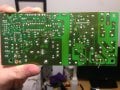
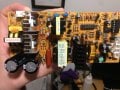
I am repairing a newer model NewAir dual zone cooler. It has a newer PCB form factor, but the same basic circuit as the FX101, FX102 boards. This cooler uses 2 identical PCBs and TECs. the PCBs are labeled MP-012 PCB120102K3. The only difference to the FX102 is that C10 is 1000uf 16V rather than 2200uf. Again, as in the other PCBs, C8 is the main cause of failure, as it provides the filtering to power the start-up control. Scanning thru the updated Caps.pdf file, you can see that many other caps are bad or marginal. But I don't think it is necessary to replace the main HVDC filter caps. These seem not to dry out as fast as the other caps and are much more expensive.

C12/C15 stable ESR could be because there is much more electrolyte volume per diameter. Also note that all of these PCBs use caps made by Aishi. Maybe a brand to be avoided.

I added measured data from the new caps (Wurth, Nichicon, Lelon) to the cap.pdf tables. Note that their ESR is inline with the "good ESR less than" column. So replace all but C12/C15. I will post some photos and data after the repair of all 3 PCBs.
 

Attachments

I am repairing a newer model NewAir dual zone cooler. It has a newer PCB form factor, but the same basic circuit as the FX101, FX102 boards. This cooler uses 2 identical PCBs and TECs. the PCBs are labeled MP-012 PCB120102K3. The only difference to the FX102 is that C10 is 1000uf 16V rather than 2200uf. Again, as in the other PCBs, C8 is the main cause of failure, as it provides the filtering to power the start-up control. Scanning thru the updated Caps.pdf file, you can see that many other caps are bad or marginal. But I don't think it is necessary to replace the main HVDC filter caps. These seem not to dry out as fast as the other caps and are much more expensive.

C12/C15 stable ESR could be because there is much more electrolyte volume per diameter. Also note that all of these PCBs use caps made by Aishi. Maybe a brand to be avoided.

I added measured data from the new caps (Wurth, Nichicon, Lelon) to the cap.pdf tables. Note that their ESR is inline with the "good ESR less than" column. So replace all but C12/C15. I will post some photos and data after the repair of all 3 PCBs.
Hi K6216
I have a problem with my upper section cooler board (lower now works fine after peltier element was changed).
When powering up the cooler (upper section board) the green and red led comes on and fans are speeding up....then after 1-2 seconds they both dim out again and the fan goes back to slow speed.
I have a MP-011 board. (both peltier elements were bad and I have changed them...then the lower section started working but upper board is still a problem).
After reading the posts on this forum I have changed the caps same as you did on the MP012 board (except for the C10 cap, did not have one at home).

Any suggestion on where to start looking (what more to change)...... or is it time to buy a new board (suggestions where I can get one)?
//Leif
 

K6216

Joined Jul 23, 2017
21
Assuming that all caps are now ok, and the fact that the LEDs and fans start, I'd say the supply is ok from a power source point of view.
You did not give any measurements though. But if C10 is actually bad, it is going to play havoc with the forward converter rectifiers & inductor.
You should measure the voltage (and current if possible) going to the TEM. It should start at ~12.6V and when cool drop slowly to ~5V.
It is quite possible that one or both NTC elements is bad. You should monitor the voltage on the anodes of DA1 & D201, as well as the common control node of the cathodes. If your cooler is warm, both op-amps should be lowish, reverse biasing both diodes.

Let us know what u measure.
The usual safety caveats apply. High voltage and line voltage are present on the SMPS primary. An isolation transformer is wise. Measure with isolated test meters. Keep fingers out unless power is off.
 

Yahiko

Joined Jul 1, 2016
4
Well I get to make my first post on this cooler.

I got one and it looks like someone else was in there before me and removed a component.
I have the FX-101 PCB and what was removed is labeled DD1. Can anyone tell me what it is ?
Or can I take this the easy way and use the FX-102 PCB? I'll have a look at the junction and
see how is holds up with the bench power test and if it's good and I get the missing part or the other
board Then I'll be happy with that.

Thanks for the help.
Sean
 

Yahiko

Joined Jul 1, 2016
4
EDIT time out. :(
Well I found the scmatic that I missed the first time around.
The part that is missing is DD1 and that is a STPS2045CT
power schottky rectifier. Digi-key has it listed as
Diode Array 1 Pair Common Cathode Schottky 45V 10A.

I'll get that and some caps ordered and see if the C8 is the bad one or not.

Thanks
Sean
 

Hotrod34

Joined Nov 6, 2017
3
Assuming that all caps are now ok, and the fact that the LEDs and fans start, I'd say the supply is ok from a power source point of view.
You did not give any measurements though. But if C10 is actually bad, it is going to play havoc with the forward converter rectifiers & inductor.
You should measure the voltage (and current if possible) going to the TEM. It should start at ~12.6V and when cool drop slowly to ~5V.
It is quite possible that one or both NTC elements is bad. You should monitor the voltage on the anodes of DA1 & D201, as well as the common control node of the cathodes. If your cooler is warm, both op-amps should be lowish, reverse biasing both diodes.

Let us know what u measure.
The usual safety caveats apply. High voltage and line voltage are present on the SMPS primary. An isolation transformer is wise. Measure with isolated test meters. Keep fingers out unless power is off.

More info......
I found that the temp Control board seems to be bad on the upper section control.
When i switch the connectors on the controll board
I can make both sections to work so I have a faulty temp control board (one side of it).
This board is marked MP104 (HT-NN79)....anyone that have a circuit diagram for this (picture below)?
Where is the NTC located....Some other place in the cooler?

WP_20180102_12_46_57_Pro.jpg
 

Timwine

Joined Jan 10, 2018
1
Hi All, I have read through this entire thread and I think my situation is a little different. When I power up the cooler the lights on the board come on, the two external fans work but the fan inside the machine does not work. I bought a replacement fan and installed it, when I turn the power on the fan moves ever so slightly but stops. I tried changing the connections on the power board (swapping the external and internal fans) and the external fans will run off the socket for the internal fans. I assumed there must be an issue with the wiring running to the internal fan (as the board seems to be fine). I wired the internal fan to the board but it still doesn't work. Can anyone suggest a fix? It is an FX102 board
 
Last edited:

N11778

Joined Dec 4, 2015
176
Update on my cooler.
It's in the garbage can now, I trouble shot it the first time and only replaced 5 or so capacitors.
The rest of them [less 2] went bad, and really burned up the board this time.
Also, during the testing I found that the cooler uses 75 watts average.
A normal self defrosting refrigerator only uses 60 watts average. Hmmmm ?
So it's soon to be located in the giant mountain of China trash, at Mount Garbage.
It is now resting in peace at the bottom of my can, never to be touched by human hands again.
 

Hotrod34

Joined Nov 6, 2017
3
Both NTC´s are fine (dual zone cooler)....it is the control board as per picture that have one side not operating as it should.
Anyone have a circuit diagram for this board or know were I could buy a new bord?


ikerg

Joined Mar 4, 2018
1
Hi to everybody
Hope you can help me.
I have a Haier dual thermoelectric cooler.
Since two months it stopped working.
This weekend I disassembled it and saw the two power supply boards for each Independent room (fx-101 model rated to 10.5V).
One of them...the upper one...has the fuse blown and probably I have to replace all caps as suggested (or replace the board)
The lower one...once plugged....both red and green leds started lighting (and can working) but suddenly both lights dimmed and fan stopped.
What can be wrong for the lower circuit? The peltier?

So thinking it could be the peltier module...
I did change the board to the upper circuit (removing the original board on upper circuit as it requires repair) and plugged...both lights up and stable...as well as fan...frontal fridge controls light up (before they didn't) and they are usable....I could set up the upper temp to 54F but it is not going down below 66f.
What can be wrong?

Many thanks in advance
 

Thread Starter

wayneh

Joined Sep 9, 2010
18,181
So upper board is known bad and removed. Lower board showed bad behavior in original position but behaved normally when placed in the upper position. However and despite the 'normal' behavior, the chamber did not cool properly.

Is all this correct?

Of course it's hard to tell from a distance what the problem could be but you may want to check the performance of all fans and all peltier modules. The latter should show a resistance of 1-2Ω. If you have an old computer power supply laying around, you could use it to supply 5V DC power to each module. They should draw a few amps and of course get cool on one side and hot on the other. Do not leave it powered this way for long, since the peltier can overheat and be damaged if the fans are not running to take away the heat. The fans likely run on 12V DC and that same computer PSU should offer a 12V supply you can use to see see if the fans spin.
 
Thanks for the head's up
I had the exact problem, the 1uf's were ok but the 4.7uf, 22uf and 47uf had ESR issues, I replaced all and unit works perfectly.
None looked bad but half of the caps were failed, sorry i did not note what locations had failed caps...solder connections were questionable also
Thank you all for the great comments here! I bought all the parts listed from Mouser, but just replaced the low voltage side ones that Skyraidr listed here and it seems to have fixed the problem. My wine cooler was showing the same symptoms: unplugged from power moved to different room in house and when I plugged back in it was chirping at me and not cooling. This has fixed it and saved it from the dump. Thanks!
 

Goudla

Joined Mar 20, 2018
7
Hi,

I've had a broken fridge from my office (they just wanted to throw it away) stored in my cellar for over a year now, hoping to fix it, but I'm no electronic engineer.

Previously, I had found out that the fuse on my board was fried. Replaced it, and...fried the new one, so I had it replaced again and waited...until I found this thread recently! So congrats everyone, planned obsolescence is a b****, but it is good to see that motivated people can try to do something about it!

So I've read most of this thread(on and off so might not be thorough), and based on my readings, I've replaced all capacitors except one because I messed up when I bought the new ones, so there is a 1000uF that wasn't replaced, but hopefully, since it is the C10 and not the C8, I hope it will be fine(my board is not the same as the ones mentioned in the thread before, but design seems similar). Also the voltage isn't always the same for the replacement capacitors, but the lady at the shop said that higher voltages should be fine, so for example, I had two 200V 100uF, now I have two 400V 100uF.

Now I could try the board again, except that when I checked my soldering, I found a short on C13, so I removed it to test again, and the short is still there!

So here I am, a bit uncertain again. The only option I see now is to actually try make a schematic, and see if I can make sense of it, to explain the short.

Does someone have another option?

PS: I temporarily installed "connectors" for the TEC in order to allow me to move the board around without having to carry the TEX with it.IMG_1926.JPG IMG_1923_LI.jpg
 

Thread Starter

wayneh

Joined Sep 9, 2010
18,181
There are a few schematics in this thread. I’d start with one of those and hope it’s close enough to save some time. Also get a good light and magnifying glass to examine the back of the board.
 
personally I would replace everything with exactly the same voltage and capacities as stock. ordering online from places like Mouser make this really easy and really cheap. Additionally, I noticed you're missing a fuse on fuse1 and a capacitor on C13. the cap might be tough to figure out the specs for, but the fuse should be 6A 250V.

As for the short-circuits, I suggest you focus on cleaning the circuit bit by bit. start at the power outlet and check each capacitor for continuity. they should have some, then it should drop.
 

Goudla

Joined Mar 20, 2018
7
personally I would replace everything with exactly the same voltage and capacities as stock. ordering online from places like Mouser make this really easy and really cheap. Additionally, I noticed you're missing a fuse on fuse1 and a capacitor on C13. the cap might be tough to figure out the specs for, but the fuse should be 6A 250V.

As for the short-circuits, I suggest you focus on cleaning the circuit bit by bit. start at the power outlet and check each capacitor for continuity. they should have some, then it should drop.
Thanks for the comments and advices.

I've already replaced all the capacitors so I think now I'll give it try before ordering online new replacements. I hope this won't doom my tentative.

Concerning the fuse, you're right, I removed it temporarily since it's the one that I blew once, and I had forgotten that I had already replaced it by a new one.

C13 is the capacitor where I found what I call a "short-cicruit", which is why it is also temporarily removed.
My multimeter was biping when I was testing conductivity between both connection points of C13 on the board, so I needed to test again without the capacitor (it was the only one doing that so I thought something was wrong), and it still bips, which is why I "suppose", there is a short-circuit somewhere.
I'll consult the schematics from before and see if I can understand why this happens.

Thanks!
 

Thread Starter

wayneh

Joined Sep 9, 2010
18,181
C13 is the capacitor where I found what I call a "short-cicruit", which is why it is also temporarily removed.
My multimeter was biping when I was testing conductivity between both connection points of C13 on the board, so I needed to test again without the capacitor (it was the only one doing that so I thought something was wrong), and it still bips, which is why I "suppose", there is a short-circuit somewhere.
There are capacitors on the board that have fairly low resistance in parallel with the cap. There's one parallel to a coil, for instance. Your meter might be beeping at this non-zero resistance. Can you set it to the lowest ohms scale and get a number, beep or not?
 

Goudla

Joined Mar 20, 2018
7
There are capacitors on the board that have fairly low resistance in parallel with the cap. There's one parallel to a coil, for instance. Your meter might be beeping at this non-zero resistance. Can you set it to the lowest ohms scale and get a number, beep or not?
I just tried on the connections of C13, without the capacitor. With a setting of 200 ohms, I get "2.3". Does it mean that I should re-assemble everything and have a go?
I had no time to look at the schematics...
 

Thread Starter

wayneh

Joined Sep 9, 2010
18,181
I just tried on the connections of C13, without the capacitor. With a setting of 200 ohms, I get "2.3". Does it mean that I should re-assemble everything and have a go?
I had no time to look at the schematics...
Try touching your leads together to see what the meter says with a dead short. If it says zero and you're seeing 2.3Ω, then it's not a short. I'm reluctant to offer advice how to proceed because, like you, I don't know what's going on there.
 
Thread starter Similar threads Forum Replies Date
SgtWookie Off-Topic 4
Top