Serial on 16f1509

Thread Starter

FroceMaster

Joined Jan 28, 2012
708
Hi
Have following code.
and can't seem to get anything back from my chip.
When pressed on a button, it should write a number.
Use Pickit2 as UART Tool, and when connecting RX to TX, i get Things back.
Rich (BB code):
#include <htc.h>
#include <stdio.h>
#include <stdlib.h>
#include "lcd.h"
#include <string.h>
__CONFIG (CLKOUTEN_OFF & FCMEN_ON & IESO_OFF & BOREN_OFF & CP_OFF & MCLRE_OFF & PWRTE_ON & WDTE_OFF & FOSC_INTOSC);//XT
__CONFIG (LVP_ON & LPBOR_OFF & BOREN_ON & STVREN_ON & WRT_OFF);
#define _XTAL_FREQ 4000000
#define button RC1
void usrt_init() 
{ 
    TRISB5=1; // in
 TRISC1=1; // in
 TRISB7=0; // out
    ANSELB=0; // analog off.
 
    //TXSTA    //CHECK THE DATA SHEET FOR TXSTA 
    CSRC=0; //Clock Source Select bit not used in async.
    TX9=0; // 9-bit Transmit Enable bit
    TXEN=1; // Transmit Enable bit(1)
    SYNC=0; //1 = Synchronous mode 0 = Asynchronous mode
    SENDB=0; //Send Break Character bit 1 = Send Sync Break on next transmission (cleared by hardware upon completion)
    //0 = Sync Break transmission completed
    BRGH=0; //High Baud Rate Select bit 0= low
    TRMT=1; //Transmit Shift Register Status bit 1 = TSR empty 0 = TSR full
    TX9D=0; //Ninth bit of Transmit Data
 
 
    //RCSTA    //SEE THE DATA SHEET FOR RCSTA 
    SPEN=1; //Serial Port Enable bit
    RX9=0;  // 8bit
    SREN=0; // Single Receive Enable bit
    CREN=1; //1 = Enables receiver
    ADDEN=0; //Not Used.
    FERR=0; //Framing Error bit
    OERR=0; // Overrun Error bit
    RX9D=0; // Ninth bit of Received Data
 
 
    BRGH=0;            //  low baud rate  
    SPBRGL=0b11001111;      //baud rate 300 
    SPBRGH=0b00000000;
 
}// 
main() 
{     
    usrt_init(); 
    while(1); //loop
     {
      if (!button) // if pressed the button.
      {
       TXEN=1;
        TXREG = 0b11111100; //sends a number
            while(!TRMT); // until empty.
      } 
     } 
}
Only button is held high by 10 k, and is low when pressed.
 

tshuck

Joined Oct 18, 2012
3,534
Without a schematic, this will be a best-guess scenario...

Try sending 0x30, this well send "0", the character you are trying to send may not show up.


When you say you are connecting RX to TX, I'm assuming you mean on the pickit, to verify the UART on it is working, is this correct? The statement is a bit ambiguous and I want to be concise.

Oop, never mind, I found it! A semicolon after your while (1) says the body is empty, your code will never reach transmit! Take out that semicolon...
 

Thread Starter

FroceMaster

Joined Jan 28, 2012
708
Without a schematic, this will be a best-guess scenario...

Try sending 0x30, this well send "0", the character you are trying to send may not show up.


When you say you are connecting RX to TX, I'm assuming you mean on the pickit, to verify the UART on it is working, is this correct? The statement is a bit ambiguous and I want to be concise.

Oop, never mind, I found it! A semicolon after your while (1) says the body is empty, your code will never reach transmit! Take out that semicolon...
Thanx, that solve some of the problem.
Removing semicolon gave just "?" on screen all the time.
nothing change when button pushed.
And yes have changed to 0x30.
And yes, it was to check that UART Work, i was connecting RX to TX
 

ErnieM

Joined Apr 24, 2011
8,415
could try tomorrow, but dont think that will help
have allways use the if(!button).
I don't use that compiler version so I don't know if "RC1" is correct for a port pin, and without a schematic I don't know if that is the port with the switch...

But I do know that "if (1)" ill always be true and always execute the transmit code. It's also short enough to be slipped into your code painlessly (with the (!Button) hidden behind a comment).

I suspect the problem lies with how the UART is set up.

The statement "if (!Button)" is correct C for the hardware you described. Personally I would "#define Button !RC1" so I could say "if (Button)" to sense when pressed.
 

Thread Starter

FroceMaster

Joined Jan 28, 2012
708
Have done some modifications
Rich (BB code):
#include <htc.h>
#include <stdio.h>
#include <stdlib.h>
#include "lcd.h"
#include <string.h>
__CONFIG (CLKOUTEN_OFF & FCMEN_ON & IESO_OFF & BOREN_OFF & CP_OFF & MCLRE_OFF & PWRTE_ON & WDTE_OFF & FOSC_INTOSC);//XT
__CONFIG (LVP_ON & LPBOR_OFF & BOREN_ON & STVREN_ON & WRT_OFF);
#define _XTAL_FREQ 4000000
#define button RC1
void usrt_init (void)
{ 
    TRISB5=1; // in
 TRISC1=1; // in
 TRISB7=0; // out
    ANSELB=0; // analog off.
    
    //TXSTA    //CHECK THE DATA SHEET FOR TXSTA 
    CSRC=0; //Clock Source Select bit not used in async.
    TX9=0; // 9-bit Transmit Enable bit
    TXEN=1; // Transmit Enable bit(1)
    SYNC=0; //1 = Synchronous mode 0 = Asynchronous mode
    SENDB=0; //Send Break Character bit 1 = Send Sync Break on next transmission (cleared by hardware upon completion)
    //0 = Sync Break transmission completed
    BRGH=0; //High Baud Rate Select bit 0= low
    TRMT=1; //Transmit Shift Register Status bit 1 = TSR empty 0 = TSR full
    TX9D=0; //Ninth bit of Transmit Data
    
    
    //RCSTA    //SEE THE DATA SHEET FOR RCSTA 
    SPEN=1; //Serial Port Enable bit
    RX9=0;  // 8bit
    SREN=0; // Single Receive Enable bit
    CREN=1; //1 = Enables receiver
    ADDEN=0; //Not Used.
    FERR=0; //Framing Error bit
    OERR=0; // Overrun Error bit
    RX9D=0; // Ninth bit of Received Data
    
    
    BRGH=0;            //  low baud rate  
    SPBRGL=0b11001111;      //baud rate 300 
    SPBRGH=0b00000000;
    
}// 
void main (void) 
{     
    usrt_init(); 
    while(1) //loop
     {
      //if (!button) // if pressed the button.
     // {
       TXEN=1;
        TXREG = 0x30;//1; //sends a number
      
           while(TRMT) // until empty.
      {
      } 
      } 
     //} 
}
I make it send the number 0x30 back to pc, all the time, without any button pressed,.
just to illiminate that part.
Still nothing is comming to PC.
 

t06afre

Joined May 11, 2009
5,934
What kind of USB dongle do you use for RS232 interface. Could it be that you need RS232 level translator. And I also think we need a schematic. To save time just use paper and pen. Then take a photo and post that.
 

Thread Starter

FroceMaster

Joined Jan 28, 2012
708
What kind of USB dongle do you use for RS232 interface. Could it be that you need RS232 level translator. And I also think we need a schematic. To save time just use paper and pen. Then take a photo and post that.
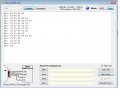
Use the Pickit2 dongle as interface, and if i set out/input together the log screen Works, then i think the transmission to and from PC is ok.

Schematic, sure, but from start this is just the Chip, and nothing more.
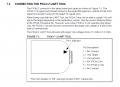
TX and RX tied to the interface- like in the document. page 69 . to pickit2 manual-
 

Attachments

ErnieM

Joined Apr 24, 2011
8,415
One thing I do very early on in a PIC project is verify I have the clock speed I think I have. While my preferred method is to bang a port pin at the instruction rate and view it on a scope, other methods such as making a 1 second pause and toggling a LED can also be effective.

In your specific case I do believe you left out the OSCCON setting to actually get the 4MHz clock you need:

Rich (BB code):
   OSCCON = 0b01101000;
Without this setting the oscillator will default to 500KHz.
 

Thread Starter

FroceMaster

Joined Jan 28, 2012
708
One thing I do very early on in a PIC project is verify I have the clock speed I think I have. While my preferred method is to bang a port pin at the instruction rate and view it on a scope, other methods such as making a 1 second pause and toggling a LED can also be effective.

In your specific case I do believe you left out the OSCCON setting to actually get the 4MHz clock you need:

Rich (BB code):
   OSCCON = 0b01101000;
Without this setting the oscillator will default to 500KHz.

Thanx a lot, stupid me,
Now it Works, and added a button more, just to show i got different data return from chip.

Added proof :)

Rich (BB code):
#include <htc.h>
#include <stdio.h>
#include <stdlib.h>
#include "lcd.h"
#include <string.h>
__CONFIG (CLKOUTEN_OFF & FCMEN_ON & IESO_OFF & BOREN_OFF & CP_OFF & MCLRE_OFF & PWRTE_ON & WDTE_OFF & FOSC_INTOSC);//XT
__CONFIG (LVP_ON & LPBOR_OFF & BOREN_ON & STVREN_ON & WRT_OFF);
#define _XTAL_FREQ 4000000
#define button1 RC1
#define button2 RC2
void usrt_init (void)
{ 
    TRISB5=1; // in
 TRISC2=1; // in
 TRISB7=0; // out
    ANSELB=0; // analog off.
    ANSELC=0;
    IRCF3=1;//4MHz clock speed
IRCF2=1;
IRCF1=0;
IRCF0=1;
    //TXSTA    //CHECK THE DATA SHEET FOR TXSTA 
    CSRC=0; //Clock Source Select bit not used in async.
    TX9=0; // 9-bit Transmit Enable bit
    TXEN=1; // Transmit Enable bit(1)
    SYNC=0; //1 = Synchronous mode 0 = Asynchronous mode
    SENDB=0; //Send Break Character bit 1 = Send Sync Break on next transmission (cleared by hardware upon completion)
    //0 = Sync Break transmission completed
    BRGH=0; //High Baud Rate Select bit 0= low
    TRMT=1; //Transmit Shift Register Status bit 1 = TSR empty 0 = TSR full
    TX9D=0; //Ninth bit of Transmit Data
    
    
    //RCSTA    //SEE THE DATA SHEET FOR RCSTA 
    SPEN=1; //Serial Port Enable bit
    RX9=0;  // 8bit
    SREN=0; // Single Receive Enable bit
    CREN=1; //1 = Enables receiver
    ADDEN=0; //Not Used.
    FERR=0; //Framing Error bit
    OERR=0; // Overrun Error bit
    RX9D=0; // Ninth bit of Received Data
    
    
    BRGH=0;            //  low baud rate  
    SPBRGL=0b11001111;      //baud rate 300 
    SPBRGH=0b00000000;
    
}// 
void main (void) 
{     
    usrt_init(); 
    while(1) //loop
     {
      if (!button1) // if pressed the button.
      {
      
        TXREG =0b11110011;// 1; //sends a number
      
           while(!TRMT) // until empty.
      {
      } 
      } 
       if (!button2) // if pressed the button.
      {
      
        TXREG =0b10000011;// 1; //sends a number
      
           while(!TRMT) // until empty.
      {
      } 
      } 
     } 
}
 

Attachments

Thread Starter

FroceMaster

Joined Jan 28, 2012
708
Congratulations. Don't you love it when a plan comes together? :)
Yes, great,
But ran into another problem now.
Rich (BB code):
static void interrupt isr(void)   // Here is interrupt function - the name is unimportant.
{
 if(TMR1IF) // Was this a timer overflow? 
  {
      TMR1IF=0;//Clear interrupt flag, ready for next
   TMR1L=0x80; 
   TMR1H=0x81; //If we set TMR1 to start at 0x8000 (32768), the TMR1 will overflow every 1 second
   timer_tick=1;
   sec++;   // tillægger et sekund
    if (sec==60)  // hvis sekund = 60
 { sec=0;    // sekund = 0
        minut_tick=1;   // og plusser et minut
 
 } // slut "if second"
    }
    if(RCIF) // data in uart.
    {
     lcd_clear();
     utoa(sendt, RCREG, 8);
     lcd_puts(sendt);
    }
}// end interrupt
The interrupt for time Works fine,
Can i just add an "IF" more into the interrupt. like i did with "if(RCIF)"
then it do the following when it recieves data. ???
 

t06afre

Joined May 11, 2009
5,934
I do not think you need any interrupt in this setting. Use a master/slave setup instead. Another thing, how do you plan to organize the data before sending them? Using a smart protocol can save you a lot of work. Like it is no need to convert data to string before sending them ;)
 

Thread Starter

FroceMaster

Joined Jan 28, 2012
708
I do not think you need any interrupt in this setting. Use a master/slave setup instead. Another thing, how do you plan to organize the data before sending them? Using a smart protocol can save you a lot of work. Like it is no need to convert data to string before sending them ;)
How?


By master slave, what do you mean ?

The one thing i need to send is simpel as TXREG=TMR0
The other thing is data from reading af temperature.
it becomes a number, from 0 to 100 i think,
no big deal in that.
 

Thread Starter

FroceMaster

Joined Jan 28, 2012
708
Last edited:

Thread Starter

FroceMaster

Joined Jan 28, 2012
708
Works now. found that PIC not recieving anything cause, the RX pin is also connected to pin 18
ICSPCLK , use to program the PIC and TX is also connected to
ICSPDAT, when program the PIC i removed these 2 wires, then PIC recieves,.
 

Thread Starter

FroceMaster

Joined Jan 28, 2012
708
hopefully, need to get i divided into to chip now, the one outside should have rain, and temperature.
when the one inside sends a "00" to the outside, it reset the rain. and if "01" then it should return the amount of rain in timer0. and when "02" send it should send the temperature back....
it Works, when i send the commands from PICKIT2 , so i think i easy can get it to Work.

one Q, what will be the best way to protect the outside chip from Water, can build it inside, but muisture can allways get in,
 
Top