RS232 Communication - PCIe card or USB to RS232 converter

Thread Starter

Nio123

Joined Feb 8, 2024
17
Hey all!

I want to control 2 instruments both of which use RS232 interface. But in the computer, there are no free RS232 ports. But, there are few free USB ports. I wanted to know, is it preferable to get a USB to RS 232 converter or a PCIe card with RS232 ports?

If anyone can share any resources where I can get such information will also be helpful.

Thanks,
Nio.
 

meth

Joined May 21, 2016
298
from my experience USB convertors are good for simultanious communication up to 3-4 devices max, for more you would definitely need PCI cards. So for 2 instruments it all should work good with USB->RS232 convertors, just avoid connecting both convertors to a USB HUB, use separate USB port for each.
 

meth

Joined May 21, 2016
298
With my example there is no actual limitation to how many adapters you can connect to your PC, they will all show up as COM ports in the device manager.
The problem is that I made VB application that had to communicate with a laser printer and 4 barcode scanners. When I had them all on convertors I had all sorts of problems with the app bugging and struggling with the communication, until I bought PCI card with 2 COM ports. After I had 2 devices on PCI COM ports and 3 on adapter it all worked fine.

Also, when all devices were on adapters, individually they all worked, but in production mode when I had to trigger 2 scanners and maybe the laser at the same time I guess it was too much for the PC to address 3 basically virtual ports at the same time.
 

SamR

Joined Mar 19, 2019
5,470
If anyone can share any resources where I can get such information will also be helpful.
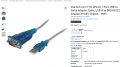
Have several of those. You can get either an adapter or cable. I prefer the cable. Many sources but here is what you are looking for I think.
1775482873261.png
 

Irving

Joined Jan 30, 2016
4,996
Hmmm, I have a USB3 hub attached to my current PC. On the hub I have 6 USB-serial adapters, running between 19.2kbd and 230kbd talking to RS232 instruments of varying capability and antiquity, including one via a RS232<>GPIB adapter. Never had any issues regarding performance and/or data logging capability running various software packages from NI, MATLAB, etc. as well as a few custom ones in C++, Visual Basic and even Excel! On my old PC I used a USB2 hub similarly. I did have issues way back with an un-powered 4-port USB1.1 hub on an old Pentium PC but with powered hubs never an issue.
 

Irving

Joined Jan 30, 2016
4,996
Might work, I aint saying no, I just had bad experience. 2 adapters should not be a problem anyways.
I think issues of this nature stem from the random use of the term 'RS232', which is a +/- 12v signalling system at the transmitter, with +/- 3v minimum for signal integrity at the receiver, yet over the years its been bastardized into a TTL-ish +/- 3 to 5v at the transmitter, which is marginal at higher baud rates with devices that expect higher voltage levels. Many so called USB to RS232 devices don't generate 12v from 5v and use simple capacitor charge pumps to generate a -ve voltage, sometimes as little as -2v giving little signal integrity over distance (recall that, -ve = '1', +ve = '0'). The Prolific PL2303 chip does guarantee +/-9v into 3kohm at the transmitter output, but many other chips don't come close to that.

The device suggested by @SamR is the same one I use and does the job.

TS has to tell us the application, type of devices, unidirectional or bidirectional communication, software used.
Sorry, but no he doesn't - the fact he wants to control 2 devices using RS232 from a USB port conveys all the information necessary from an interface viewpoint. Standard TIA-232-F (R 2012) as its official designation is now known defines the physical, electrical and signalling requirement on the RS232 side and the USB2.0 spec tells us everything on the USB side. What the TS wants to know is what to plug into a USB port to connect to his RS232 device, and @SamR gave the correct answer.

A CP2102 UART to USB adapter, or for that matter, a CH340, is of no use here as it's UART output is TTL not RS232 even though it uses the same terminology for the signals.

The higher level discussion about whether he can control his RS232 device from the PC software is a completely different issue at the application protocol level...

Further thought: RS232 defines the DB25 connector for DTE/DCE connection though the use of DB9 is quite common, so its possible a DB9 to DB25 adapter cable may be necessary if the RS232 devices have full DB25 sockets.
 
Last edited:

panic mode

Joined Oct 10, 2011
4,866
i got bunch of usb adapters mostly FT232 or Prolific chipsets. they all work. one can get usb hub and connect bunch of usb to serial adapters (most i ever had at the same time was 12).

btw. all of them with Prolific chipset look exactly like picture shared by SamR. some of them (including two from StarTech) are not working with latest drivers since chips are recognized by drivers as not genuine Prolific. one can of course just use older driver and everything is fine... for a while... sooner or later Windows will replace that driver with newer one so - heads up. so i marked those and they are only used on non Windows machines like my raspberry PI and NUC PC that runs Linux.

my most recent adapter is a Y shaped and has two serial ports. love that unit.

also note that serial ports on USB adapters are not good for certain applications. the signal levels are lower. this is not a problem if RS232 is used only for communication, but some devices are trying to do weird things go sideways. one of those things is harvesting power from RS232 (like JDM programer, some old PLC programming adapters etc.). the only other issue with RS232 on USB is that plugging adapter into a different USB port normally appears as a different COM port though there are workarounds for that.

PCI cards with serial ports are nice but only work for desktops.also they are not portable. but... they never gave me problem with any of the devices.

all of the above may still run into issues with ground loops. so if this is meant to be used on industrial shop floor, optical isolation is strongly recommended, specially if multiple ports are used.
 

panic mode

Joined Oct 10, 2011
4,866
another option could be Ethernet server with RS232 ports. but they need some setup and this costs more. if you are looking for cheap ones, all of them are Chinese (Waveshare or whatever). They work well and also support virtual com ports (separate software) but software is Chinese with barely lick of English even if one switches to English
 
Top