Remote control by location (PIC in Oshonsoft)

sagor

Joined Mar 10, 2019
1,050
Hi S,
I'm trying tests for hour on end, When I'm trying SIM, I have the SW UART or HW UART, and perhaps leave it on screen while I test the HSEROUT 'live', but I don't try both at the same time.

I use PIN 44 RC6 of the 18F46K20 for HSEROUT 'live' or for SEROUT tests, as this is the connection to the radio on the PCB.
At the moment there is no receive while testing the HSEROUT, but when used in the full program, it goes through a switch along with other inputs. (This will change soon, so leave for now)

The screen shot: https://forum.allaboutcircuits.com/...location-pic-in-oshonsoft.148795/post-1707556
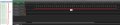
shows 0-9 readings from a digital analyser, can you or anyone read the DATA?
C
Those traces in that link do not seem to be 9600 baud. You only have about 4 or 5 transitions/bit times in 1mS. There should be at least 10 transitions or bit times in 1ms at 9600 baud.
One possible way to diagnose the UART data better, is to run the UART with 2 stop bits. That gives a longer transition between bytes. This is all for the hardware UART of course.
There is the possibility that with a wrong PIC clock speed definition, all the baud rates will be wrong. Check the clock settings for the PIC
 

Thread Starter

camerart

Joined Feb 25, 2013
3,838
Hi,
First I have been getting more understanding of digital analysers and serial DATA.

Here is screen shot showing 9 not showing in the terminal, but showing in the analyser.
This proves that the errors are radio related. (I may be repeating myself)

Next check timing as suggested.
C.
 

Attachments

Last edited:

jjw

Joined Dec 24, 2013
823
Hi,
First I have been getting more understanding of digital analysers and serial DATA.

Here is screen shot showing 9 not showing in the terminal, but showing in the analyser.
This proves that the erros are radio related. (I may be repeating myself)

Next check timing as suggested.
C.
Are the radios too close each other?
I remember that there should be some minimum distance.
 

Thread Starter

camerart

Joined Feb 25, 2013
3,838
Hi,
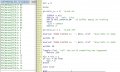
I've been messing about trying to get some sense out of this, and eventually got it to count incrementally, but in a strange way.
What do you make of this?:
C
 

Attachments

sagor

Joined Mar 10, 2019
1,050
Hi,
I've been messing about trying to get some sense out of this, and eventually got it to count incrementally, but in a strange way.
What do you make of this?:
C
It does not make any sense. Something is modifying M2S outside of the main loop, or there is a compiler bug of some sort. Always post the entire code including definitions.
Try a few things - shorten the hserout text to something very short, like "M1= ". Try shorter waitms between writes, then try longer delays, see if there is a difference.
When running in the SIM, watch the M2S variable to see when/how/if it gets incremented. You may have to "STEP" single instructions for a while instead of going to next Basic Statement.
PS: Make sure you have the A/D turned off for the UART pins. On some PICs, if you don't turn off the A/D features, it will conflict with any pins you are trying to use as digital. If you have the statement "ALLDIGITAL", then that turns off the A/D features.
 

jjw

Joined Dec 24, 2013
823
If Hserout is skipped every other time, then the result match.
But why?

Remove the SPI stuff.
Disable interrupts.
Add Hserout "Started", CrLf before Main.
Make the loop run 20 times, then stop, so that printouts fit on the screen.
 

Thread Starter

camerart

Joined Feb 25, 2013
3,838
It does not make any sense. Something is modifying M2S outside of the main loop, or there is a compiler bug of some sort. Always post the entire code including definitions.
Try a few things - shorten the hserout text to something very short, like "M1= ". Try shorter waitms between writes, then try longer delays, see if there is a difference.
When running in the SIM, watch the M2S variable to see when/how/if it gets incremented. You may have to "STEP" single instructions for a while instead of going to next Basic Statement.
PS: Make sure you have the A/D turned off for the UART pins. On some PICs, if you don't turn off the A/D features, it will conflict with any pins you are trying to use as digital. If you have the statement "ALLDIGITAL", then that turns off the A/D features.
Hi S,
I posted the whole CODE at: https://forum.allaboutcircuits.com/...location-pic-in-oshonsoft.148795/post-1706883
some members don't like the whole CODE alswas, so I usually post the sections I change after posting the full one.

HSEROUT doesn't run in SIM.

I stopped using ALL DIGITAL because eventually this will be added back into the FULL program where A/D will be used. I'm glad it's breaking here, because if
I posted the FULL program, you wold wish I hadn't :)
Next, try suggestions, but many of them have been tried in lots of variations before.
C
 

jjw

Joined Dec 24, 2013
823
Hi S,
I posted the whole CODE at: https://forum.allaboutcircuits.com/...location-pic-in-oshonsoft.148795/post-1706883
some members don't like the whole CODE alswas, so I usually post the sections I change after posting the full one.

HSEROUT doesn't run in SIM.

I stopped using ALL DIGITAL because eventually this will be added back into the FULL program where A/D will be used. I'm glad it's breaking here, because if
I posted the FULL program, you wold wish I hadn't :)
Next, try suggestions, but many of them have been tried in lots of variations before.
C
Can the terminal program display data as hex ?
9 (0x09) is tabulator in ascii.
 

Thread Starter

camerart

Joined Feb 25, 2013
3,838
Hi J and S,
Remove the [ # ] and it shows ascii.
As soon as I started the above suggestions, it reverted to skipping numbers. I tried yesterdays program and skip.
I've been doing this for ages, and you will find posts from me a long time ago asking about similar intermittent errors.
I think it boils down to a message to Vladimir, while not forgetting the possible voltage errors.
My mate has asked me to do another oscilloscope test with different settings, so that's next.

Here's the oscilloscope reading:
I shortened it, [ Hserout "1= ", #m2, CrLf ].
C
 

Attachments

Last edited:

sagor

Joined Mar 10, 2019
1,050
Hi S,
I posted the whole CODE at: https://forum.allaboutcircuits.com/...location-pic-in-oshonsoft.148795/post-1706883
some members don't like the whole CODE alswas, so I usually post the sections I change after posting the full one.

HSEROUT doesn't run in SIM.

I stopped using ALL DIGITAL because eventually this will be added back into the FULL program where A/D will be used. I'm glad it's breaking here, because if
I posted the FULL program, you wold wish I hadn't :)
Next, try suggestions, but many of them have been tried in lots of variations before.
C
In your code section where you define input/output pins, you have:
Code:
TRISC = %11011111  '5=MOSI 4=MISO 3=SCK
The datasheet clearly states in PORTC I/O Summary section, you must define RC6 (TX) as output, which you have not done.
 

Thread Starter

camerart

Joined Feb 25, 2013
3,838
In your code section where you define input/output pins, you have:
Code:
TRISC = %11011111  '5=MOSI 4=MISO 3=SCK
The datasheet clearly states in PORTC I/O Summary section, you must define RC6 (TX) as output, which you have not done.
Hi S,
Well spotted, thanks. Actually I set them correctly a couple of days ago, then used the incorrect ones.

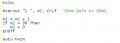
Here's the program and the output. (Actually, it won't allow me to post the full program?
Code:
'Set PINS as IN/OUT
TRISA = %00000000  '4=pic4431_cs
TRISB = %00000000
TRISC = %10010000  '7=RX 6=TX 5=MOSI 4=MISO 3=SCK
TRISD = %00000000  '4=HC-12_CS
TRISE = %00011010  '4= 1?? 3=MCLR 2=RLED 1=DRDY

MAIN:

Hserout "1 ", m2, CrLf  'Show DATA to SEND

WaitMs 10  'Depends on the length of the string?

Hserout "2 ", m2, CrLf  'Show DATA to SEND

WaitMs 10  'Depends on the length of the string?

Toggle rled  'tell the world something has happened
    WaitMs 100

m2 = m2 + 1
If m2 = 99 Then
    m2 = 0
Endif

Goto MAIN
C
 

Attachments

Last edited:

sagor

Joined Mar 10, 2019
1,050
Hi S,
Well spotted, thanks. Actually I set them correctly a couple of days ago, then used the incorrect ones.

Here's the program and the output. (Actually, it won't allow me to post the full program?
Code:
'Set PINS as IN/OUT
TRISA = %00000000  '4=pic4431_cs
TRISB = %00000000
TRISC = %10010000  '7=RX 6=TX 5=MOSI 4=MISO 3=SCK
TRISD = %00000000  '4=HC-12_CS
TRISE = %00011010  '4= 1?? 3=MCLR 2=RLED 1=DRDY

MAIN:

Hserout "1 ", m2, CrLf  'Show DATA to SEND

WaitMs 10  'Depends on the length of the string?

Hserout "2 ", m2, CrLf  'Show DATA to SEND

WaitMs 10  'Depends on the length of the string?

Toggle rled  'tell the world something has happened
    WaitMs 100

m2 = m2 + 1
If m2 = 99 Then
    m2 = 0
Endif

Goto MAIN
C
What happens if you put in another Hserout "3 "? Or make it 4 outputs each loop. Does the M2 increment still by 2 at a time or does it change? If you wait 100ms between Hserout, is there any change? Try 500mS as well. Remove the toggle rled as well, to test... Watch the variable m2 in the "Watch Variables" window. Make the code step though slowly to see where the value changes. Use breakpoints in the Breakpoints Manager to pause the code between Basic statements and allow you to step single instructions.
There is no way m2 should increment by 2 unless something outside this loop is incrementing it, an interrupt routine is incrementing it, or there is some bug in the compiler.
I can't compile this chip, as I only have the SIM programs, not the newer compiler versions. When I compile your "Main" loop code, it works as it should with a lower end 16F chip definition in the SIM version of the IDE. The hardware UART monitor works just fine watching the output (though timing is off, it still displays the data)
 

jjw

Joined Dec 24, 2013
823
Hi S,
Well spotted, thanks. Actually I set them correctly a couple of days ago, then used the incorrect ones.

Here's the program and the output. (Actually, it won't allow me to post the full program?
Code:
'Set PINS as IN/OUT
TRISA = %00000000  '4=pic4431_cs
TRISB = %00000000
TRISC = %10010000  '7=RX 6=TX 5=MOSI 4=MISO 3=SCK
TRISD = %00000000  '4=HC-12_CS
TRISE = %00011010  '4= 1?? 3=MCLR 2=RLED 1=DRDY

MAIN:

Hserout "1 ", m2, CrLf  'Show DATA to SEND

WaitMs 10  'Depends on the length of the string?

Hserout "2 ", m2, CrLf  'Show DATA to SEND

WaitMs 10  'Depends on the length of the string?

Toggle rled  'tell the world something has happened
    WaitMs 100

m2 = m2 + 1
If m2 = 99 Then
    m2 = 0
Endif

Goto MAIN
C
Remove WaitMs 100
It might cause the radio link to lose sync.
 
Last edited:

jjw

Joined Dec 24, 2013
823
....
There is no way m2 should increment by 2 unless something outside this loop is incrementing it, an interrupt routine is incrementing it, or there is some bug in the compiler.
If the first two Hserouts are not sent or displayed on the terminal and then the same for every second Hserouts ( two of them ), output will be as it is now.
 

jjw

Joined Dec 24, 2013
823
Hi S,
Well spotted, thanks. Actually I set them correctly a couple of days ago, then used the incorrect ones.

Here's the program and the output. (Actually, it won't allow me to post the full program?
Code:
'Set PINS as IN/OUT
TRISA = %00000000  '4=pic4431_cs
TRISB = %00000000
TRISC = %10010000  '7=RX 6=TX 5=MOSI 4=MISO 3=SCK
TRISD = %00000000  '4=HC-12_CS
TRISE = %00011010  '4= 1?? 3=MCLR 2=RLED 1=DRDY

MAIN:

Hserout "1 ", m2, CrLf  'Show DATA to SEND

WaitMs 10  'Depends on the length of the string?

Hserout "2 ", m2, CrLf  'Show DATA to SEND

WaitMs 10  'Depends on the length of the string?

Toggle rled  'tell the world something has happened
    WaitMs 100

m2 = m2 + 1
If m2 = 99 Then
    m2 = 0
Endif

Goto MAIN
C
You can post the full program as an attachment ( file )
 

Thread Starter

camerart

Joined Feb 25, 2013
3,838
If the first two Hserouts are not sent or displayed on the terminal and then the same for every second Hserouts ( two of them ), output will be as it is now.
Hi J and S,
STOP THE PRESS!
On the rare occassions, I ask my son for his opinion about this project (He's heard enough) He said "Try without the radios"

I connected directly between the PIC and the Terminal, and :
With nothing but the LOOP it is really fast.

I also tried multiple HSEROUTS with multiple different WAITMSs, YLED, all work as expected, apart from the mysterious missing numbers, such as '9'

Now I'm reminded that days ago, I proved the problem was more radio related than program. https://forum.allaboutcircuits.com/...location-pic-in-oshonsoft.148795/post-1707915

I added the '#' back and it now counts all of the numbers, Hurray
C
 

Attachments

Last edited:
Top