Possibly Difficult Graphing Problem

WBahn

Joined Mar 31, 2012
32,840
Look at the plot an you will see that the relation (as opposed to function) is defined for some u < -1 and, for those values, there are FOUR values of v. So even just looking at the top half and bottom half separately it is multi-valued and, hence, strictly speaking not a function.

In the polar domain, however, it is single-valued for all principle values of theta.
 

Thread Starter

MrAl

Joined Jun 17, 2014
13,704
No Sir I am not going to copy these answers!!! I will never do that because in 2 months we write an exam on Complex analysis and Laplace transforms, Sequences and Series and Z-transforms. if I just copy the answers I am fooling myself, Thanks for understanding I will attach my working below if you still want me to and next time I will post directly even if my answers seem stupid from logical sense. MR AI told me about the newton method to solve this and he is going to come back to me on that. I am searching the newton method now as we speak. I also was researching Telesa23 way and your way on parametric plots. Its very interesting to know the many ways to solve this. I need to understand all this stuff and more in 2 months because of this major exam. I do distant studies (due to work situation) so no lectures. This forum helped me a lot and I passed Circuit Analysis due to this forum and tips and advice from MR AI.
Also can you explain to me from the same question what if the circle was not x^2 + y^2 = 1
what if the radius was bigger or smaller say? x^2 + y^2 = 4
or x^2 + y^2 = 1/4
how will this affect the image formation???
thank you all.
Hi,

I didnt see this until now.

I think all you would have to do in Wbahn's solution is substitute x^2+y^2=R^2 into the intermediate solution instead of x^2+y^2=1 and that should give a different end result of course. So that would mean for any R^2, instead of the simplification where in the next step it came out to -1 it will come out to -R^2, So if you had x^2+y^2=4 for example, you would see a -4 in the next step instead of -1. Then you could complete the solution i think.
Maybe you should try it as an exercise.
I happen to like the Wbahn solution because it seems to me to be mathematically elegant.
 

naickej4

Joined Jul 12, 2015
206
Hi,

I didnt see this until now.

I think all you would have to do in Wbahn's solution is substitute x^2+y^2=R^2 into the intermediate solution instead of x^2+y^2=1 and that should give a different end result of course. So that would mean for any R^2, instead of the simplification where in the next step it came out to -1 it will come out to -R^2, So if you had x^2+y^2=4 for example, you would see a -4 in the next step instead of -1. Then you could complete the solution i think.
Maybe you should try it as an exercise.
I happen to like the Wbahn solution because it seems to me to be mathematically elegant.
Hi SIr, thank you.
I am going to try this out just now I will tell you if I come right.
By the way I have very good news, that book I found its the most BEAUTIFUL maths book ever(No offense to my girl friend :) lol) but its just the best book it has 3 chapters on complex analysis and its very simple to understand.
I am finally understanding this on a whole new level.
I really appreciate all the effort you and all on this forum are taking to help me understand this section of maths.
I wish you all joy in your lives.
 
Last edited:

josh007

Joined Sep 20, 2015
43
Hi SIr, thank you.
I am going to try this out just now I will tell you if I come right.
By the way I have very good news, that book I found its the most BEAUTIFUL maths book ever(No offense to my girl friend :) lol) but its just the best book it has 3 chapters on complex analysis and its very simple to understand.
I am finally understanding this on a whole new level.
I really appreciate all the effort you and all on this forum are taking to help me understand this section of maths.
I wish you all joy in your lives.
Hi you have passion buddy keep the fire burning!!! What is the name of this book?
 

Thread Starter

MrAl

Joined Jun 17, 2014
13,704
Hi you have passion buddy keep the fire burning!!! What is the name of this book?
Hi,

Before i got a handbook of my own i had to go to the library to look up some math relationships. Sometimes i had to travel by bus to get there.

The book is either of:
Advanced Engineering Mathematics with matlab by Dean Duffy
or:
Advanced Engineering Maths by KA Stroud.

I like to brush up on this stuff now and then as i forget a lot of stuff over long time spans.
I remember when i got my first Math handbook, i was happy. I should really get a new version now with more recent stuff in it. Prices went up a lot since i used to buy books on a regular basis though.

I verified that the solution by Wbahn will result in the same two expressions:
sqrt(2*sqrt(2*u+3)-u^2+3)
sqrt(-2*sqrt(2*u+3)-u^2+3)

and of course these are made negative to get the bottom half of the curve.
 
Last edited:

naickej4

Joined Jul 12, 2015
206
Hi,

Before i got a handbook of my own i had to go to the library to look up some math relationships. Sometimes i had to travel by bus to get there.

The book is either of:
Advanced Engineering Mathematics with matlab by Dean Duffy
or:
Advanced Engineering Maths by KA Stroud.

I like to brush up on this stuff now and then as i forget a lot of stuff over long time spans.
I remember when i got my first Math handbook, i was happy. I should really get a new version now with more recent stuff in it. Prices went up a lot since i used to buy books on a regular basis though.

I verified that the solution by Wbahn will result in the same two expressions:
sqrt(2*sqrt(2*u+3)-u^2+3)
sqrt(-2*sqrt(2*u+3)-u^2+3)

and of course these are made negative to get the bottom half of the curve.
Hi Sir. Its called advanced engineering maths by KA Stroud. Its brilliant. i now have the forth edition( bought a second hand used book) this book explains more simpler compared to the advanced engineering mathematics with matlab by dean duffy. This weekend i am going to dig deep into both these books and master the basic concepts of laplace and Z transforms then also tackle complex analysis.
Thanks i soon want to also help others on this forum. #feelingMotivated :)
 

Thread Starter

MrAl

Joined Jun 17, 2014
13,704
Hi Sir. Its called advanced engineering maths by KA Stroud. Its brilliant. i now have the forth edition( bought a second hand used book) this book explains more simpler compared to the advanced engineering mathematics with matlab by dean duffy. This weekend i am going to dig deep into both these books and master the basic concepts of laplace and Z transforms then also tackle complex analysis.
Thanks i soon want to also help others on this forum. #feelingMotivated :)

Hi,

Oh yes, when you start your studies on DSP the z transforms will come in handy.
 

naickej4

Joined Jul 12, 2015
206
Hi,

Oh yes, when you start your studies on DSP the z transforms will come in handy.
Hi Sir. Yip. I will start DSP next week so I will try examples and will post those that are difficult for you all to check. I am fortunate to have stumbled across this forum.
 

Thread Starter

MrAl

Joined Jun 17, 2014
13,704
Hi Sir. Yip. I will start DSP next week so I will try examples and will post those that are difficult for you all to check. I am fortunate to have stumbled across this forum.
Hi,

Yes me too, i've learned things here and refreshed things i have long forgotten :)
Doing things like this exercise keeps you up on it. It's surprising how much you can forget over 10 to 20 or more years. Need some way to keep up with what you already know :)
 

Thread Starter

MrAl

Joined Jun 17, 2014
13,704
Hello again,

Little update...

After going over it one more time, there is a general procedure that emerges that i think is the simplest approach. I'll try to outline the procedure and you should try it too.

1. Equate w=f(x+i*y). That gives us equations for u(x,y) and v(x,y).
2. Equate the cartesian equation, which in this case is x^2+y^2=R^2, and solve for y(x).
3. Insert y(x) into the equation for u(x,y), solve that for x(u).
4. Insert y(x) into v(x,y), giving us v(x).
5. Insert the equation for x(u) (which is now in terms of u) into the equation for v(x).
6. You now have one or more functions that represent the graph of v(u), so simplify them as much as possible and that's it.

I tried it for the general case of R^2 and it worked when i plugged in 1. So try it if you like and see if you get the same results as had been presented here.
Note also that the cartesian equation may be almost anything in x and y, not just a circle.
 
Last edited:

Thread Starter

MrAl

Joined Jun 17, 2014
13,704
Hi again,

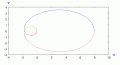
Couldnt help but try an ellipse to see what it would look like plotted.
Here is the plot with an ellipse instead of a circle.
Note as the a and b for the cartesian ellipse get larger, the little 'circular' part gets bigger and bigger, becoming more and more comparable to the bigger part fitting just inside it. As a and b get even bigger it may surpass the larger one or just keep getting closer and closer to it, i didnt go that far with it.
The plot shown is with a=2 and b=1, so the ellipse is horizontal.

Also, with a circle with R^2=4 the plot has an inner circular part too like this curve for the ellipse shown except the whole curve is more rounded.

MappedEllipse-1b.gif
 

wayneh

Joined Sep 9, 2010
18,104
I used Excel just because it is easy for me to use (and I use it frequently enough that I don't forget how to use it, which is a big problem for me with packages like Matlab).
For what it's worth, I use Excel for almost every plotting chore. I've been involved in collecting analyzing and presenting data throughout my career, so I've followed the tools for years. For just about everything, Excel wins because it is so seamlessly tied to the data. Other packages are far superior for the chart quality for presentations, or for function and surface plotting (I'm thinking about Mathematica here), but if you live and breath by data sets, learn Excel. It's not a great charting tool but it is undeniably a great data analysis tool that can also produce a decent chart.
 
I used Excel just because it is easy for me to use (and I use it frequently enough that I don't forget how to use it, which is a big problem for me with packages like Matlab). I don't presently have Matlab, but that would be a good choice. If you don't have much experience with making plots, then this is a good time to get some. Play with it and learn how to do different things with it. The basic plots in Matlab (where you let it choose all the options for you) don't look all that great (to my eye), but with a little bit of research you will learn how to exercise quite a bit of control over them and can get them looking pretty good. Like many software tools, if you spend a LOT of time figuring out how to use it, you can get AMAZING results.
I'd also like to know what you use to draw schematics? For example, here: http://forum.allaboutcircuits.com/threads/equivalent-resistance-help.124949/page-3#post-1009357
 

naickej4

Joined Jul 12, 2015
206
Hi all. How do you plot this using excel I really want to know. I was googling something but of no avail. Please can you tell me since I need to know for future references.
Thanks very much
 

WBahn

Joined Mar 31, 2012
32,840
Hi all. How do you plot this using excel I really want to know. I was googling something but of no avail. Please can you tell me since I need to know for future references.
Thanks very much
There are many ways to plot things in Excel -- it is a truly flexible and powerful tool (spreadsheets in general). The easiest way is to create two columns of data, the first for the x-values and the other for the y-values, and then select the data and select Insert and then insert an X-Y scatter plot. That will give you a plot using Excel's best estimates for the settings. Then you can go in and change the settings to suit your needs.
 

Thread Starter

MrAl

Joined Jun 17, 2014
13,704
There are many ways to plot things in Excel -- it is a truly flexible and powerful tool (spreadsheets in general). The easiest way is to create two columns of data, the first for the x-values and the other for the y-values, and then select the data and select Insert and then insert an X-Y scatter plot. That will give you a plot using Excel's best estimates for the settings. Then you can go in and change the settings to suit your needs.
Hi there,

Did you have to purchase that? Looks like a nice way to plot.

BTW i forgot to mention that the colored graph i posted shows the four different functions in four different colors, that's the reason for the coloration.
 

WBahn

Joined Mar 31, 2012
32,840
Hi there,

Did you have to purchase that? Looks like a nice way to plot.

BTW i forgot to mention that the colored graph i posted shows the four different functions in four different colors, that's the reason for the coloration.
I bought a computer that was bundled with Microsoft Office. I've usually managed to get Office for free (or at least for no additional cost) legally, but one time I had to purchase it for my wife's computer -- IIRC it was $99 (which included Word, Excel, PowerPoint, Access, OneNote, and a bunch of others, but I really only use the first three) for a license that let us install it on up to three machines. I just bought a new laptop and I don't think it is on there, but I can download it for free using the University program that allows me to install a lot of Microsoft products for personal and academic use and to keep it even if I leave the university.
 

naickej4

Joined Jul 12, 2015
206
I bought a computer that was bundled with Microsoft Office. I've usually managed to get Office for free (or at least for no additional cost) legally, but one time I had to purchase it for my wife's computer -- IIRC it was $99 (which included Word, Excel, PowerPoint, Access, OneNote, and a bunch of others, but I really only use the first three) for a license that let us install it on up to three machines. I just bought a new laptop and I don't think it is on there, but I can download it for free using the University program that allows me to install a lot of Microsoft products for personal and academic use and to keep it even if I leave the university.
Hi WBahn/Mr AI, thanks sir, I will try to do this using excel. I have Microsoft 2007 an old version of Office package hopefully it does have all those functions.
thank you
 

WBahn

Joined Mar 31, 2012
32,840
Hi WBahn/Mr AI, thanks sir, I will try to do this using excel. I have Microsoft 2007 an old version of Office package hopefully it does have all those functions.
thank you
It should have everything you need -- I seldom use any features that weren't present in the versions that were around in the early 1990's.
 
Top