I've been using my Seagate 2TB USB drive since 2011. Just synch'ed it with the second computer backups. My other USB drive (WD 3TB, in use since 2018) hadn't been updated for a couple years. Just updated; it's at 50%.
I've been using a Seagate 1 TB since, idk, 2016? Always took a lot of care with it, but there were 2 times that got a bit of a shock, and it's registered in its registers. But it's living good.
In 2024 I think, I bought another Seagate 1 TB, but it seemed lower quality, and it died about 1 month after buying. I bought on MercadoLivre and I didn't pay attention, it got no invoice, so I hadn't a warranty. It was about 350 reais :/
As others have commented, spinning hard drives (HDDs) are more reliable for long term storage when not connected to the computer. As you know, "backups" should only be connected to the computer during actual backups so they can't be infected or corrupted due to power failures, etc. Also being stored in a safe protects the backups from theft.
Here's my backup strategy that may be interesting:
I always have 2 SSDs in my three PCs. One 512GB for windows and installed programs only (the C drive). One 2TB SSD for data (the D data drive). I never store any "data" on the C drive.
On my daily use PC, I also have a 2TB SSD (E drive) that I use as real-time backup of my D drive. I use the BVCKUP 2 program to do real-time backups to the E drive. This is only backup for "hardware failure" of the D drive as the E drive is still susceptible to infections or theft. The BVCKUP 2 program starts running in the background on power up and has never introduced any slowdown or other problems.
For "real" backups, I use a Sabrent USB3 docking station and 2 bare HDDs (BKUP-1 and BKUP-2). The two HDDs are used alternately to backup the C and D drives. So if one backup drive should die, worst case is I have the previous backup on the other HDD. The backup drives not normally connected to the computer have never died on me as long as I've had computers. I've only replaced them to upgrade storage capacity.
So my "data" is backed up on 3 drives. One real-time backup SSD in my daily use PC so I always have up-to-the-second backups of my data, and two offline backup HDDs that are stored in a safe.
For Linux backup of the backup to a external drive, I use rsync. With the correct options it's very efficient in creating and maintaining an exact mirror of huge directories.
Backups saved the day(s) again.
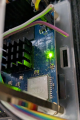
Was testing some new kernel features with the Orange Pi board (need to add a few features to the mainline device-tree, ttyS5 is missing for one thing) and POP, the sd card snapped in two while removing it. I do image and file backups, so reimage from last backup, redo the changes I was working on and back to business.
[ 0.000000] Booting Linux on physical CPU 0x0000000000 [0x410fd034]
[ 0.000000] Linux version 7.4.0-rc2+ (root@opidaqtest) (gcc (Debian 16.2.0-4) 16.2.0, GNU ld (GNU B
inutils for Debian) 2.47.50.20261021) #36 SMP PREEMPT_DYNAMIC Thu Nov 12 11:21:12 PST 2026
[ 0.000000] KASLR disabled due to lack of seed
[ 0.000000] Machine model: OrangePi Zero3
[ 0.000000] OF: reserved mem: 0x0000000040000000..0x000000004003ffff (256 KiB) nomap non-reusable s
ecmon@40000000
[ 0.000000] NUMA: Faking a node at [mem 0x0000000040000000-0x000000013fffffff]
[ 0.000000] NODE_DATA(0) allocated [mem 0x13f7cf940-0x13f7d1aff]
[ 0.000000] cma: Reserved 128 MiB at 0x00000000f8000000
[ 0.000000] psci: probing for conduit method from DT.
[ 0.000000] psci: PSCIv1.1 detected in firmware.
[ 0.000000] psci: Using standard PSCI v0.2 function IDs
[ 0.000000] psci: MIGRATE_INFO_TYPE not supported.
[ 0.000000] psci: SMC Calling Convention v1.5
...
[ 0.000000] Kernel command line: root=UUID=6315e3ae-0549-44fe-81de-c54f6cc0ee41 rootwait rootfstype
=ext4 splash=verbose console=ttyS0,115200 console=tty1 consoleblank=0 loglevel=1 ubootpart=da1827ff-01
usb-storage.quirks= cgroup_enable=memory swapaccount=1
[ 0.521745] printk: console [ttyS0] disabled
[ 0.522123] 5000000.serial: ttyS0 MMIO32:0x0000000005000000 (irq = 297, base_baud = 1500000) is a 1
6550A
[ 0.522386] printk: console [ttyS0] enabled
[ 0.523862] 5001400.serial: ttyS5 MMIO32:0x0000000005001400 (irq = 299, base_baud = 1500000) is a 1
6550A
[ 0.523967] serial serial0: tty port ttyS5 registered
[ 5.903352] systemd[1]: Expecting device dev-ttyS0.device - /dev/ttyS0...
[ 8.720552] systemd[1]: Found device dev-ttyS0.device - /dev/ttyS0.
Using dd to image a sd card in Linux.
[2165794.005684] sd 7:0:0:2: [sdd] 125042688 512-byte logical blocks: (64.0 GB/59.6 GiB)
[2165794.007546] sdd: detected capacity change from 0 to 125042688
[2165794.043284] sdd: sdd1
root@hpdesk:/dlna/opi_images# ls
bmcdaq_opi.img daq_bmc_opi.img linux6.1.31+ machine-id_30 opi233.img opi30.img opi39.img opi45_7+.img opi45.img opi46.img opiha_disk.img Orangepizero3_1.0.2_debian_bookworm_server_linux6.1.31.img
root@hpdesk:/dlna/opi_images# dd if=/dev/sdd of=opi30_7+.img bs=4M status=progress
Basedon that explanation it seems that an alternate process for removing the module will be the solution. OR, having the device removed bt an individual with trimmed nails.
Inadequately trimmed nails are a serious hazard in many occupations. THAT is based on many years of experience.
Basedon that explanation it seems that an alternate process for removing the module will be the solution. OR, having the device removed bt an individual with trimmed nails.
Inadequately trimmed nails are a serious hazard in many occupations. THAT is based on many years of experience.
The nails were trimmed, so more force from the finger flesh was likely used to get the short nail under the grasping edge of the sd card.
It's upside-down on the PCB bottom with little clearance under the board to the enclosure. My countermeasure is to use SMD device tweezers to remove it in the future.

 Facebook
 Google
 GitHub
 Linkedin