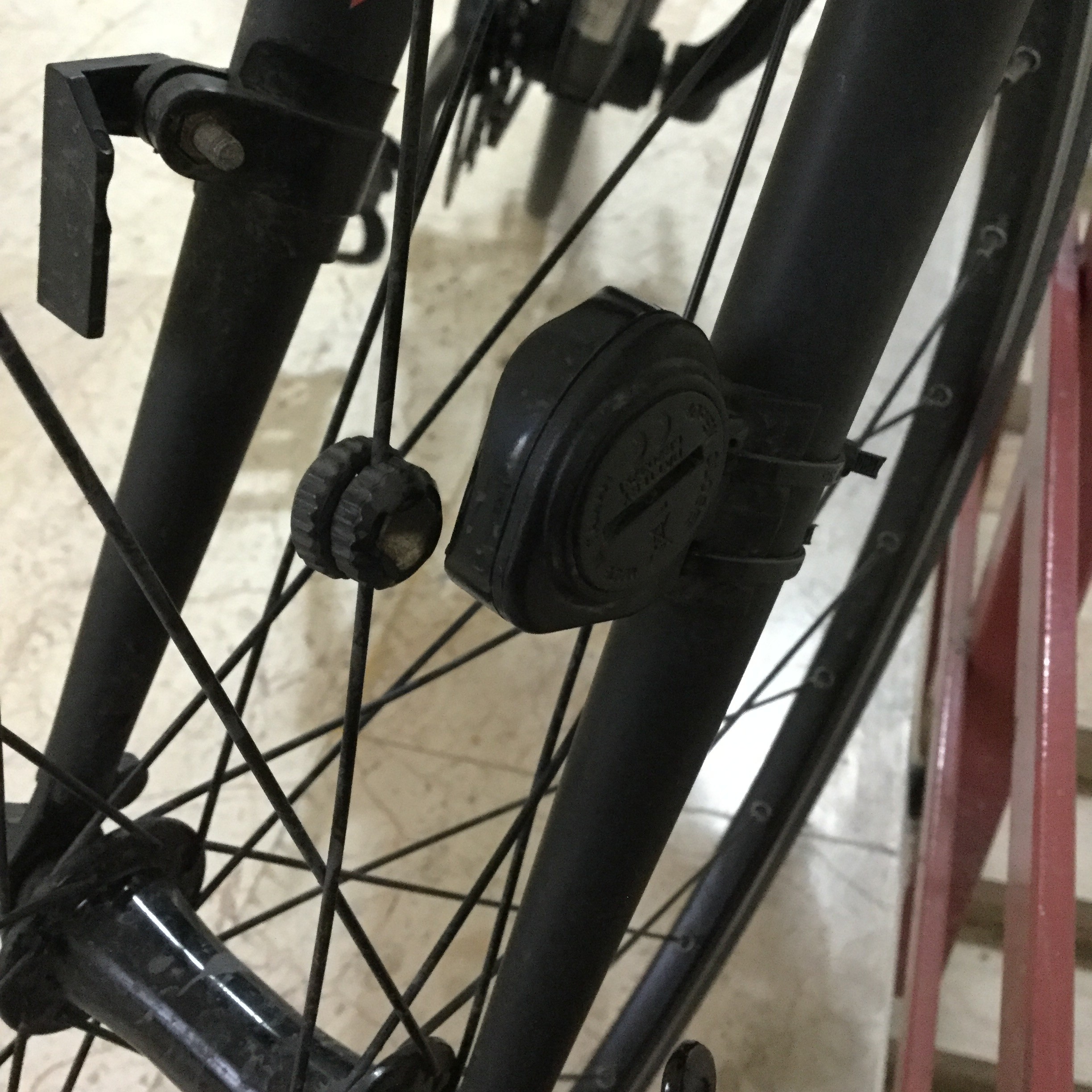
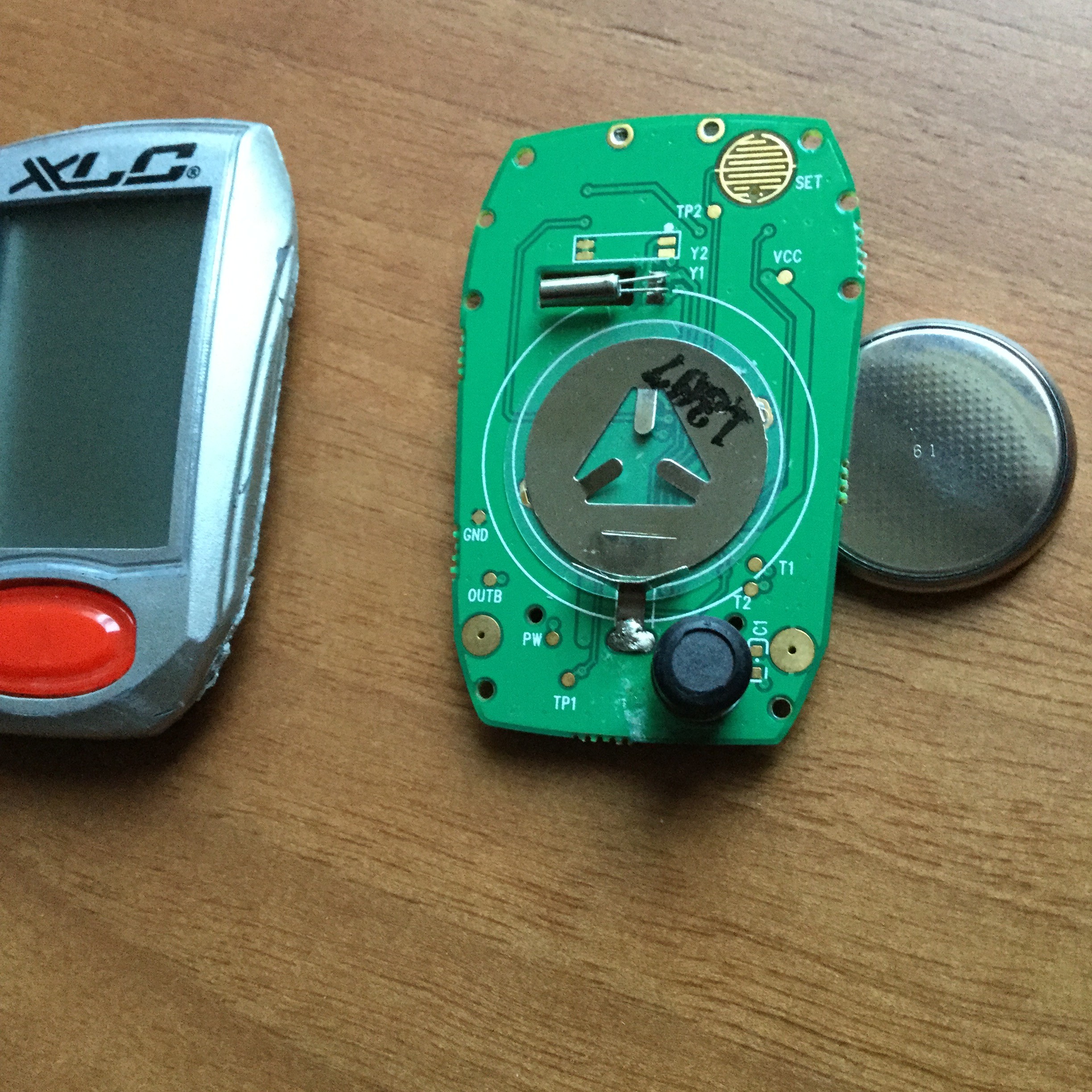
There may be a problem with the connection between the magnet sensor and the computer. My hunch is that if the display is working, the computer is likely ok. Just a hunch.
You can check the sensor output with your meter. Some sensors are like a switch that closes anytime the magnet is nearby. Some may just produce a pulse as the magnet passes. Use the ohms setting and place the magnet on the sensor. If nothing happens, try the voltage setting and move the magnet quickly past the sensor.
Actually I don't know. My bicycle fell on the ground and the computer took a damage from right side. There is a no mark of crash on the sensor and it's position remained unchanged. So I think there is no problem in the sensor. Before the accident when I bring near my phone to computer, the values was changing. Now I do same thing but there is no reaction at the computer. Maybe the receiver part of the computer has broken down.
Actually I don't know. My bicycle fell on the ground and the computer took a damage from right side. There is a no mark of crash on the sensor and it's position remained unchanged. So I think there is no problem in the sensor. Before the accident when I bring near my phone to computer, the values was changing. Now I do same thing but there is no reaction at the computer. Maybe the receiver part of the computer has broken down.
Sorry, I misunderstood. I took it that you thought the sensor was not working.
Maybe the sensor and computer are working but not talking to each other. Have you tried this after the accident?:
5.1 ID SCAN MODE (Pair up)
5.2 CLK MODE (Clock Mode)
How to pair up the cycle computer with speed/cadence sensor
How to set the Time
Under any mode, press and hold “Set & Mode” keys for 3 seconds to go
ID scan. Kindly place the sensor at maximum allowable distance within 150
cm to the cycle computer. It will pair up the cycle computer to the speed/
cadence sensor automatically. When the percentage shows 100% means scan
completed. ID scan is failed if “Err” sign shows after scan completed. The user
can press “Set” key again to scan again, or hold “Mode” key to exit ID Scan
mode. ID scan will automatically exit after 30 seconds.
Other thoughts:
Do you have a cadence sensor? Does it work?
Does the computer work in every way except functions that need the sensor input? Examples: Detects all button pushes reliably, display never has bad segments or flashing, keeps time correctly -- this is just about every function that does not involve distance.
I don't have a cadence sensor. Mode and set buttons working, I can enter my weight, gender and set the clock. Clock function hasn't got any problem. Display is brilliant. Cycle computer works in every way except functions that need the sensor input. And I checked the position of sensor and magnet. My device model hasn't got a scan mode. I'm looking for circuit part to change.
Don't alter your computer until you know there is something wrong with it. You still have not shown us any reason to believe the sensor is delivering a signal to the computer. Do you have access to another computer or sensor to experiment with?
What is the exact model number of your computer? Or better yet, give us a link to the manual.
You can't change parts until you know which parts to change. There are a lot of failures that can occur from an accident. It could be a crack in a circuit board trace or cracked solder joint for instance.
No, I don't have any device to test. But I believe with all my heart that the sensor hasn't any problem. Before the accident when I bring near my phone to computer, the values was changing. Now I do same thing but there is no reaction at the computer.
I tought that the scratch happened after the accident -after I realize condition- while
I was opening the case with knife.
It's model is Cy-300. 12 function cycle computer.
I couldn't find cy-300 manual in the internet. I have booklet of it and its nearly same with which he has sent. I didn't find any related thing.
If you figure out which trace or part about sensor I can check with my father.
Is it possible for this computer to use a non-wireless sensor? On that type, you can usually simulate the sensor signal by simply touching the two sensor leads together.
I don't have a cadence sensor. Mode and set buttons working, I can enter my weight, gender and set the clock. Clock function hasn't got any problem. Display is brilliant. Cycle computer works in every way except functions that need the sensor input. And I checked the position of sensor and magnet. My device model hasn't got a scan mode. I'm looking for circuit part to change.
Since your display is working. So from educated guess, I am assuming your mcu, display backlite, crystal, LCD are ok...
The most suspected part might be the receiver for your wireless sensor. It consists of U5 snd some R and C surrounding it and the L2 coil. There is a test "OUT" next to U5 and without a schematic, you cannot tell what you should get when it detects a pulse from the sensor. Do you have any experience to handle SMD parts? If not, the only part you can measure with your meter is the coil - (open or not). There's nothing you can do if U5 is bad as it is sealed in a blot of silicon.
Did you open up the sensor box and see if there is any thing broken?
Allen
I'm prepearing a presentation nowadays. I will check and write the result. By the way I'm open to any solution. I can apply it with my father who is an electrical engineer. Thank you for your replies.

 Facebook
 Google
 GitHub
 Linkedin