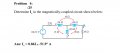
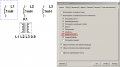
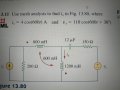
MULTISIM - how to create a magnetically coupled circuit.

crutschow

Joined Mar 14, 2008
38,316
Not accurate. Any other way??????
Not familiar with Multisim, but you should be able to edit the inductor symbol and add a dot (below from Google):

To edit a symbol in Multisim, you can use the Symbol Editor to make changes like rearranging pins, drawing new graphics, or importing bitmaps:
  1. Select the symbol you want to edit by left-clicking on it.
  2. Select Edit > Edit Symbol/Title Block.
  3. Make the desired changes in the Symbol Editor.
  4. Select File > Exit when you're finished.
 

Thread Starter

linhvn

Joined Nov 6, 2024
297
U
Not familiar with Multisim, but you should be able to edit the inductor symbol and add a dot (below from Google):

To edit a symbol in Multisim, you can use the Symbol Editor to make changes like rearranging pins, drawing new graphics, or importing bitmaps:
  1. Select the symbol you want to edit by left-clicking on it.
  2. Select Edit > Edit Symbol/Title Block.
  3. Make the desired changes in the Symbol Editor.
  4. Select File > Exit when you're finished.
Useless bro
 

Thread Starter

linhvn

Joined Nov 6, 2024
297
Not familiar with Multisim, but you should be able to edit the inductor symbol and add a dot (below from Google):

To edit a symbol in Multisim, you can use the Symbol Editor to make changes like rearranging pins, drawing new graphics, or importing bitmaps:
  1. Select the symbol you want to edit by left-clicking on it.
  2. Select Edit > Edit Symbol/Title Block.
  3. Make the desired changes in the Symbol Editor.
  4. Select File > Exit when you're finished.
Cannot help. Useless
 
Top