Missing files in every sketch: Error compiling

Thread Starter

FlyingCow

Joined Dec 30, 2017
73
View attachment 144207 Hello All,
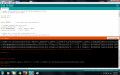
I am using the arduino INO and every time I try and compile a sketch an ****.h file is always listed as missing. Even if it is in the same folder that the sketch file is in. I have used different versions of the INO and still have the problem. I have repeatedly moved files I want to keep to a folder somewhere. Delete the INO. I then reinstall the INO, libraries, etc., and allow it to make a new sketch folder as default. I can then get one sketch out before the problem begins. I am currently running 1.6.7 but have also run 1.8.5. The example I have attached is the DHTester sketch. It doesn't even call for the adafruit_sensor.h file in the sketch until it compiles. I also cannot find this file anywhere in the library to attach it. This has been happening with any sketch I try and load regardless of where it comes from. I have even loaded sketches from zip files, one time then the same problem the second time. I have also tried moving the sketchbook location to no avail. I have used arduino for several years with no problems. Seems like lately I have got something out of balance and can't seem to find where I am missing the boat. Can someone point me in the right direction please.

ONE.png


Thanks,
Mitch
 
Last edited:

philba

Joined Aug 17, 2017
959
I can't read that. You can snap an image of the screen using PrtScn (aka Print Screen). It goes to the clipboard and you can use paint to crop it down.

But why don't you post the code and directory structure?
 

philba

Joined Aug 17, 2017
959
I did a quick test. This had no errors:

create a file "a.h" with
#define A 100.

Then a sketch with
Code:
#include "a.h"

void setup() {
  int x = A;
}

void loop() {
}
I placed a.h in the same directory as the .ino file. No errors but a warning about x being unused.
 

Thread Starter

FlyingCow

Joined Dec 30, 2017
73
@philba,
Thanks for the help. I removed the picture and put one up there that was a full screen in paint. I opened it up and it looked good from my computer. Let me know if it still looks bad. What version of the INO are you using?
If you look at my sketch, you can see it calls out DHT.h. When I compile, it is looking for Adafruit_Sensor.h which isn't called out in the sketch. I have found very many of the sketches are this way and cannot find the adafruit file. Is there something wrong in my setup or has adafruit gone in to nearly every arduino file and added something of theirs to take over our open source sketches somehow? Either way, the adafruit file is not readily available and I see no reason why my sketch should need it based on the script. Must be a line calling for it buried in the sketch somewhere but why? That adafruit thing being said, I have also used other sketches, some downloaded from github, some from other sources, and I get the same response. I can usually open the sketch one time without problems. If I want to open it again, it pretty much does not work a second time no matter the source of the code.

I just tried to add the a.h file as you did. Again, I get the same thing, no can find. I'll get a couple of screenshots up for you.

THREE.png TWO.png

Thanks,
Mitch
 
Last edited:

philba

Joined Aug 17, 2017
959
@philba,
Thanks for the help. I removed the picture and put one up there that was a full screen in paint. I opened it up and it looked good from my computer. Let me know if it still looks bad. What version of the INO are you using?
If you look at my sketch, you can see it calls out DHT.h. When I compile, it is looking for Adafruit_Sensor.h which isn't called out in the sketch. I have found very many of the sketches are this way and cannot find the adafruit file. Is there something wrong in my setup or has adafruit gone in to nearly every arduino file and added something of theirs to take over our open source sketches somehow? Either way, the adafruit file is not readily available and I see no reason why my sketch should need it based on the script. Must be a line calling for it buried in the sketch somewhere but why? That adafruit thing being said, I have also used other sketches, some downloaded from github, some from other sources, and I get the same response. I can usually open the sketch one time without problems. If I want to open it again, it pretty much does not work a second time no matter the source of the code.

I just tried to add the a.h file as you did. Again, I get the same thing, no can find. I'll get a couple of screenshots up for you.

View attachment 144227 View attachment 144225

Thanks,
Mitch
You'll have to follow the includes in included files and any library code. It's a tree you have to fully explore.
 

strantor

Joined Oct 3, 2010
6,875
What's this DHT.h? I assume it's the sensor library for whatever sensor you're using? I imagine it probably calls the adafruit file somewhere in its programming. See if you can open the DHT.h and confirm.
 

Thread Starter

FlyingCow

Joined Dec 30, 2017
73
You'll have to follow the includes in included files and any library code. It's a tree you have to fully explore.
philba,
I'm not quite sure what you mean there. I have even placed a file in several different branches of the tree and the compiler still could not find the file.
 

Thread Starter

FlyingCow

Joined Dec 30, 2017
73
strantor,
This is a sketch that is included in the arduino library. You know, the ones that are supposed to just open and play nicely because they have already been debugged over and over again. DHT is temp/humidity sensor. I am assuming that the DHT.h file does call out for the adafruit file. But it shoudn't. And if it does, then why is it not able to find it. You see, I have the a very similar problem with other sketches as well. For some sketches, I downloaded the zip file from github. It opened once and loaded the sketch fine. Then next time, I got the same problem you see in the pictures I put up. In each case, it was the file.h, that the compiler is not able to find. Even after I put a copy in multiple levels of the file system.

edit: I am also not sure how to look at the files other than the sketch file.
 

be80be

Joined Jul 5, 2008
2,395
Lol the problem is you have more then one. There are DHT by a bunch of people you probably install adafruit
They have a library for the DHT so does some more.

Just Like the esp if you not careful what you install you'll spend hours finding the problems and it get's even worst when you added the file to the folder you saved you uno in
#include <dht.h> is for library's
#include "dht.h" is if it's in the uno folder
You look and think you included it but you pointed to the wrong place to look.
https://github.com/adafruit/DHT-sensor-library

https://learn.adafruit.com/dht/using-a-dhtxx-sensor
 
Last edited:

Thread Starter

FlyingCow

Joined Dec 30, 2017
73
be80be,
That is the exact problem I am having. I thought I moved or deleted everything, but it keeps getting confused. SO, how do you stop the madness? LOL
 

be80be

Joined Jul 5, 2008
2,395
I install stand alone so I keep my code in portable and can just delete the ide. And start over some of the stm32
was a mess. So I installed like this https://www.arduino.cc/en/Guide/PortableIDE
I make a folder on the desktop not on a drive that way when I run into library problem It's easy to start over clean.
when the esp first got added it was a big deal it would break the arduino ide all the time.
You get the same errors cause of names the ide runs a loop looking for the needed files finds the wrong one bang a error.
 

Thread Starter

FlyingCow

Joined Dec 30, 2017
73
That is all the same things I have been fighting for quite a while. I think it started when I updated, not sure. And every time I restart a new IDE, it says it can't find the library so it will try the default. I have deleted everything at one time and started with a clean IDE and got the same results. I'll check the link and hope that will stop my headache. LOL Thanks!
 

Thread Starter

FlyingCow

Joined Dec 30, 2017
73
Yeah....I ended up with several DHT sketches because I had an 11 that was supposed to be a 22. Took me a while to figure out that was what was wrong with the sketches. Now, the IDE just rambles around between all the sketches. I deleted them all and started over but again, I put two or three of them back on trying to get one to work when the problem started itself up again. It is just a vicious cycle if you can't figure it out. You know all about my RF motion detector project. I am not well versed with code, so I thought if I could get the DHT to work on my display, then I could transfer that knowledge to my other project and cover some ground fast. LOL It hasn't worked that well so far. I have used DHT sensors for a few years, just always read them on the serial bus.
 

Thread Starter

FlyingCow

Joined Dec 30, 2017
73
@be80be,
THANKS!!!
I knew some of you folks that use this a lot would know exactly what I should do. I had a 32G USB3 laying around, a really little one. It is so small, I am afraid I might lose it. It will be perfect for a portable IDE since it won't be hauled around in my pocket much this way. I made a portable install, cleaned up everything except the files I am using and deleted everything else. It seems to be working fine as I have opened up several sketches. I would open up a sketch, then write a different one, then go back to the first one. I did this a total of 4 rounds with the first sketch. It opened every time without any problems. I had thought I wanted to include anything I might possibly find a use for anytime in the future and had a huge library. I opened a lot of them just to have a look at the coding. If it didn't appear to do what I wanted, I just closed it up and left it. I probably need to delete them from the library in the future, eh? LOL Thanks so much for your guidance. I'll do better housekeeping in the future.

Mitch
 

be80be

Joined Jul 5, 2008
2,395
I just make one on my desktop with a folder named A lol it works the same I use it for the ESP only cause some files need to be fixed and it always ended up breaking things for the uno chips the STM32 was the same some added libraries use the same names and to fix is sometimes hard to figure out plus windows install put's them where you have to have admin rights this you have full control.
 

Thread Starter

FlyingCow

Joined Dec 30, 2017
73
@be80be,
Wanted to give you an update. I made the IDE on the USB drive, went in and cleaned up all the sketches I do not use. I deleted all the b.s. windows shortcuts. I accidentally wiped out the whole library but figured I got all the junk out that way. LOL I also made sure the sketch folder was on the portable drive. So then I began with trying to blend two sketches into one. Guess what? As soon as I started with the DHT sketch, I got the same adafruit crap as before. So, I added the files to the sketch and opened them up and read through them. Sure enough, the one calls for adafruit_sensors file that does not exist. At least not in my library. Next, I messed around trying to download a few other sketches from github but couldn't find anything containing all the files. SO, seeing that I needed to get the files from my arduino library anyway, I decided to go ahead with the reinstall. This time, when I reinstalled, I chose not the latest version of DHT but the next one down, 1.2.2. Then I made a sketch with it and it compiled without a hitch. That got me thinking, that I got another DHT going a week or so ago while fighting this problem and I had used one of the oldest versions in the library. Now, the wheels are starting to turn ever so slowly. LOL So then, with the sketch already compiled, but not yet loaded to the board, I got the little popup to update my boards and library. So I did. The only library needing to be updated was the DHT. Guess what? I compiled it again with the update and it failed! The updated version is 1.3.0. NO GOOD!!! I wanted to get this added to the thread so if someone is having the same problem in the future, maybe this will direct them to look at a few things.
SO? What is the deal with adafruit hacking the DHT library? Just my 2 cents....they don't make DHT sensors, so why on earth would the rest of the world need to use their proprietary hacked sketch in order to use one? It isn't just the DHT library either. If you look, they are taking over bunches of devices.
In the end, I have cleaned everything up with a new install of the IDE as a portable, cleaned up my computer of any sketch, file or folder I am not using, and reinstalled the library with DHT version 1.2.2. With that out of the way, I am going to attempt to continue on. LOL
 
Last edited:

be80be

Joined Jul 5, 2008
2,395
That was a big thing with the esp updates killed the the whole show.
but the portable arduino makes it easy to clean house lol.

adafruit people wrote the DHT your right if you update you have to install as the link i posted or you'll have problems because
the newer one calls stuff from Adafruit_Sensor-master the older one didn't
I use the newer one it's mainly a update to work with the newer arduino ide like the
1.8.5 older libraries cause lot's of problems
 
Top