MCU Board keep burning at random times

Thread Starter

Tom_!

Joined Dec 12, 2024
19
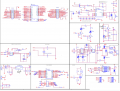
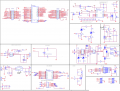
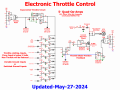
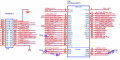
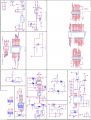
I have an MCU board i designed that controls the main board charging circuit and it keeps burning randomly I cant figure out why, it burn whether its connected to the main board or not. I tested pin configuration (i.e. inputs and outputs ) and they are all defined correctly. I cant find any issue. and the scheme looks fine. i also removed the 2 0ohms resistors on UART2, and permanently shorted boot instead of the jumper
i don't have access to the code of the MCU but how can I electrically find the issue?
 

Attachments

Last edited:

MisterBill2

Joined Jan 23, 2018
27,164
Whic component burns out??Or whatever failure that is?? For resistors, a burn out is caused by excess current, usually caused by excess voltage application. But it may simply be a place where a 2 watt resistor is needed instead of a 1/4 watt device. Those are the causes.
Please let us know which part burns up.
ALSO, is it easy for any viewer to follow the circuit as it is posted??? Not for me, it isn't easy at all.
 

Thread Starter

Tom_!

Joined Dec 12, 2024
19
Whic component burns out??Or whatever failure that is?? For resistors, a burn out is caused by excess current, usually caused by excess voltage application. But it may simply be a place where a 2 watt resistor is needed instead of a 1/4 watt device. Those are the causes.
Please let us know which part burns up.
ALSO, is it easy for any viewer to follow the circuit as it is posted??? Not for me, it isn't easy at all.
the processor it self burns out stm32g474met3, and how should I make the scheme easier to follow ? thanks for the help
 

schmitt trigger

Joined Jul 12, 2010
2,027
ALSO, is it easy for any viewer to follow the circuit as it is posted??? Not for me, it isn't easy at all.
Not for me, either.
Down under, there was a recent thread on EEVBLOG discussing precisely this same issue:

https://www.eevblog.com/forum/chat/please-rate-my-designschematic-ltrantgt/msg5753273/#msg5753273

Which boils down to a simple issue: Net names are perfect for a computer’s CAD software to extract the netlist information. But to a human being attempting to follow a signal and understand a circuit, they are a nightmare.
 

KeithWalker

Joined Jul 10, 2017
3,603
You do not show us an overall block diagram, so I have no idea how the many little sub-circuits on your diagram your diagram fit together.
The general impression I get is that it is a terribly complex circuit for controlling a battery charger! What kind of charger is it and what kind of batteries does it charge?
If the processor is burning up, the first thing I would suspect is the power supplies. Take some voltage measurements and see if they give you any clues.
 

MisterBill2

Joined Jan 23, 2018
27,164
My experience with circuit schematic diagrams for equipment, industrial, research lab, maintenance group, and others, has been that the first use is for approval, followed by being used to actually build the product, followed then, for years, to assist in servicing that equipment.
Every one of those uses, except possibly construction, demands that the user be able to read follow, and understand the drawing. Probably not all folks knew that. Of course many of the drawings that appear on these threads are mostly provided so that others who have not seen the item, would be able to offer worthwhile advice about some sort of problem.
Usually, to solve a problem, some understanding is helpful.
 

MisterBill2

Joined Jan 23, 2018
27,164
the processor it self burns out stm32g474met3, and how should I make the scheme easier to follow ? thanks for the help
OK, if it is the actual processor assembly burning up, and not a specific component, my guess is that either the power supply loses regulation, causing an over-voltage, or, second most likely, a Common bus connection opens up and results in way too much current thru an I/O group of connections. That could be a group of analog inputs or a group of digital I/O
I have not been very specific because I am not familiar with the system. But I have seen other disasters.
 

Thread Starter

Tom_!

Joined Dec 12, 2024
19
Update:
i tested the burned chip and check which pins burn the processor and its randomly, meaning i check several chips and each of the chip pins sink the current at different pins unrelated to one another. i assume the damage is due to noise or other reason, if i cannot solve the issue how can i protect the pins from burning again.
 

MisterBill2

Joined Jan 23, 2018
27,164
INDEED!!! I opened the PDF and then zoomed it 270% and it was clear and legible.
What I see is a whole lot of different Vxx connections, so there may possibly be a mixup happening inside one of the different pictures. Somehow the +5 line getting tied to a 3.3 volt system.
But losing the common return connection would still be my SWAG. That puts a reverse voltage in a bunch of places.
 

Thread Starter

Tom_!

Joined Dec 12, 2024
19
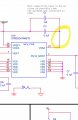
Indeed and i fixed it and connected to ground, but it didnt solve the issue, it reduced noise a little but doesn't explain why it burned.
 
Top