LTspice run slowly

Thread Starter

Eyal0

Joined Mar 26, 2024
17
Hi,
I've been working with LTspice, and found that many times the simulation get very slow, in fact - not useable.
Can anyone help with that?
I've tried several solutions (see below) but it didn't work.

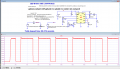
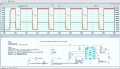
Please see attached two simulation project examples:
1. LED driver (LT3474) with and without Li-Ion battery. This simulation run very slow or not at all ("time step too small").
2. DC-DC buck converter (TPS62A01), connected as LED driver. This one run too slow, but currently it has another problem ("can't open the component file". I don't know what happened, It worked previously)

There are comments in the files that further explains the problem.

What I've tried:
Change simulation settings (integration method and engine)
Change other spice parameters (Gmin, Abstol, etc.)
Add parallel and serries resistances to components
Add an inductor between the source and the converter (LED driver)
Skip initial operating point
Initial condition commands

So what am I doing wrong? Is there a way to run these simulations smoother?
 

Attachments

crutschow

Joined Mar 14, 2008
38,404
I've been working with LTspice, and found that many times the simulation get very slow
If there are high frequency signals in the circuit, such as a switching regulator, then any Spice program will run slowly since it has to do many calculations for each cycle of the high frequency.
Thus if you have to wait many milliseconds for the DC output of the regulator to stabilize, it will take a long time to simulate (unless perhaps you do it on a super-computer).
 

MrAl

Joined Jun 17, 2014
13,680
Hi,
I've been working with LTspice, and found that many times the simulation get very slow, in fact - not useable.
Can anyone help with that?
I've tried several solutions (see below) but it didn't work.

Please see attached two simulation project examples:
1. LED driver (LT3474) with and without Li-Ion battery. This simulation run very slow or not at all ("time step too small").
2. DC-DC buck converter (TPS62A01), connected as LED driver. This one run too slow, but currently it has another problem ("can't open the component file". I don't know what happened, It worked previously)

There are comments in the files that further explains the problem.

What I've tried:
Change simulation settings (integration method and engine)
Change other spice parameters (Gmin, Abstol, etc.)
Add parallel and serries resistances to components
Add an inductor between the source and the converter (LED driver)
Skip initial operating point
Initial condition commands

So what am I doing wrong? Is there a way to run these simulations smoother?
Hi,

Most simulators use an adaptive step algorithm which chooses the time step length depending on the amplitude of the derivatives. If there is a high value derivative it would reduce the step size until it is able to reduce the value of that derivative to an acceptable size. That means the step size could get very small, and that means to get even a 10ms simulation could take a long time. Luckily it does not keep that step size for the entire cycle, but it could still mean it is small enough that it still takes a lot of time to complete.

There could also be some unwanted synchronization going on, there the step sizes produce steep slopes even though they shouldn't be there, and that takes time to resolve. To get around this problem you could try both shorter and longer minimum step sizes. Sometimes choosing a shorter time works and sometimes a longer time. If the step size is right it skips over those problem areas without any loss of accuracy unless you have to go to a much longer step size.

If none of that works, you can try adding some capacitance (small values) in places that may end up having very large value derivatives. The small values will smooth over those areas and make them less stiff. Stiffness comes a result of having very short time constants mixed with very long time constants, so if you lengthen the short time constants a little the result is a less stiff differential equation which then only requires somewhat longer step sizes. This requires some care because capacitors can smooth out voltage transients but cause higher peak currents. The accuracy is usually still acceptable unless you take this too far.

I was working on a type of simulator tool that can use multiple cores to do the calculations, but I have yet to get the accuracy acceptable. What that would mean is that an 8 core CPU would be able to do the calculations around 8 times faster, and a 32 core processor 32 times (slightly less though) faster. That could speed things up a lot. I had to take a break on this project though for now as I have to do some more reading first.
I don't think LT Spice uses multiple cores for the calculations yet though because equations that involve an evolution of states is not as straightforward when it comes to breaking them up into parallel pieces. I'll have to check on that though I haven't looked into this in a long time now.

In any case, most of the calculations are done numerically and there are always numerical stability problems that come up when you start to get to the limits of the precision of the number cruncher. For an example, when you subtract 2 minus 1 there's no problem, and even 2.001 minus 1, but if you were limited to just 3 digits then 2.001 minus 1 equals 1 not 1.001, and worse yet 1.001 minus 1 equals zero not 0.001, and if that is in a denominator like 1/(1.001-1.000) we'd end up with 1/0 which is not going to work. In most cases we get something like 1/(1.000001-1.000000) which is 1/0.000001 which is a large value, and then the step size would be reduced, which would mean slower progress for the simulator.

Things can get pretty hairy with inductors too. If the inductor is open circuited even for a short time, the derivative of the voltage could shoot up very, very high, which causes the algorithm to reduce the step size. The problem comes in when the step size is reduced as far as it can go and the derivative is still to high to work with. That could cause the simulation to halt altogether. This can happen even if the inductor does not go open circuited, but the impedance associated with that inductor goes very high.
 

Thread Starter

Eyal0

Joined Mar 26, 2024
17

Thank you everyone for the replies.
Bordodynov, Do you suggest to add the .option command (and only that? I couldn't find another difference to the original file I've attached)?

I tried that now, but it works very similar to before:
In the attached file I want to connect a battery as the source but it doesn;t work.

Please see the following text in the file:
This simulation is very slow: it takes ~2 minutes for 20 ms.
This is true when the Li-Ion_Batt (U1) components is missing.
When only placing this component, the simulation stuck at speed of picoseconds/second.
When connecting the Li-Ion battery instead of "Batt" source, a messege pops: "Step is too small"


This is all true after adding the .options command as you suggested.

Or did I get you wrong?


Thanks,
Eyal
 

Alec_t

Joined Sep 17, 2013
15,112
I don't think LT Spice uses multiple cores for the calculations yet though because equations that involve an evolution of states is not as straightforward when it comes to breaking them up into parallel pieces. I'll have to check on that though I haven't looked into this in a long time now.
1711533409650.png
Wouldn't the threads mentioned ^^, in LTS Control panel, be running on different cores?
 

MrAl

Joined Jun 17, 2014
13,680
View attachment 318525
Wouldn't the threads mentioned ^^, in LTS Control panel, be running on different cores?
Oh I must be using an older version, but then I have never checked for this.
The Max Threads parameter does sound like it CAN use more than one thread, the question is, what is it using them for. If it's all for the solver (not likely) then that would be great, but that would freeze up the program interface while it is calculating. It could use 3 for calculating though and 1 for the user interface. I don't know for sure yet though.
It is also possible that they use one thread for one part of the circuit, and another thread for another part, etc. Once each part is done it might end that thread.
If you have a resource meter (Windows does) you can check the CPU usage. If you, say, had 4 cores and the CPU usage went to 25 percent, then it's only using one core for the calculations. If it goes to 50 percent and you are not moving the mouse or typing, then it is probably using 2 cores (or two threads). Etc., etc. This way you could watch to see if it uses the full four cores continuously.
I'll check my version now.

Ok I just checked mine, it does have that dialog box in my version too, but testing it shows that it only uses one core. Not sure why, but that's the way it goes. Maybe it uses more of the CPU for larger circuits or something.
You could try this test too.
 

MrAl

Joined Jun 17, 2014
13,680
Hi,
I've been working with LTspice, and found that many times the simulation get very slow, in fact - not useable.
Can anyone help with that?
I've tried several solutions (see below) but it didn't work.

Please see attached two simulation project examples:
1. LED driver (LT3474) with and without Li-Ion battery. This simulation run very slow or not at all ("time step too small").
2. DC-DC buck converter (TPS62A01), connected as LED driver. This one run too slow, but currently it has another problem ("can't open the component file". I don't know what happened, It worked previously)

There are comments in the files that further explains the problem.

What I've tried:
Change simulation settings (integration method and engine)
Change other spice parameters (Gmin, Abstol, etc.)
Add parallel and serries resistances to components
Add an inductor between the source and the converter (LED driver)
Skip initial operating point
Initial condition commands

So what am I doing wrong? Is there a way to run these simulations smoother?
The speed seems to be related to the set switching frequency. If you set the switching frequency lower, it simulates faster. That's probably because it has to do a lot of calculations for each half cycle, and so if the switching frequency is high it takes longer.
For the set value of 15k for that resistor, I saw a simulation rate of 75us/sec, but when I increased that to 150k I saw a rate over 300us/sec. Of course then the inductor peak to peak current goes up too.

For that LT chip schematic I again saw only one core being used for the calculations.
 

eetech00

Joined Jun 8, 2013
4,704
The speed seems to be related to the set switching frequency. If you set the switching frequency lower, it simulates faster. That's probably because it has to do a lot of calculations for each half cycle, and so if the switching frequency is high it takes longer.
For the set value of 15k for that resistor, I saw a simulation rate of 75us/sec, but when I increased that to 150k I saw a rate over 300us/sec. Of course then the inductor peak to peak current goes up too.

For that LT chip schematic I again saw only one core being used for the calculations.
LTspice will use as many threads as the user and OS permits.
The user can set the max threads in the "spice" settings. The OS must be multi-threaded of course, and the HW must have multiple cores.
 

Bordodynov

Joined May 20, 2015
3,430
LTspice typically uses one core. Only in rare exceptions for large electronic circuits may it decide to use multiple cores. Multiple cores are used in FRA analysis.
The calculation of 2 minutes is quite acceptable. During my development of Spice2, calculations within a few hours were considered acceptable. Before using Spice2, I used another program. The computer often froze and I could not use it to calculate two circuits from my graduation project. I had to count by hand. I spent a week on the first scheme. I calculated the second scheme in one day. Still, I used the experience of calculating the first scheme. I derived the formulas. In the end, I calculated the circuits on a computer and got a match with my manual calculations. If you don't like LTspice, use another program if you can, of course.
 

MrAl

Joined Jun 17, 2014
13,680
LTspice will use as many threads as the user and OS permits.
The user can set the max threads in the "spice" settings. The OS must be multi-threaded of course, and the HW must have multiple cores.
Well as I said, it was not doing that. Just because you set it to something higher than 1 does not mean that it will actually do that.
Also as I said, if set to say 2 then it could very well be that it reserves 1 thread for the user interface and still only uses 1 for the calculations.
Do some tests as I did. Maybe my version is too old but it does have that dialog box for setting the max number of 'threads'.
 

MrAl

Joined Jun 17, 2014
13,680
LTspice typically uses one core. Only in rare exceptions for large electronic circuits may it decide to use multiple cores. Multiple cores are used in FRA analysis.
The calculation of 2 minutes is quite acceptable. During my development of Spice2, calculations within a few hours were considered acceptable. Before using Spice2, I used another program. The computer often froze and I could not use it to calculate two circuits from my graduation project. I had to count by hand. I spent a week on the first scheme. I calculated the second scheme in one day. Still, I used the experience of calculating the first scheme. I derived the formulas. In the end, I calculated the circuits on a computer and got a match with my manual calculations. If you don't like LTspice, use another program if you can, of course.
Hi,

That's what I found out by testing also. It's easy to see how many cores a program is using if you just use a program that monitors the CPU utilization. If you have say 4 cores and the monitor shows 25 percent or less, than it is only using 1 core. 26 to 50 percent 2 cores, 51 to 75 percent three cores, and lastly 76 to 100 percent all four cores.
 

eetech00

Joined Jun 8, 2013
4,704
Well as I said, it was not doing that. Just because you set it to something higher than 1 does not mean that it will actually do that.
Also as I said, if set to say 2 then it could very well be that it reserves 1 thread for the user interface and still only uses 1 for the calculations.
Do some tests as I did. Maybe my version is too old but it does have that dialog box for setting the max number of 'threads'.
you can easily see the multiple core usage with resource monitor. My computer uses all 8 cores at times when using LTspice.

Enable virtualization in the motherboard firmware.

maybe you have an old non-multi core computer.
 
Last edited:

MrAl

Joined Jun 17, 2014
13,680
you can easily see the multiple core usage with resource monitor. My computer uses all 8 cores at times when using LTspice.

Enable virtualization in the motherboard firmware.

maybe you have an old non-multi core computer.
Oh that's interesting. Maybe my version of LT Spice is too old. I have not updated in years because I do not like updates when they are not absolutely necessary.
Obviously I have a multi-core CPU or I would not have been able to do this test.

There's another parameter I could check too that involves allowing a program to use more than one thread or something like that.
 

eetech00

Joined Jun 8, 2013
4,704
I would avoid using options cshunt, gshunt, abstol, vntol and .trans uic directive, as they sacrifice accuracy,
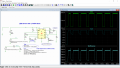
Sim time is ~93 sec with changes shown circled. See Below.

Also, the trise/tfall setting for V1 "dim' will effect sim time. Optionally, you may want to adjust.

1711811597478.png
 
Last edited:

MrAl

Joined Jun 17, 2014
13,680
Hello again,

I've done some more reading and collectively I see that the algorithms used for parallel processing in this field could in fact turn it off for some reasons. That's because there is a theoretical time limit that involves calculating it directly with one core vs breaking it up and calculating with more than one core. If the more than one core solution is going to take more time than the multiple core solution, the multiple core solution will simply not run only the single core solution will run.
There's a lot to this so I won't quote any numbers just yet.

I finally got my home-made multiple core analysis solution going so now I have something to experiment with. This will tell me more about the time limit and when the multiple core algorithm has to be bypassed, as time and energy permits.
 

Thread Starter

Eyal0

Joined Mar 26, 2024
17
Hi,
Thank you for replying!
My goal was to run that converter with a battery to depletion. In the file I've attached there's a Li-Ion_Batt model.
But this requires a simulation of seconds (if the battery is multiplied by 3600).
This will take a day!
So, is that the way it is?
 
Top