LTSpice - chime's ding simulation

Thread Starter

atferrari

Joined Jan 6, 2004
5,011
I intend to replicate the sound of a simple clock's chime. So far, using LTSpice, I managed to control attack and decay times.

Please check the sound in the attached .wav file. I understand that kind of a thump is perceived at the start, which I find annoying and far fom nice.

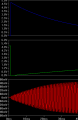
The signal, taken at the output after several DC blocking caps looks as shown. Really.

My questions:

1) Do you agree on the initial anomaly? My hearing is definitely bad so I do not trust much on what I perceive.

2) If so, is it an artifact created by LTSpice when sampling the signal and passed into the .wav file?

3) Or is it that initial jump of around 300 mV pk-pk, the reason of it?

4) Or just my sound card?

Comments appreciated.
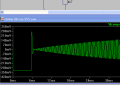
Chime08.png

Sorry, hat to add a .txt to upload the .wav file.
 

Attachments

crutschow

Joined Mar 14, 2008
38,503
There is an audible thump at the start from the initial transient pulse.

Can't help you with the reason for that without the schematic.
 

ronv

Joined Nov 12, 2008
3,770
I don't know how to play the wave file, but my guess is that it is the power on pulse timer1. I could get rid of most of it by adding a 100 ohm at the output of the 555 and then a 100 ufd. to ground.
 

ericgibbs

Joined Jan 29, 2010
21,439
hi ron,
The resident Microsoft media program will play the file, after the LTS sim has created it.
Eric
Do you want some examples for LTS .wav sims.?
 

djsfantasi

Joined Apr 11, 2010
9,237
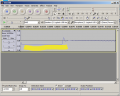
You can see the audible thump with Audacity and zoom in to the waveform.
chime08.png

Using audacity, I removed that part of the waveform, and got a clear chime sound; the thump is gone. I've attached it as "chime08a.wav.txt". Remove the .txt from the extension, and double-click the resulting file to play it in Windows.
 

Attachments

ronv

Joined Nov 12, 2008
3,770
Got it to play. So now I've modified the sim, but don't know how to create the wave file. I changed the directive to bling1 and tried to export it but it didn't work.
 

Attachments

Thread Starter

atferrari

Joined Jan 6, 2004
5,011
Got it to play. So now I've modified the sim, but don't know how to create the wave file. I changed the directive to bling1 and tried to export it but it didn't work.
Gracias Ron for spending your time in this. Honestly I do not know yet how that made the change. Anyway, see what I got from yours.

I perceive a thump at the end now. I shortened it to 650 ms.

Ron's bling.png

Forgot to say that the .wav file should be in your PC. Have you worked maybe directly standing in the "download" directory? I am sure it is somewhere.

If you try to record the file again with the same name, it will stop the simulation. At least it does with me here.
 

Attachments

Thread Starter

atferrari

Joined Jan 6, 2004
5,011
You can see the audible thump with Audacity and zoom in to the waveform.
View attachment 79135

Using audacity, I removed that part of the waveform, and got a clear chime sound; the thump is gone. I've attached it as "chime08a.wav.txt". Remove the .txt from the extension, and double-click the resulting file to play it in Windows.
In my case I want this finally solved in HW. Thanks for your time.
 

Thread Starter

atferrari

Joined Jan 6, 2004
5,011
Eric, gracias for your time.

Basically I solved it by adjusting the timing of the attack. No more thump.

I suspect that in real HW it could be a pain to adjust the trigger of the attack as easily as I do it in LTSpice. No actual experience but worth to try.

Whistle with no THUMP.png
 

Attachments

Top