
 Facebook
 Google
 GitHub
 Linkedin

Hello friends, I’ve been inspired by GreatScott!’s YouTube videos and am trying to build a DIY LiPo Charge/Protect/Boost Circuit. Below is an image of the first version of the PCB I designed.
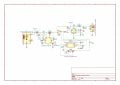
Here is my pcb,
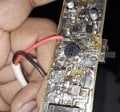
 However, I’m facing some issues while building this PCB.
The problem is: in GreatScott!’s design, the battery negative (-Ve) terminal is connected to the ground pin of the FS312F-G IC. But this ground pin is not connected to the PCB ground (the copper pour). My question is: should this pin be connected to the circuit ground (copper pour)?
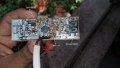
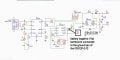
When I connect the battery negative (-Ve) terminal to the ground pin (pin 6) of the FS312F-G IC, I don’t get any output from the boost converter. But as soon as I connect the battery negative (-Ve) terminal to the PCB/circuit ground (copper pour), the boost converter works and gives output.
So my question is: what exactly is going wrong here?
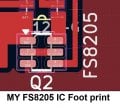
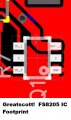
Another issue is that the footprint of the FS8205 IC in GreatScott!’s PCB does not match the pinout of the FS8205 IC I am using. What could be the problem here?
Here is my pcb,
However, I’m facing some issues while building this PCB.The problem is: in GreatScott!’s design, the battery negative (-Ve) terminal is connected to the ground pin of the FS312F-G IC. But this ground pin is not connected to the PCB ground (the copper pour). My question is: should this pin be connected to the circuit ground (copper pour)?
When I connect the battery negative (-Ve) terminal to the ground pin (pin 6) of the FS312F-G IC, I don’t get any output from the boost converter. But as soon as I connect the battery negative (-Ve) terminal to the PCB/circuit ground (copper pour), the boost converter works and gives output.
So my question is: what exactly is going wrong here?
Another issue is that the footprint of the FS8205 IC in GreatScott!’s PCB does not match the pinout of the FS8205 IC I am using. What could be the problem here?






