How to wire inputs to TTL

sghioto

Joined Dec 31, 2017
8,634
Seems like the culprit is the Chinese supply itself.
For the buck converter the specs say the input voltage should be 1.5 volts higher than the output.
Did you calibrate the display on the buck converter as described?
 

BobTPH

Joined Jun 5, 2013
11,533
I still think it is hitting current limit.

Have you tried turning the current limit all the way up? perhaps the cc light is not working.

The original post says the voltage dropped by adding 30mA is 0.24V. For this to be wiring resistance, it would need to be 8Ω. I don’t think that is the explanation.

I think there is something wring here that we cannot diagnose due to incomplete information.
 

MrChips

Joined Oct 2, 2009
34,829
@MrChips. I'll go and find more wire! :) Can I ask what the theory is behind this suggestion?
The theory is Ohm's Law.
Every piece of conductor has resistance. The more current the conductor has to carry, the greater the voltage drop across the conductor.

V = I x R

You want to reduce the current each conductor has to carry by splitting the paths to the various circuits.
Don't ignore the GND connections. The GND wire still has to carry the same current delivered by the Vcc wire.
 

Thread Starter

gfmoore

Joined May 24, 2023
16
Seems like the culprit is the Chinese supply itself.
For the buck converter the specs say the input voltage should be 1.5 volts higher than the output.
Did you calibrate the display on the buck converter as described?
Well I tried to, but holding down the button for more than 4 seconds didn't do anything. However, setting the output with the trimmer shows 5.02 on the little LED display and 5.0V on my multimeter(s). (This is with a LED+resistor as load, I don't know what R as it is built in to the LED, but man is it bright!!!) I feed the buck convertor with 9V from my power supply. (Not sure how to calibrate the power supply itself, but there was a little screw slot (as in a trimpot) above the voltage and the current markings. Tried to adjust, but didn't see anything changing.

Also with respect to someone else's question I have turned the current dial up. I assume this is for limiting the current?

Thanks for the help guys. I'll get there. :)


Again though why would the measured voltage go down when the supply voltage indicator stays the same, under load. What am I missing here?

If I had a 9V battery and put some resistors in parallel across the terminals and connected a multimeter to the battery wouldn't I keep seeing 9V (till the battery couldn't supply enough current).? (I admit I've never tried it lol)
 

MrChips

Joined Oct 2, 2009
34,829
Again though why would the measured voltage go down when the supply voltage indicator stays the same, under load. What am I missing here?

If I had a 9V battery and put some resistors in parallel across the terminals and connected a multimeter to the battery wouldn't I keep seeing 9V (till the battery couldn't supply enough current).? (I admit I've never tried it lol)
No.

The answer is resistance.
Conductors have resistance.
Even the battery and the power supply unit has internal resistance.
When you start drawing current from a battery, you have to consider the internal resistance of the battery.
 

Thread Starter

gfmoore

Joined May 24, 2023
16
Okay (something to do with Thevenin' theorem? I am trying to read up on stuff.) But practically as long as my measured voltage in the circuit (with a multimeter) is 5V then I simply adjust the power supply to get that and I'm going to be okay, because that will be my voltage anywhere on the power rails. (I haven't sorted out the wiring you suggested yet, but I will :)

I'm thinking this makes me look dense, but never really thought about it before.
 

MrChips

Joined Oct 2, 2009
34,829
Yes. You can turn up the PSU output voltage to 5.2V if this helps to bring the Vcc-GND voltage at the ICs to 5.0V.
 

BobTPH

Joined Jun 5, 2013
11,533
The answer is resistance.
Conductors have resistance.
I just doubt that there is 8 Ohms of resistance in the wires or across the breadboard. There us something wrong that we are not being told about., not intentionally, the TS does not know either.

Still waiting to hear if he has turned up the cc setting, that is the first thing I would do.
 

sghioto

Joined Dec 31, 2017
8,634
But practically as long as my measured voltage in the circuit (with a multimeter) is 5V then I simply adjust the power supply to get that and I'm going to be okay, because that will be my voltage anywhere on the power rails
From your description of the power supply that would depend on the load. If you set the supply for 5 volts at max load the voltage would probably increase a half volt or more on a minimum load.
 

BobTPH

Joined Jun 5, 2013
11,533
It would be a pretty crappy “regulated” power supply if it cannot maintain. voltage better than that when the current changes by 20mA.

I am as certain as ever that there is simething else going on.
 

boostbuck

Joined Oct 5, 2017
1,045
Okay, when you are running your circuit and your multimeter reads 4.7 volts (or whatever) at the board, the power supply meter still reads 5.0V, yes? If you then (keeping the circuit running) move the multimeter probes to the supply itself, does it read 5.0V same as supply meter?

If yes, reads 5.0V, then your wiring from the supply to the board is the problem, as it has too much resistance for the current demand.

If no, reads 4.7V, then the supply is not working properly in Constant Voltage mode.
 

Thread Starter

gfmoore

Joined May 24, 2023
16
Just to update: I'm not getting anywhere :(

I bought a second hand old fashioned regulated stabilised (not switching) power supply. It even has nice analogue meters (a Manson EP-907 for those interested.)

I have used much thicker wires (22AWG between boards) for feeding the boards.

I read a post about eBay chips (from China) being suspect on someone else's boards, so I've gone and ordered some replacement 74HCT chips from Mouser. (see https://electronics.stackexchange.com/questions/408430/power-issues-on-ttl-circuit?rq=1)

And with respect to MrChips I haven't yet star fed the three boards I'm currently using - I will, I will, but so many wires.... ;)

(And just to make my life more miserable my cheap FNIRSI 1014D oscilloscope is rubbish - it can't even read a dc voltage).

:)
 

Thread Starter

gfmoore

Joined May 24, 2023
16
Hi all,

just thought I'd update you with progress.

My main issues were with voltage drops that were pretty severe. My build has a front panel with switches and I'm using a non volatile static RAM...

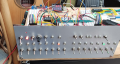
The front panel LEDS had flaky leads and as I tried to figure out what was going on one would invariably break at the soldered resistor end. I had also attached 1k resistors to the (flyout leads) to further reduce current draw and attached pins to these to plug into the breadboard. The result was a tangled mess and I eventually got fed up of fighting it all. So I ripped it all up and did the job of connecting to the front panel by using veroboard and some proper headers that I could connect to my busses properly.

I have also made sure I pull up all inputs/controls with resistors (10k) and that all LEDS have a 1k resistor (even the 5volt one with inbuilt resistors - they were too bright anyway).

The voltage now seems very stable and so far drawing 150mA or so. I am very pleased, but it's been a battle. Now I can start re-attaching the registers and the ALU.

I've attached an image. It is still a bit crude as I need to tidy up my control signals (the top right boards are just my RAM programmer whilst I was trying to figure out things and for checking the RAM. The front panel can now do that job.

As for the FNIRSI scope, well they responded by saying that the opto isolator was at fault on Channel 1. They sent an image and when I got the courage to check mine it looked like the opto isolator was upside down.

Being foolhardy I decided I could unsolder it and turn it the right way round. I don't know what solder they use, but it wouldn't melt. I have a temperature controlled iron and eventually the thing came away. Sadly it also lifted one of the pcb pads it was sitting on. I couldn't find any copper for that leg. I tried to then solder a bridge to the resistor it was connected to and in the process lifted the resistor off the board as well. Those surface mount resistors are so small I couldn't solder it back on and somehow lost it.

I figured it was a 150 ohm resistor (151)? and bought some headband magnifier glasses. I was able to solder things back together. The scope worked, sadly exactly as before. It was pobably not the opto-isolator anyway (and why would that affect the dc measurement anyway) or my fix being a bodge hasn't worked, or the opto isolator is kaput.

Well anyway, in the mean time I bought a proper Tektronix TBS 1052B scope second hand and the quality shows, even though some 6 years old. Don't know what I'll do with the FNIRSI - it works fine (apart from DC on channel 1).

What fun :)

Thanks for all the advice and suggestions, They have made a big difference to my thinking so thanks for that. :)
 

Attachments

Last edited:

Jon Chandler

Joined Jun 12, 2008
1,598
Apologies for poor quality diagram, I am learning how to use tinyCAD at momen
Sounds like you're on you way to solving your problems. Allow me to make one slight suggestion.

I used TinyCAD for years, and it's a solid program. But rather than spending too much time learning to use it, getting EasyEDA from JLCPCB (free) will make creating a nice schematic so much easier. And it will allow you to easily create a printed circuit board layout if you ever decide to do so. EasyEDA actually is easy to use. A big advantage over TinyCAD is that it has a huge library of components built in, so you don't have to create symbols so often as you need to do in TinyCAD.
 
Top