How to add OP amp 741 to LTSpice ..#2

Thread Starter

Daniel_ARG

Joined Oct 9, 2020
3
Copy the symbol and "opamp.lib" into a folder. When you place the component on the schematic in your project folder the symbol will automatically link to the companion library file (opamp.lib) in the same folder. This method is portable and avoids modifying the LTspice library. Some people consider this a good thing. Other people do not.

I'm sorry, I don't understand. I put the files in any folder. OK. But after that I open an empty project and I can't access to the model. How can I insert the 741 component in my project?

Thank you in advance,

Daniel
 

Papabravo

Joined Feb 24, 2006
22,105
In the component selection window, there is drop down menu for the path to the symbols. One of the default contents is the system symbol library. The second default is folder that your schematic is in.

1723473003973.png

You can see the dropdown menu by clicking on the down arrow to the right of the name under the label Top directory:
 

eetech00

Joined Jun 8, 2013
4,724
I'm sorry, I don't understand. I put the files in any folder. OK. But after that I open an empty project and I can't access to the model. How can I insert the 741 component in my project?

Thank you in advance,

Daniel
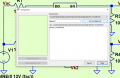
Create a schematic in the same folder where you placed the 741 symbol (.asy) and subckt file (.lib,.txt, or whatever).
That will make the folder where you created the schematic the "active" folder where LTspice will look for the files.
Then, do what Papabravo describes in post #2. You'll be able to use the "Top Directory" pulldown to select the folder where you created the schematic. The symbol should appear in the component selector pane.
 
Top