Help with Circuit

Thread Starter

sheheryar_noor

Joined May 22, 2010
32
O.K Mr and Brother Joe:p u helped me more than bro that's why calling u brother
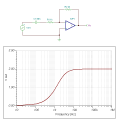
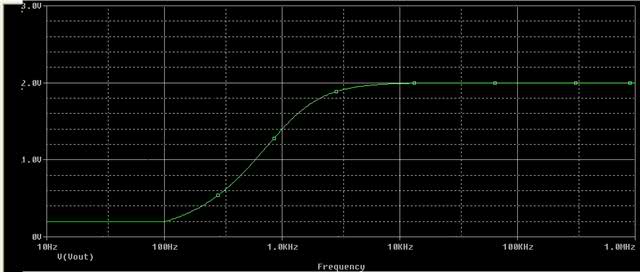
I asked professor he draw a graph like this and told me that he wanted graph like this
He draw it on paper and i draw it in paint i was trying to do it but mine looks little diff than this
Hope u can help me now
 

JoeJester

Joined Apr 26, 2005
4,390
Ok,

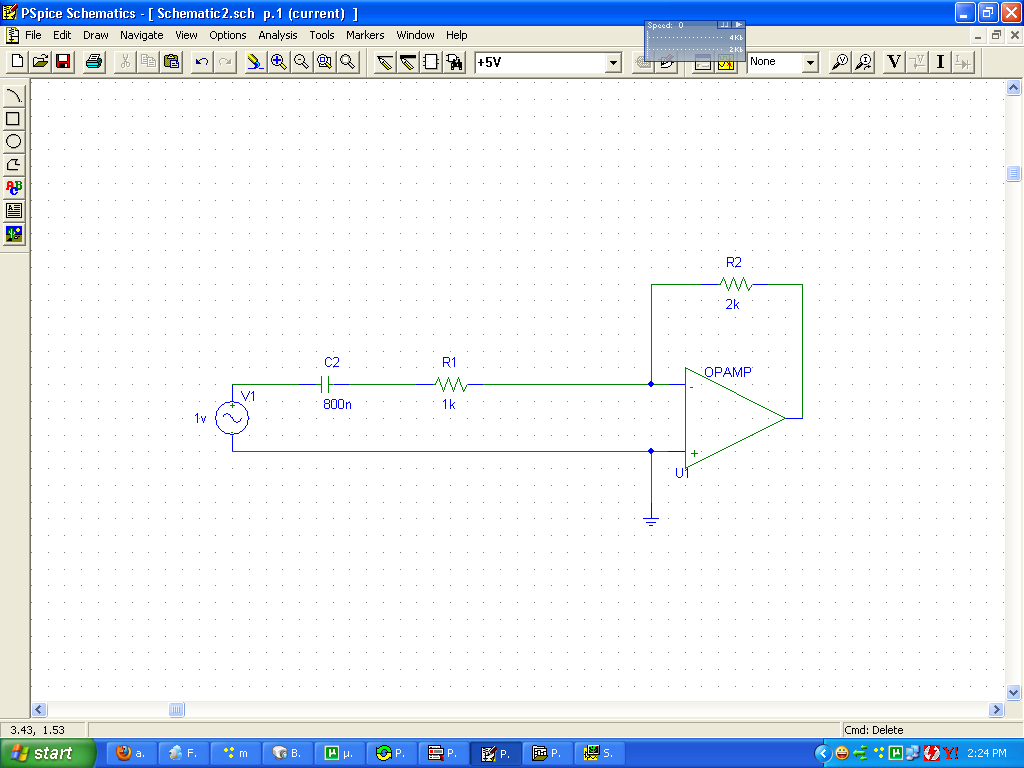
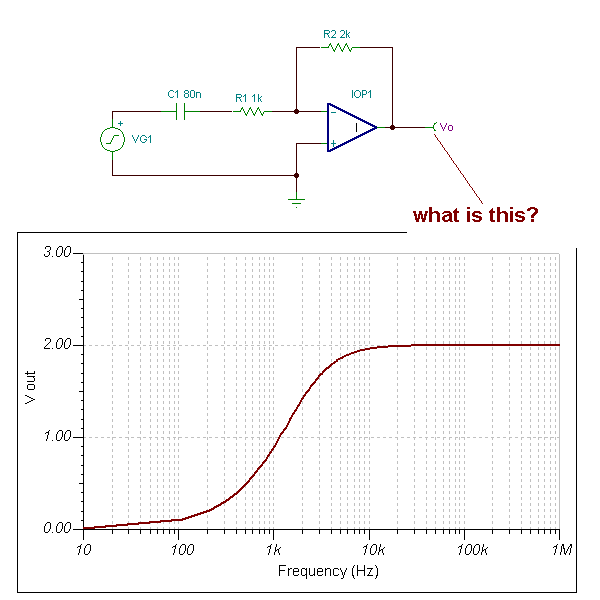
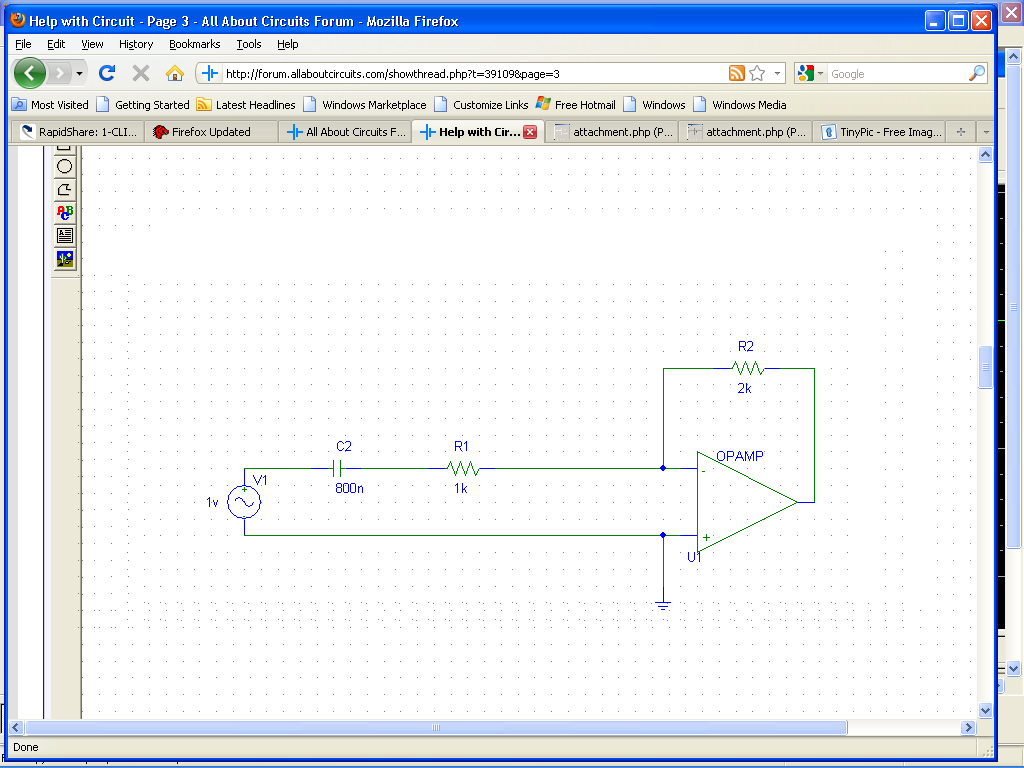
He wants you to move the capacitor from being in parallel with the feedback resistor (as it is currently drawn) to be in series with the input resistor (the other one) making a high pass filter and amplifier.
 

Thread Starter

sheheryar_noor

Joined May 22, 2010
32
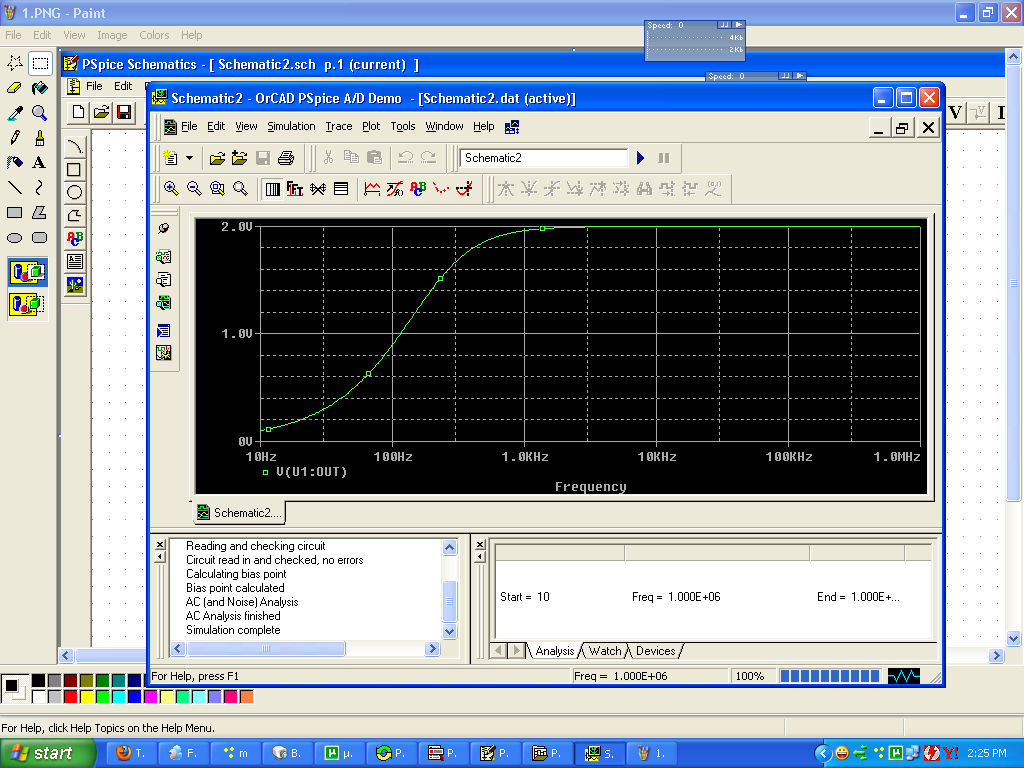
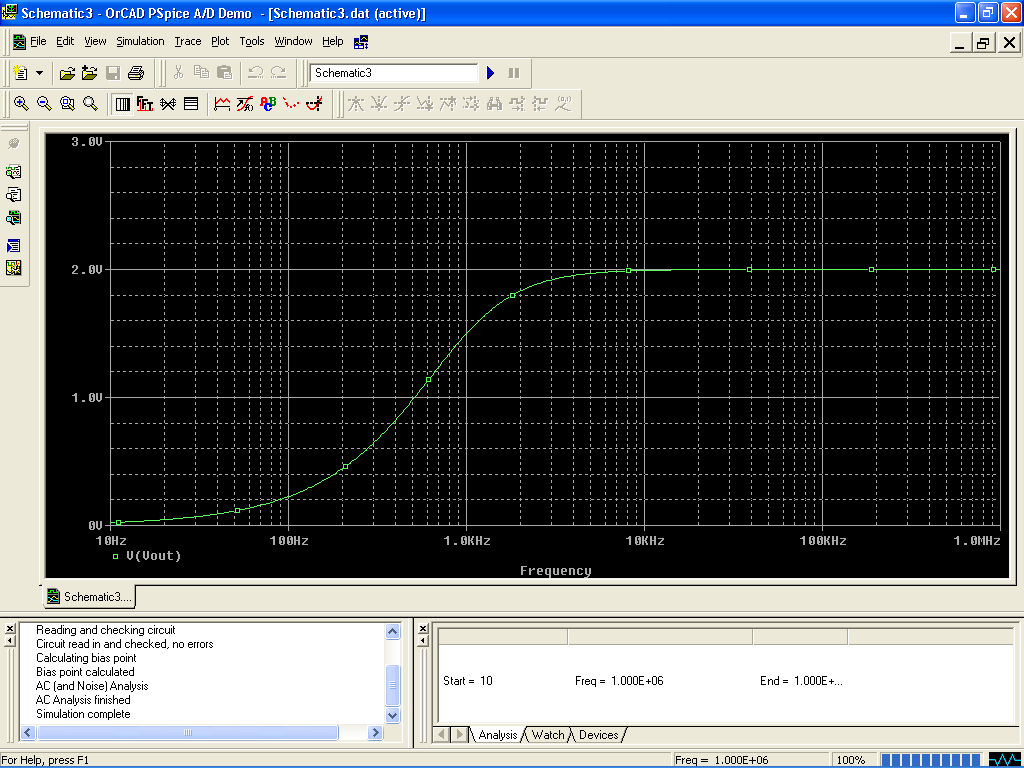
My circuit and graph look like this.
I know i haven't ploted the thing look like C which u have used for Vout
Can u tell me what u have used?


Thanks alot 4 helping me to help someone
 

JoeJester

Joined Apr 26, 2005
4,390
that "C" is a test point ... essential a meter referenced to ground.

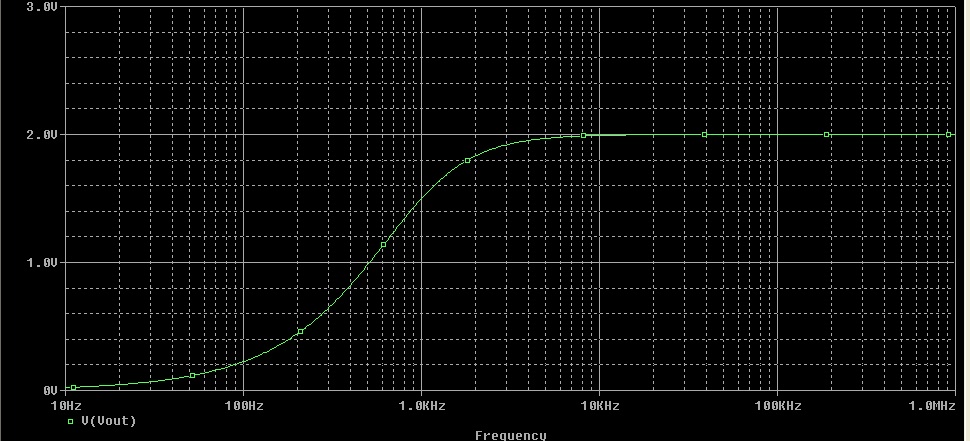
My "x-axis" (where the frequency is displayed) is a log scale while yours appears linear until you add the additioinal markers.

So, how receptive was the professor to your inquiry?
 

Thread Starter

sheheryar_noor

Joined May 22, 2010
32
Professor is a pain in butt he doesn't provide much info
I tried it still can't make a graph like u:-s
:(:)(:)((
Why it is happening to me:(
Can u make a video of it please?
 

Thread Starter

sheheryar_noor

Joined May 22, 2010
32
Rich (BB code):
http://rapidshare.com/files/396964572/clip0003.avi
here is my video i can't do that":(


U said it is a meter i can't find it
I wish u cud make a video of it please
 

Thread Starter

sheheryar_noor

Joined May 22, 2010
32


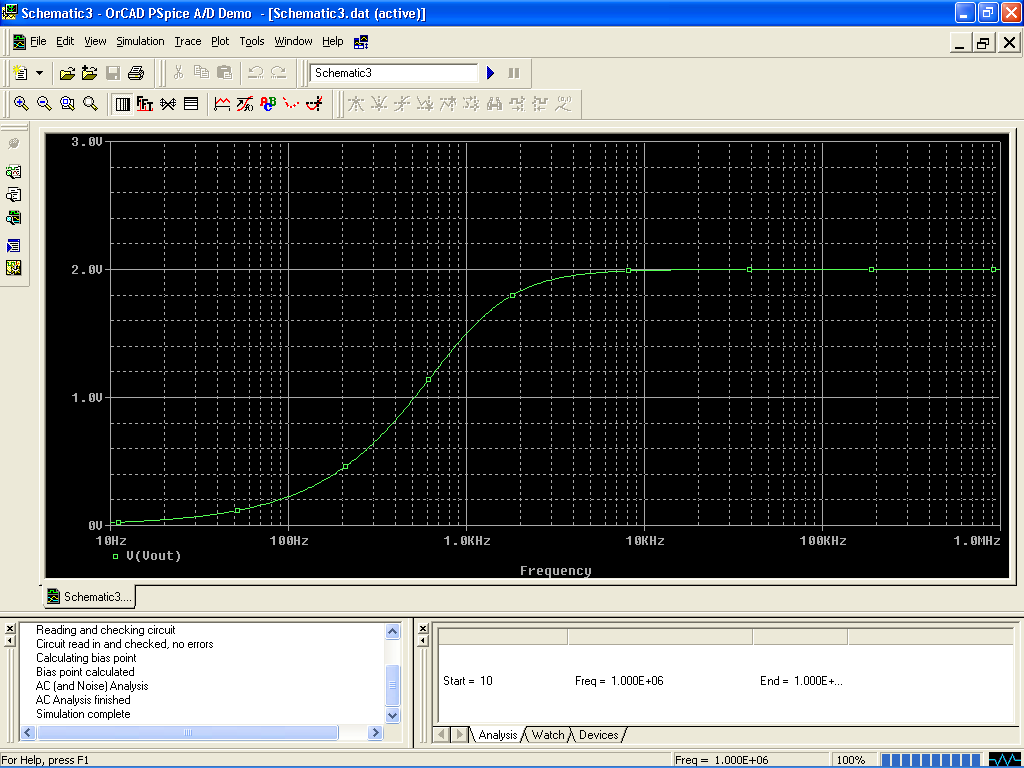
Wohoo i did it at last
But i don't understand one thing my circuit is like


And after setting of Y axis and X grid like u i got a graph like urs but my circuit isn't like ur.
Can u tell me what u have u used for V out?
In the End?
What is its specific name?
 
Hey,why are you actually trying to invert the frequency plot?Could you be more specific about what needs to be done?may be if you explain the issue and the exact need,someone,if not me,can help you..

Thanks
 

Thread Starter

sheheryar_noor

Joined May 22, 2010
32
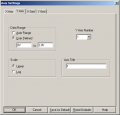
This is the assignment to invert the graph
Joe showed me pics of it
I tried it,1st graph wasn't showing like this


But after messing with Y axis and X grid the graph was like which i wanted

But the question is that my circuit is diff than the Joe's one so it means that the graph depended on Y axis and X gird it means if we make any type circuit and sex Y axis and X grid like joe did it means the graph will be like this


So i want to know that is there anyway through which i can make a graph like the pic above without messing with X Gird and Y axis
As i click on Vout i get a graph like the one i need?
U got me now@Vasant
And Joe hope u have understand me and could tell me if it is possible or not
 

Thread Starter

sheheryar_noor

Joined May 22, 2010
32
Vasanthkini Look at my circuit on this page and look at joe's circuit on the 3rd page
His circuit is different than mine.
Mine don't have the thing like C in the end for Vout but i still got a graph like him after setting X grid and Y axis so can u tell me what he have used for V out like C?
And is it possible to make a graph like joe's one without touching X grid and Y axis?
 

JoeJester

Joined Apr 26, 2005
4,390
Mine don't have the thing like C in the end for Vout but i still got a graph like him after setting X grid and Y axis so can u tell me what he have used for V out like C?
That "C" is a test point. Do not pay any attention to the "Vo" test point. The two circuits are the same.
 
Last edited:

Thread Starter

sheheryar_noor

Joined May 22, 2010
32
So it means the one which i made is also correct?
And i will make a video of it so u tell me if i did everything correct or not
O.K
Ty for helping
 

JoeJester

Joined Apr 26, 2005
4,390
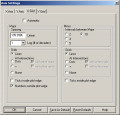
Once you set the axis as you wish ... click on making it the default settings. Then you will get it that way without reseting the axis.

Of course, when you wish to change the presentation, you will revisit the axis settings.
 
Top