Facebook
 Google
 GitHub
 Linkedin
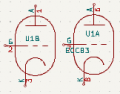
Hello i am new , i was having a hard time designing a circuit as some of the symbols are not so easily found, i am a student . was wondering if anyone could help me out.
Materials and Tools Materials Active Components:
12AX7/ECC83 Vacuum Tube, 3× 2N2222A Transistors (TO-18), NE555P Timer IC, 8× 1N4148 Signal Diodes, 1× 1N4001 Power Diode Capacitors: 2× Mundorf Supreme 4.7μF/250V, 2× WIMA MKP10 0.022μF/250V, 4× WIMA MKP4 0.1μF/100V, Nichicon 470μF/25V Electrolytic, WIMA MKP4 100μF/63V, 10× 0.1μF Ceramic Bypass Resistors: Various values (refer to the detailed parts list) Potentiometers: 2× 1MΩ Audio, 2× 100kΩ Audio, 2× 250kΩ Audio, 2× 10kΩ Linear, 2× 100kΩ Linear, 2× 25kΩ Linear, 1× 100kΩ Linear (Tremolo Rate), 1× 100kΩ Linear (Tremolo Depth) Switches and Jacks: 1× 3PDT Footswitch, 2× DPDT Toggle Switch, 4× 1/4" Mono Jacks, 1× 2.1mm DC Power Jack Tube Socket and Hardware: 1× 9-pin Ceramic Tube Socket, 2× LED Holders, 1× Red LED, 1× Blue LED Enclosure and Hardware: 1× Hammond 1590BB Enclosure, 12× Davies 1510 Knobs, 4× Rubber Feet PCB and Wiring: 1× Double-sided PCB (custom), Hook-up Wire Set (22AWG), Shielded Cable Power Supply: 1× 12V DC 500mA Power Supply (center negative) Tools Soldering iron and solder Wire cutters/strippers Multimeter Screwdrivers Drill (for mounting holes in the enclosure)
Step-by-Step Guide 1. Power Supply Section Mount the DC Power Jack to the Enclosure Drill a hole in the enclosure and secure the power jack. Install the 1N4001 Diode Connect the anode of the 1N4001 diode to the center pin of the power jack. Connect the cathode of the 1N4001 diode to the +12V rail. Connect the Main Power Filtering Capacitors Connect the positive terminal of the 470μF/25V electrolytic capacitor to the +12V rail. Connect the negative terminal to the ground star point. Connect the positive terminal of the 100μF film capacitor to the +12V rail. Connect the negative terminal to the ground star point. Verify Power Supply: Use a multimeter to check for +12V DC between the +12V rail and ground. Ready for the next section? (Yes/No)
2. Heater Circuit for 12AX7 Tube Mount the 9-pin Ceramic Tube Socket Secure the socket to the PCB or the enclosure using standoffs. Wire the Heater Circuit Connect pin 4 of the tube socket to the +12V rail. Connect pin 5 to pin 9. Connect pin 9 to the ground star point. Verify Heater Voltage: Use a multimeter to check for 12.6V across the heater pins (pin 4 to pin 9). Ready for the next section? (Yes/No)
3. Preamp Stage (Left Channel) Input Section Connect the tip of the left input jack to a 100kΩ resistor, then to lug 3 of a 1MΩ audio potentiometer. Connect the sleeve of the input jack to ground. Connect lug 1 of the potentiometer to ground. Connect lug 2 (wiper) of the potentiometer to a 0.022μF Wima coupling capacitor. Connect the other end of the coupling capacitor to pin 2 (grid) of the 12AX7. Grid Network Connect a 1MΩ resistor from pin 2 (grid) to ground. Plate Circuit Connect pin 1 (plate) to lug 3 of a 10kΩ potentiometer. Connect lug 1 of the potentiometer to the +12V rail. Connect lug 2 (wiper) to a 4.7μF Mundorf coupling capacitor. Cathode Circuit Connect pin 3 (cathode) to a 1kΩ resistor to ground. Connect a 10μF bypass capacitor in parallel with the 1kΩ resistor. Verify Voltages: Check for 10-11V DC on pin 1 (plate). Check for 1.2-2V DC on pin 3 (cathode). Ready for the next section? (Yes/No)
4. Tone Stack (Left Channel) Bass Control Connect the output of the 4.7μF coupling capacitor to a 0.047μF film capacitor. Connect the other end of the 0.047μF capacitor to lug 3 of a 100kΩ linear potentiometer. Connect lug 1 of the potentiometer to ground. Connect lug 2 (wiper) to a 10kΩ mixing resistor. Treble Control Connect the output of the 4.7μF coupling capacitor to a 0.0022μF film capacitor. Connect the other end of the 0.0022μF capacitor to a 33kΩ resistor, then to lug 3 of a 25kΩ linear potentiometer. Connect lug 1 of the potentiometer to ground. Connect lug 2 (wiper) to a 10kΩ mixing resistor. Mixing Point Connect the two 10kΩ mixing resistors together. Connect the junction to a 0.1μF coupling capacitor leading to the drive stage. Ready for the next section? (Yes/No)
5. Drive Stage (First 2N2222) Collector Circuit Connect the collector of the 2N2222 transistor to lug 3 of a 20kΩ potentiometer. Connect lug 1 of the potentiometer to the +12V rail. Connect lug 2 (wiper) to the signal out point. Base Circuit Connect the output of the tone stack to lug 3 of a 250kΩ potentiometer. Connect lug 1 of the potentiometer to ground. Connect lug 2 (wiper) to the base of the 2N2222 transistor. Connect a 100kΩ resistor from the base to ground. Emitter Circuit Connect the emitter of the 2N2222 transistor to a 1.2kΩ resistor to ground. Connect a 10μF bypass capacitor in parallel with the 1.2kΩ resistor. Verify Voltages: Check for 6-8V DC on the collector. Check for ~1.4V DC on the base. Check for ~0.7V DC on the emitter. Ready for the next section? (Yes/No)
6. Clipping Section DPDT Switch Connect the DPDT switch to allow switching between a direct path and a clipping path. For the clipping path, connect two 1N4148 diodes in series to a +6V reference and another pair to ground. Ready for the next section? (Yes/No)
7. 555 Timer Core Configuration Pin Connections Connect Pin 1 (Ground) to the ground bus. Connect a 0.1μF bypass capacitor between Pin 1 and +12V. Connect Pin 2 (Trigger) directly to Pin 6 (Threshold). Connect a 0.1μF bypass capacitor between Pin 2 and ground. Connect Pin 3 (Output) to the anode of a blue LED via a 2.2kΩ resistor. Connect a 0.1μF coupling capacitor between Pin 3 and the depth control. Connect the cathode of the blue LED to ground. Connect Pin 4 (Reset) to +12V via a 10kΩ pullup resistor. Connect a 0.1μF bypass capacitor between Pin 4 and ground. Connect Pin 5 (Control Voltage) to a 0.1μF bypass capacitor to ground. Connect Pin 7 (Discharge) to the rate control circuit. 7. 555 Timer Core Configuration (Continued) Rate Control Circuit Connect lug 1 of the 100kΩ linear potentiometer to the +12V rail. Connect lug 2 (wiper) to Pin 7 (Discharge) of the 555 timer IC. Connect lug 3 to a 10μF timing capacitor, with the other end of the capacitor connected to ground. Connect the junction of the wiper and timing capacitor to Pin 6 (Threshold) of the 555 timer IC. Connect an additional 0.1μF bypass capacitor from the wiper to ground. Verify 555 Timer Operation: Use a multimeter to check for a square wave at Pin 3 (Output) of the 555 timer IC. Ready for the next section? (Yes/No)
8. Depth Control & Modulation Transistor Depth Control Connect lug 1 of the 100kΩ linear potentiometer to ground. Connect lug 2 (wiper) to the base of the third 2N2222 transistor. Connect lug 3 to the output of the 555 timer (Pin 3) via a 0.1μF capacitor. Modulation Transistor (Third 2N2222) Connect the collector of the third 2N2222 transistor to a 12kΩ resistor, with the other end connected to the +12V rail. Connect a 0.1μF coupling capacitor from the collector to the left channel mix point. Connect another 0.1μF coupling capacitor from the collector to the right channel mix point. Connect the base of the transistor to the wiper of the depth potentiometer. Connect a 100kΩ bias resistor from the base to ground. Connect the emitter of the transistor to a 1.2kΩ resistor to ground. Connect a 10μF bypass capacitor in parallel with the 1.2kΩ resistor. Verify Modulation Transistor Operation: Use a multimeter to check for varying voltages at the collector corresponding to the modulation depth control. Ready for the next section? (Yes/No)
9. Mixing Points Integration Left Channel Mix Connect the main signal output from the drive stage to a 10kΩ mixing resistor. Connect the modulation signal from the modulation transistor to a 47kΩ mixing resistor. Join the two resistors and connect the junction to the volume control input. Right Channel Mix Connect the main signal output from the drive stage to a 10kΩ mixing resistor. Connect the modulation signal from the modulation transistor to a 47kΩ mixing resistor. Join the two resistors and connect the junction to the volume control input. Ready for the next section? (Yes/No)
10. Tremolo Enable/Bypass DPDT Switch Position 1 (Bypass): Connect a direct signal path from the input to the outputs. Position 2 (Active): Route the signal through the modulation mixer before reaching the outputs. Switch Connections Common 1: Connect to the left channel pre-volume. Common 2: Connect to the right channel pre-volume. NO 1: Connect to the left modulation mix. NO 2: Connect to the right modulation mix. NC 1: Connect to the left direct signal path. NC 2: Connect to the right direct signal path. Ready for the next section? (Yes/No)
11. Volume Controls Left Channel Volume Control Connect lug 1 of a 100kΩ audio potentiometer to ground. Connect lug 2 (wiper) to the output switch. Connect lug 3 to the tremolo mixer output. Connect a 0.1μF coupling capacitor between lug 2 and the output switch. Right Channel Volume Control Connect lug 1 of a 100kΩ audio potentiometer to ground. Connect lug 2 (wiper) to the output switch. Connect lug 3 to the tremolo mixer output. Connect a 0.1μF coupling capacitor between lug 2 and the output switch. Ready for the next section? (Yes/No)
12. True Bypass Switching 3PDT Footswitch Left Channel Section: Connect the common terminal to the left output jack tip. Connect the NC terminal to the direct signal from the input jack. Connect the NO terminal to the volume control output. Right Channel Section: Connect the common terminal to the right output jack tip. Connect the NC terminal to the direct signal from the input jack. Connect the NO terminal to the volume control output. LED Section: Connect the common terminal to the +12V rail via a 2.2kΩ resistor. Connect the NO terminal to the LED anode. Connect the LED cathode to ground. Ready for the next section? (Yes/No)
13. Output Jacks Left Output Jack (1/4" Mono) Connect the tip to the common terminal of the 3PDT switch. Connect the sleeve to ground. Connect a 100kΩ ground reference resistor between the tip and ground. Right Output Jack (1/4" Mono) Connect the tip to the common terminal of the 3PDT switch. Connect the sleeve to ground. Connect a 100kΩ ground reference resistor between the tip and ground. Ready for the next section? (Yes/No)
14. Final Ground Connections Star Ground Point Connections Connect the power supply ground. Connect the input jack sleeves. Connect the output jack sleeves. Connect the volume pot grounds. Connect the bypass switch ground. Connect the LED ground. Connect the circuit board ground. Ground Bus Distribution Create separate analog ground buses for audio stages. Create a separate digital ground for the 555 timer circuit. Connect all grounds to a single star point near the power input. Ready for the next section? (Yes/No)
15. Power Supply Final Distribution Final Power Routing Connect the main +12V rail to individual supply points for each stage. Place a 0.1μF bypass capacitor at each supply point. Critical Points: Tube plate supply Transistor collectors 555 timer VCC LED current limiting resistor
Final Check: Verify all connections before powering up the circuit. Test the power supply voltage, tube heater voltage, and ensure no shorts. Install the tube and allow it to warm up. Check all voltage points using a multimeter. Verify the audio path and tremolo operation.
Congratulations! You have complete.
Materials and Tools Materials Active Components:
12AX7/ECC83 Vacuum Tube, 3× 2N2222A Transistors (TO-18), NE555P Timer IC, 8× 1N4148 Signal Diodes, 1× 1N4001 Power Diode Capacitors: 2× Mundorf Supreme 4.7μF/250V, 2× WIMA MKP10 0.022μF/250V, 4× WIMA MKP4 0.1μF/100V, Nichicon 470μF/25V Electrolytic, WIMA MKP4 100μF/63V, 10× 0.1μF Ceramic Bypass Resistors: Various values (refer to the detailed parts list) Potentiometers: 2× 1MΩ Audio, 2× 100kΩ Audio, 2× 250kΩ Audio, 2× 10kΩ Linear, 2× 100kΩ Linear, 2× 25kΩ Linear, 1× 100kΩ Linear (Tremolo Rate), 1× 100kΩ Linear (Tremolo Depth) Switches and Jacks: 1× 3PDT Footswitch, 2× DPDT Toggle Switch, 4× 1/4" Mono Jacks, 1× 2.1mm DC Power Jack Tube Socket and Hardware: 1× 9-pin Ceramic Tube Socket, 2× LED Holders, 1× Red LED, 1× Blue LED Enclosure and Hardware: 1× Hammond 1590BB Enclosure, 12× Davies 1510 Knobs, 4× Rubber Feet PCB and Wiring: 1× Double-sided PCB (custom), Hook-up Wire Set (22AWG), Shielded Cable Power Supply: 1× 12V DC 500mA Power Supply (center negative) Tools Soldering iron and solder Wire cutters/strippers Multimeter Screwdrivers Drill (for mounting holes in the enclosure)
Step-by-Step Guide 1. Power Supply Section Mount the DC Power Jack to the Enclosure Drill a hole in the enclosure and secure the power jack. Install the 1N4001 Diode Connect the anode of the 1N4001 diode to the center pin of the power jack. Connect the cathode of the 1N4001 diode to the +12V rail. Connect the Main Power Filtering Capacitors Connect the positive terminal of the 470μF/25V electrolytic capacitor to the +12V rail. Connect the negative terminal to the ground star point. Connect the positive terminal of the 100μF film capacitor to the +12V rail. Connect the negative terminal to the ground star point. Verify Power Supply: Use a multimeter to check for +12V DC between the +12V rail and ground. Ready for the next section? (Yes/No)
2. Heater Circuit for 12AX7 Tube Mount the 9-pin Ceramic Tube Socket Secure the socket to the PCB or the enclosure using standoffs. Wire the Heater Circuit Connect pin 4 of the tube socket to the +12V rail. Connect pin 5 to pin 9. Connect pin 9 to the ground star point. Verify Heater Voltage: Use a multimeter to check for 12.6V across the heater pins (pin 4 to pin 9). Ready for the next section? (Yes/No)
3. Preamp Stage (Left Channel) Input Section Connect the tip of the left input jack to a 100kΩ resistor, then to lug 3 of a 1MΩ audio potentiometer. Connect the sleeve of the input jack to ground. Connect lug 1 of the potentiometer to ground. Connect lug 2 (wiper) of the potentiometer to a 0.022μF Wima coupling capacitor. Connect the other end of the coupling capacitor to pin 2 (grid) of the 12AX7. Grid Network Connect a 1MΩ resistor from pin 2 (grid) to ground. Plate Circuit Connect pin 1 (plate) to lug 3 of a 10kΩ potentiometer. Connect lug 1 of the potentiometer to the +12V rail. Connect lug 2 (wiper) to a 4.7μF Mundorf coupling capacitor. Cathode Circuit Connect pin 3 (cathode) to a 1kΩ resistor to ground. Connect a 10μF bypass capacitor in parallel with the 1kΩ resistor. Verify Voltages: Check for 10-11V DC on pin 1 (plate). Check for 1.2-2V DC on pin 3 (cathode). Ready for the next section? (Yes/No)
4. Tone Stack (Left Channel) Bass Control Connect the output of the 4.7μF coupling capacitor to a 0.047μF film capacitor. Connect the other end of the 0.047μF capacitor to lug 3 of a 100kΩ linear potentiometer. Connect lug 1 of the potentiometer to ground. Connect lug 2 (wiper) to a 10kΩ mixing resistor. Treble Control Connect the output of the 4.7μF coupling capacitor to a 0.0022μF film capacitor. Connect the other end of the 0.0022μF capacitor to a 33kΩ resistor, then to lug 3 of a 25kΩ linear potentiometer. Connect lug 1 of the potentiometer to ground. Connect lug 2 (wiper) to a 10kΩ mixing resistor. Mixing Point Connect the two 10kΩ mixing resistors together. Connect the junction to a 0.1μF coupling capacitor leading to the drive stage. Ready for the next section? (Yes/No)
5. Drive Stage (First 2N2222) Collector Circuit Connect the collector of the 2N2222 transistor to lug 3 of a 20kΩ potentiometer. Connect lug 1 of the potentiometer to the +12V rail. Connect lug 2 (wiper) to the signal out point. Base Circuit Connect the output of the tone stack to lug 3 of a 250kΩ potentiometer. Connect lug 1 of the potentiometer to ground. Connect lug 2 (wiper) to the base of the 2N2222 transistor. Connect a 100kΩ resistor from the base to ground. Emitter Circuit Connect the emitter of the 2N2222 transistor to a 1.2kΩ resistor to ground. Connect a 10μF bypass capacitor in parallel with the 1.2kΩ resistor. Verify Voltages: Check for 6-8V DC on the collector. Check for ~1.4V DC on the base. Check for ~0.7V DC on the emitter. Ready for the next section? (Yes/No)
6. Clipping Section DPDT Switch Connect the DPDT switch to allow switching between a direct path and a clipping path. For the clipping path, connect two 1N4148 diodes in series to a +6V reference and another pair to ground. Ready for the next section? (Yes/No)
7. 555 Timer Core Configuration Pin Connections Connect Pin 1 (Ground) to the ground bus. Connect a 0.1μF bypass capacitor between Pin 1 and +12V. Connect Pin 2 (Trigger) directly to Pin 6 (Threshold). Connect a 0.1μF bypass capacitor between Pin 2 and ground. Connect Pin 3 (Output) to the anode of a blue LED via a 2.2kΩ resistor. Connect a 0.1μF coupling capacitor between Pin 3 and the depth control. Connect the cathode of the blue LED to ground. Connect Pin 4 (Reset) to +12V via a 10kΩ pullup resistor. Connect a 0.1μF bypass capacitor between Pin 4 and ground. Connect Pin 5 (Control Voltage) to a 0.1μF bypass capacitor to ground. Connect Pin 7 (Discharge) to the rate control circuit. 7. 555 Timer Core Configuration (Continued) Rate Control Circuit Connect lug 1 of the 100kΩ linear potentiometer to the +12V rail. Connect lug 2 (wiper) to Pin 7 (Discharge) of the 555 timer IC. Connect lug 3 to a 10μF timing capacitor, with the other end of the capacitor connected to ground. Connect the junction of the wiper and timing capacitor to Pin 6 (Threshold) of the 555 timer IC. Connect an additional 0.1μF bypass capacitor from the wiper to ground. Verify 555 Timer Operation: Use a multimeter to check for a square wave at Pin 3 (Output) of the 555 timer IC. Ready for the next section? (Yes/No)
8. Depth Control & Modulation Transistor Depth Control Connect lug 1 of the 100kΩ linear potentiometer to ground. Connect lug 2 (wiper) to the base of the third 2N2222 transistor. Connect lug 3 to the output of the 555 timer (Pin 3) via a 0.1μF capacitor. Modulation Transistor (Third 2N2222) Connect the collector of the third 2N2222 transistor to a 12kΩ resistor, with the other end connected to the +12V rail. Connect a 0.1μF coupling capacitor from the collector to the left channel mix point. Connect another 0.1μF coupling capacitor from the collector to the right channel mix point. Connect the base of the transistor to the wiper of the depth potentiometer. Connect a 100kΩ bias resistor from the base to ground. Connect the emitter of the transistor to a 1.2kΩ resistor to ground. Connect a 10μF bypass capacitor in parallel with the 1.2kΩ resistor. Verify Modulation Transistor Operation: Use a multimeter to check for varying voltages at the collector corresponding to the modulation depth control. Ready for the next section? (Yes/No)
9. Mixing Points Integration Left Channel Mix Connect the main signal output from the drive stage to a 10kΩ mixing resistor. Connect the modulation signal from the modulation transistor to a 47kΩ mixing resistor. Join the two resistors and connect the junction to the volume control input. Right Channel Mix Connect the main signal output from the drive stage to a 10kΩ mixing resistor. Connect the modulation signal from the modulation transistor to a 47kΩ mixing resistor. Join the two resistors and connect the junction to the volume control input. Ready for the next section? (Yes/No)
10. Tremolo Enable/Bypass DPDT Switch Position 1 (Bypass): Connect a direct signal path from the input to the outputs. Position 2 (Active): Route the signal through the modulation mixer before reaching the outputs. Switch Connections Common 1: Connect to the left channel pre-volume. Common 2: Connect to the right channel pre-volume. NO 1: Connect to the left modulation mix. NO 2: Connect to the right modulation mix. NC 1: Connect to the left direct signal path. NC 2: Connect to the right direct signal path. Ready for the next section? (Yes/No)
11. Volume Controls Left Channel Volume Control Connect lug 1 of a 100kΩ audio potentiometer to ground. Connect lug 2 (wiper) to the output switch. Connect lug 3 to the tremolo mixer output. Connect a 0.1μF coupling capacitor between lug 2 and the output switch. Right Channel Volume Control Connect lug 1 of a 100kΩ audio potentiometer to ground. Connect lug 2 (wiper) to the output switch. Connect lug 3 to the tremolo mixer output. Connect a 0.1μF coupling capacitor between lug 2 and the output switch. Ready for the next section? (Yes/No)
12. True Bypass Switching 3PDT Footswitch Left Channel Section: Connect the common terminal to the left output jack tip. Connect the NC terminal to the direct signal from the input jack. Connect the NO terminal to the volume control output. Right Channel Section: Connect the common terminal to the right output jack tip. Connect the NC terminal to the direct signal from the input jack. Connect the NO terminal to the volume control output. LED Section: Connect the common terminal to the +12V rail via a 2.2kΩ resistor. Connect the NO terminal to the LED anode. Connect the LED cathode to ground. Ready for the next section? (Yes/No)
13. Output Jacks Left Output Jack (1/4" Mono) Connect the tip to the common terminal of the 3PDT switch. Connect the sleeve to ground. Connect a 100kΩ ground reference resistor between the tip and ground. Right Output Jack (1/4" Mono) Connect the tip to the common terminal of the 3PDT switch. Connect the sleeve to ground. Connect a 100kΩ ground reference resistor between the tip and ground. Ready for the next section? (Yes/No)
14. Final Ground Connections Star Ground Point Connections Connect the power supply ground. Connect the input jack sleeves. Connect the output jack sleeves. Connect the volume pot grounds. Connect the bypass switch ground. Connect the LED ground. Connect the circuit board ground. Ground Bus Distribution Create separate analog ground buses for audio stages. Create a separate digital ground for the 555 timer circuit. Connect all grounds to a single star point near the power input. Ready for the next section? (Yes/No)
15. Power Supply Final Distribution Final Power Routing Connect the main +12V rail to individual supply points for each stage. Place a 0.1μF bypass capacitor at each supply point. Critical Points: Tube plate supply Transistor collectors 555 timer VCC LED current limiting resistor
Final Check: Verify all connections before powering up the circuit. Test the power supply voltage, tube heater voltage, and ensure no shorts. Install the tube and allow it to warm up. Check all voltage points using a multimeter. Verify the audio path and tremolo operation.
Congratulations! You have complete.