hello i am trying to generate lorentz attractors using matlab and rf transmitters. are there any online and clouds transmitters that can be used to generate it. thanks a lot.
the matlab code for the attractor is found in this link lorentz attractor code i would like to send the data Y(1,: ), Y(2,: ), Y(3,: ) on line 195 of the file lorenzgui.m
the matlab code for the attractor is found in this link lorentz attractor code i would like to send the data Y(1,: ), Y(2,: ), Y(3,: ) on line 195 of the file lorenzgui.m
I can't pull that code up to take a look and don't have matlab it but is should be possible to redirect the data output to a file and then upload that file to a server. You need to find a matlab coder.
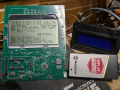
This is my LA data generator in C. It creates x,y,z vector variables and scales that to 2D LCD lines for plotting on the controller board.
C:
/*
*
* Basic Lorenz Attractor code
* https://www.stsci.edu/~lbradley/seminar/attractors.html
*/
void LA_gfx(bool reset, bool redraw, uint32_t turns)
{
    static double x = 0.1;
    static double y = 0;
    static double z = 0;
    static double a = 10.0;
    static double b = 28.0;
    static double c = 8.0 / 3.0;
    static double t = 0.01;
    static uint32_t i = 0;

    //Iterate and update x,y and z locations
    //based upon the Lorenz equations
    if (redraw) {
        i = 0;
        return;
    }

    if (reset) {
        x = 0.1;
        y = 0;
        z = 0;
        a = 10.0;
        b = 28.0;
        c = 8.0 / 3.0;
        t = 0.01;
        i = 0;
        return;
    }

    if (i++ >= turns) {
        i = turns;
        return;
    }

    double xt = x + t * a * (y - x);
    double yt = y + t * (x * (b - z) - y);
    double zt = z + t * (x * y - c * z);
    x = xt + q0;
    y = yt + q1;
    z = zt + q2;
#ifdef SHOW_STATS
    xa = (x * 1.5) + 40;
    ya = (z * 1.5) + 10; // xz plot
    //    ya = (y * 1.5) + 40; // xy plot
#else
    xa = (x * 2.5) + 120;
    if (H.la_mod) {
        ya = (z * 1.5) + 50; // xz plot
    } else {
        ya = (y * 1.5) + 40; // xy plot
    }
#endif
    za = z;
    OledMoveTo(xa, ya);
    OledLineTo(xa + 1, ya + 1);
}
Hard to see with the cell phone camera but the IMU chip of this board in changing (as I move the PCB) the Lorenz Attractor variable to change the drawing pattern.
i am sending this data to try to create rotating wormholes phase singularities. this is the matlab code.
matlab lorentz attractor code:
function lorenzgui
%LORENZGUI   Plot the orbit around the Lorenz chaotic attractor.
%   This function animates the integration of the three coupled
%   nonlinear differential equations that define the Lorenz Attractor,
%   a chaotic system first described by Edward Lorenz of MIT.
%   As the integration proceeds you will see a point moving in
%   an orbit in 3-D space known as a strange attractor.
%   The orbit ranges around two different critical points, or attractors.
%   The orbit is bounded, but may not be periodic and or convergent.
%
%   The mouse and arrow keys change the 3-D viewpoint.  Uicontrols
%   provide "pause", "resume", "stop", "restart", "clear", and "close".
%
%   A listbox provides a choice among five values of the parameter rho.
%   The first value, 28, is the most common and produces the chaotic
%   behavior.  The other four values values produce periodic behaviors
%   of different complexities.  A change in rho becomes effective only
%   after a "stop" and "restart".
%
%   Reference: Colin Sparrow, "The Lorenz Equations: Bifurcations,
%   Chaos, and Strange Attractors", Springer-Verlag, 1982.

%   Copyright 2014 Cleve Moler
%   Copyright 2014 The MathWorks, Inc.

if ~isequal(get(gcf,'name'),'Lorenzgui')

   % This is first entry, just initialize the figure window.

   rhos = [28 99.65 100.5 160 350];
   shg
   clf reset
   p = get(gcf,'pos');
   set(gcf,'color','black','name','Lorenzgui', ...
      'menu','none','numbertitle','off', ...
      'pos',[p(1) p(2)-(p(3)-p(4))/2 p(3) p(3)])

   % Callback to erase comet.

   erasemode = verLessThan('matlab','8.4');
   if erasemode
      % Jiggle figure
      klear = ['set(gcf,''pos'',get(gcf,''pos'')+[0 0 0 1]), drawnow,' ...
               'set(gcf,''pos'',get(gcf,''pos'')-[0 0 0 1]), drawnow'];
   else
      klear = 'clearpoints(get(gcf,''userdata'')), drawnow';
   end

   % Uicontrols

   paws = uicontrol('style','toggle','string','start', ...
      'units','norm','pos',[.02 .02 .10 .04],'value',0, ...
      'tag','paws','callback','lorenzgui');
   stop = uicontrol('style','toggle','string','close', ...
      'units','norm','pos',[.14 .02 .10 .04],'value',0, ...
      'tag','stop','callback','cameratoolbar(''close''), close(gcf)');
   clear = uicontrol('style','push','string','clear', ...
      'units','norm','pos',[.26 .02 .10 .04], ...
      'callback',klear);
   rhostr = sprintf('%6.2f|',rhos);
   rhopick = uicontrol('style','listbox','tag','rhopick', ...
      'units','norm','pos',[.82 .02 .14 .14], ...
      'string',rhostr(1:end-1),'userdata',rhos,'value',1);

else

   % The differential equation is ydot = A(y)*y
   % With this value of eta, A is singular.
   % The eta's in A will be replaced by y(2) during the integration.

   rhopick = findobj('tag','rhopick');
   rhos = get(rhopick,'userdata');
   rho = rhos(get(rhopick,'value'));
   sigma = 10;
   beta = 8/3;
   eta = sqrt(beta*(rho-1));
   A = [ -beta    0     eta
            0  -sigma   sigma
         -eta   rho    -1  ];

   % The critical points are the null vectors of A.
   % The initial value of y(t) is near one of the critical points.

   yc = [rho-1; eta; eta];
   y0 = yc + [0; 0; 3];

   % Integrate forever, or until the stop button is toggled.

   tspan = [0 Inf];
   opts = odeset('reltol',1.e-6,'outputfcn',@lorenzplot,'refine',4);
   ode45(@lorenzeqn, tspan, y0, opts, A);

end


% ------------------------------

function ydot = lorenzeqn(t,y,A)
%LORENZEQN  Equation of the Lorenz chaotic attractor.
%   ydot = lorenzeqn(t,y,A).
%   The differential equation is written in almost linear form.
%      ydot = A*y
%   where
%      A = [ -beta    0     y(2)
%               0  -sigma   sigma
%            -y(2)   rho    -1  ];

A(1,3) = y(2);
A(3,1) = -y(2);
ydot = A*y;


% ------------------------------

function fin = lorenzplot(t,y,job,A)
%LORENZPLOT   Plot the orbit of the Lorenz chaotic attractor.

persistent Y erasemode

if isequal(job,'init')

   % Initialize axis and comet, R = axis settings, L = length of comet.

   rho = A(3,2);
   switch rho
      case 28,    R = [  5  45  -20  20  -25  25];  L = 100;
      case 99.65, R = [ 50 150  -35  35  -60  60];  L = 240;
      case 100.5, R = [ 50 150  -35  35  -60  60];  L = 120;
      case 160,   R = [100 220  -40  40  -75  75];  L = 165;
      case 350,   R = [285 435  -55  55 -105 105];  L =  80;
      otherwise,  R = [100 250  -50  50 -100 100];  L = 150;
   end
   set(gcf,'pos',get(gcf,'pos')+[0 0 0 1])
   drawnow
   set(gcf,'pos',get(gcf,'pos')-[0 0 0 1])
   drawnow
   if get(gca,'userdata') ~= rho, delete(gca), end
   set(gca,'color','black','pos',[.03 .05 .93 .95],'userdata',rho)
   axis(R);
   axis off

   erasemode = verLessThan('matlab','8.4');
   if erasemode
      comet = line(y(1),y(2),y(3),'color','y','erasemode','none');
      Y = y(:,ones(L,1));
   else
      comet = animatedline(y(1),y(2),y(3),'color','y');
      set(gca,'clipping','off')
   end
   set(gcf,'userdata',comet);

   paws = findobj('tag','paws');
   stop = findobj('tag','stop');
   set(paws,'string','pause','callback','','value',0);
   set(stop,'string','stop','callback','','value',0);

   beta = -A(1,1);
   eta = sqrt(beta*(rho-1));
   yc = [rho-1; eta; eta];
   line(yc(1),yc(2),yc(3),'linestyle','none','marker','o','color','g')
   line(yc(1),-yc(2),-yc(3),'linestyle','none','marker','o','color','g')

   ax = [R(2) R(1) R(1) R(1) R(1)];
   ay = [R(3) R(3) R(4) R(3) R(3)];
   az = [R(5) R(5) R(5) R(5) R(6)];
   p = .9;
   q = 1-p;
   grey = [.4 .4 .4];
   line(ax,ay,az,'color',grey);
   text(p*R(1)+q*R(2),R(3),p*R(5),sprintf('%3.0f',R(1)),'color',grey)
   text(q*R(1)+p*R(2),R(3),p*R(5),sprintf('%3.0f',R(2)),'color',grey)
   text(R(1),p*R(3)+q*R(4),p*R(5),sprintf('%3.0f',R(3)),'color',grey)
   text(R(1),q*R(3)+p*R(4),p*R(5),sprintf('%3.0f',R(4)),'color',grey)
   text(R(1),R(3),p*R(5)+q*R(6),sprintf('%3.0f',R(5)),'color',grey)
   text(R(1),R(3),q*R(5)+p*R(6),sprintf('%3.0f',R(6)),'color',grey)
   fin = 0;

   cameratoolbar('setmode','orbit')
   uicontrol('style','text','units','norm','pos',[.38 .02 .34 .04], ...
      'foreground','white','background','black','fontangle','italic', ...
      'string','Click on axis to rotate view')

elseif isequal(job,'done')

   fin = 1;

else

   % Update comet

   comet = get(gcf,'userdata');
   if erasemode
      L = size(y,2);
      Y(:,end+1:end+L) = y;
      set(comet,'xdata',Y(1,:),'ydata',Y(2,:),'zdata',Y(3,:))
      Y(:,1:L) = [];
   else
      addpoints(comet,y(1),y(2),y(3))
   end
   drawnow;

   % Pause and restart

   paws = findobj('tag','paws');
   stop = findobj('tag','stop');
   rhopick = findobj('tag','rhopick');
   rho = A(3,2);
   while get(paws,'value')==1 & get(stop,'value')==0
      set(paws,'string','resume');
      drawnow;
   end
   set(paws,'string','pause')
   fin = get(stop,'value') | get(rhopick,'value')==rho;
   if fin
      set(paws,'value',0,'string','restart','callback','lorenzgui')
      set(stop,'value',0,'string','close', ...
         'callback','cameratoolbar(''close''), close(gcf)')
   end
end
i am sending this data to try to create rotating wormholes phase singularities. this is the matlab code.
matlab lorentz attractor code:
function lorenzgui
%LORENZGUI   Plot the orbit around the Lorenz chaotic attractor.
%   This function animates the integration of the three coupled
%   nonlinear differential equations that define the Lorenz Attractor,
%   a chaotic system first described by Edward Lorenz of MIT.
%   As the integration proceeds you will see a point moving in
%   an orbit in 3-D space known as a strange attractor.
%   The orbit ranges around two different critical points, or attractors.
%   The orbit is bounded, but may not be periodic and or convergent.
%
%   The mouse and arrow keys change the 3-D viewpoint.  Uicontrols
%   provide "pause", "resume", "stop", "restart", "clear", and "close".
%
%   A listbox provides a choice among five values of the parameter rho.
%   The first value, 28, is the most common and produces the chaotic
%   behavior.  The other four values values produce periodic behaviors
%   of different complexities.  A change in rho becomes effective only
%   after a "stop" and "restart".
%
%   Reference: Colin Sparrow, "The Lorenz Equations: Bifurcations,
%   Chaos, and Strange Attractors", Springer-Verlag, 1982.

%   Copyright 2014 Cleve Moler
%   Copyright 2014 The MathWorks, Inc.

if ~isequal(get(gcf,'name'),'Lorenzgui')

   % This is first entry, just initialize the figure window.

   rhos = [28 99.65 100.5 160 350];
   shg
   clf reset
   p = get(gcf,'pos');
   set(gcf,'color','black','name','Lorenzgui', ...
      'menu','none','numbertitle','off', ...
      'pos',[p(1) p(2)-(p(3)-p(4))/2 p(3) p(3)])

   % Callback to erase comet.

   erasemode = verLessThan('matlab','8.4');
   if erasemode
      % Jiggle figure
      klear = ['set(gcf,''pos'',get(gcf,''pos'')+[0 0 0 1]), drawnow,' ...
               'set(gcf,''pos'',get(gcf,''pos'')-[0 0 0 1]), drawnow'];
   else
      klear = 'clearpoints(get(gcf,''userdata'')), drawnow';
   end

   % Uicontrols

   paws = uicontrol('style','toggle','string','start', ...
      'units','norm','pos',[.02 .02 .10 .04],'value',0, ...
      'tag','paws','callback','lorenzgui');
   stop = uicontrol('style','toggle','string','close', ...
      'units','norm','pos',[.14 .02 .10 .04],'value',0, ...
      'tag','stop','callback','cameratoolbar(''close''), close(gcf)');
   clear = uicontrol('style','push','string','clear', ...
      'units','norm','pos',[.26 .02 .10 .04], ...
      'callback',klear);
   rhostr = sprintf('%6.2f|',rhos);
   rhopick = uicontrol('style','listbox','tag','rhopick', ...
      'units','norm','pos',[.82 .02 .14 .14], ...
      'string',rhostr(1:end-1),'userdata',rhos,'value',1);

else

   % The differential equation is ydot = A(y)*y
   % With this value of eta, A is singular.
   % The eta's in A will be replaced by y(2) during the integration.

   rhopick = findobj('tag','rhopick');
   rhos = get(rhopick,'userdata');
   rho = rhos(get(rhopick,'value'));
   sigma = 10;
   beta = 8/3;
   eta = sqrt(beta*(rho-1));
   A = [ -beta    0     eta
            0  -sigma   sigma
         -eta   rho    -1  ];

   % The critical points are the null vectors of A.
   % The initial value of y(t) is near one of the critical points.

   yc = [rho-1; eta; eta];
   y0 = yc + [0; 0; 3];

   % Integrate forever, or until the stop button is toggled.

   tspan = [0 Inf];
   opts = odeset('reltol',1.e-6,'outputfcn',@lorenzplot,'refine',4);
   ode45(@lorenzeqn, tspan, y0, opts, A);

end


% ------------------------------

function ydot = lorenzeqn(t,y,A)
%LORENZEQN  Equation of the Lorenz chaotic attractor.
%   ydot = lorenzeqn(t,y,A).
%   The differential equation is written in almost linear form.
%      ydot = A*y
%   where
%      A = [ -beta    0     y(2)
%               0  -sigma   sigma
%            -y(2)   rho    -1  ];

A(1,3) = y(2);
A(3,1) = -y(2);
ydot = A*y;


% ------------------------------

function fin = lorenzplot(t,y,job,A)
%LORENZPLOT   Plot the orbit of the Lorenz chaotic attractor.

persistent Y erasemode

if isequal(job,'init')

   % Initialize axis and comet, R = axis settings, L = length of comet.

   rho = A(3,2);
   switch rho
      case 28,    R = [  5  45  -20  20  -25  25];  L = 100;
      case 99.65, R = [ 50 150  -35  35  -60  60];  L = 240;
      case 100.5, R = [ 50 150  -35  35  -60  60];  L = 120;
      case 160,   R = [100 220  -40  40  -75  75];  L = 165;
      case 350,   R = [285 435  -55  55 -105 105];  L =  80;
      otherwise,  R = [100 250  -50  50 -100 100];  L = 150;
   end
   set(gcf,'pos',get(gcf,'pos')+[0 0 0 1])
   drawnow
   set(gcf,'pos',get(gcf,'pos')-[0 0 0 1])
   drawnow
   if get(gca,'userdata') ~= rho, delete(gca), end
   set(gca,'color','black','pos',[.03 .05 .93 .95],'userdata',rho)
   axis(R);
   axis off

   erasemode = verLessThan('matlab','8.4');
   if erasemode
      comet = line(y(1),y(2),y(3),'color','y','erasemode','none');
      Y = y(:,ones(L,1));
   else
      comet = animatedline(y(1),y(2),y(3),'color','y');
      set(gca,'clipping','off')
   end
   set(gcf,'userdata',comet);

   paws = findobj('tag','paws');
   stop = findobj('tag','stop');
   set(paws,'string','pause','callback','','value',0);
   set(stop,'string','stop','callback','','value',0);

   beta = -A(1,1);
   eta = sqrt(beta*(rho-1));
   yc = [rho-1; eta; eta];
   line(yc(1),yc(2),yc(3),'linestyle','none','marker','o','color','g')
   line(yc(1),-yc(2),-yc(3),'linestyle','none','marker','o','color','g')

   ax = [R(2) R(1) R(1) R(1) R(1)];
   ay = [R(3) R(3) R(4) R(3) R(3)];
   az = [R(5) R(5) R(5) R(5) R(6)];
   p = .9;
   q = 1-p;
   grey = [.4 .4 .4];
   line(ax,ay,az,'color',grey);
   text(p*R(1)+q*R(2),R(3),p*R(5),sprintf('%3.0f',R(1)),'color',grey)
   text(q*R(1)+p*R(2),R(3),p*R(5),sprintf('%3.0f',R(2)),'color',grey)
   text(R(1),p*R(3)+q*R(4),p*R(5),sprintf('%3.0f',R(3)),'color',grey)
   text(R(1),q*R(3)+p*R(4),p*R(5),sprintf('%3.0f',R(4)),'color',grey)
   text(R(1),R(3),p*R(5)+q*R(6),sprintf('%3.0f',R(5)),'color',grey)
   text(R(1),R(3),q*R(5)+p*R(6),sprintf('%3.0f',R(6)),'color',grey)
   fin = 0;

   cameratoolbar('setmode','orbit')
   uicontrol('style','text','units','norm','pos',[.38 .02 .34 .04], ...
      'foreground','white','background','black','fontangle','italic', ...
      'string','Click on axis to rotate view')

elseif isequal(job,'done')

   fin = 1;

else

   % Update comet

   comet = get(gcf,'userdata');
   if erasemode
      L = size(y,2);
      Y(:,end+1:end+L) = y;
      set(comet,'xdata',Y(1,:),'ydata',Y(2,:),'zdata',Y(3,:))
      Y(:,1:L) = [];
   else
      addpoints(comet,y(1),y(2),y(3))
   end
   drawnow;

   % Pause and restart

   paws = findobj('tag','paws');
   stop = findobj('tag','stop');
   rhopick = findobj('tag','rhopick');
   rho = A(3,2);
   while get(paws,'value')==1 & get(stop,'value')==0
      set(paws,'string','resume');
      drawnow;
   end
   set(paws,'string','pause')
   fin = get(stop,'value') | get(rhopick,'value')==rho;
   if fin
      set(paws,'value',0,'string','restart','callback','lorenzgui')
      set(stop,'value',0,'string','close', ...
         'callback','cameratoolbar(''close''), close(gcf)')
   end
end
You need to find a matlab coder. While I understand the code in abstract (data generation, modification and plotting), modifying it to what you need is just too much work for a person not very familiar with the programming language.

 Facebook
 Google
 GitHub
 Linkedin