The 74LS192 datasheet says that the BI/RBO pin can be left open, but I have no idea how Proteus treats floating inputs. Try connecting it to VCC.I don't know what is the problem/error on my circuit. Anyone who can help me with this?
When I'm simulating counters, I sometimes don't follow the preferred left to right flow in situations where I find right to left easier to read:here is my schematic diagram

Missed that. More floating inputs...For starters add resistors R1-R4.
View attachment 309859
I fixed that part but it’s the same still at 00. And the led was 2.2 V.hi jony,
One point is when you press Reset you short out the VCC, also what Vfwd is the LED?
E
DId you correct the floating clock inputs?I fixed that part but it’s the same still at 00. And the led was 2.2 V.
Yes. And we need to implement this on breadboard.Hi Jony,
Is this project a College assignment?
Moderation.
Yes, still giving me the same output.DId you correct the floating clock inputs?
Post your updated schematic.Yes, still giving me the same output.
Sorry, I did it for multiple times, changes the wiring. So my schematic is messy.The 74LS192 datasheet says that the BI/RBO pin can be left open, but I have no idea how Proteus treats floating inputs. Try connecting it to VCC.
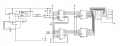
Your drawing style makes your schematic tedious to read. Avoid unnecessary wire jogs and crossings. The pin order on the timer symbol isn't conducive to representing standard timer configurations (inputs should be on the left side, though reset on the top makes sense in this case). The capacitor is backwards. Obviously, Proteus doesn't care...
Your lack of current limiting resistors is disconcerting.
Yes, I searched for it since last week. Still don’t know what’s the problem.What have you done to try to track the problem down?
Have you looked at your clock signal to see if it is actually what you expect? If not, then that's where to focus your search efforts.
As @ericgibbs pointed out, you've got some major issues that would prevent any real-world implementation from working. I have no idea how Proteus is going to deal with them.
Upload your proteus project file and I'll take a look...Hello, I have this problem when i simulate the circuit on proteus the counter will stay at 00. I am using ne555 as pulse, 74ls192 as up/down counter. I don't know what is the problem/error on my circuit. Anyone who can help me with this? Thank you for the response.
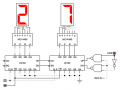
here is my schematic diagramView attachment 309856
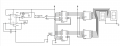
I can't upload it in here directly. But you can open it here. Thank you.Upload your proteus project file and I'll take a look...
That didn't help.I can't upload it in here directly. But you can open it here. Thank you.
the schematic is in the root sheet 2.
That tells me nothing useful. HOW did you search for it? What signals did you check? Which ones worked? Which ones didn't?Yes, I searched for it since last week. Still don’t know what’s the problem.
| Thread starter | Similar threads | Forum | Replies | Date |
|---|---|---|---|---|
|
|
Logic D | Homework Help | 53 | |
|
|
12hr clock in quartus showing am and pm with switch | Homework Help | 10 | |
| C | Digital Counter Project | Digital Design | 9 | |
| D | 0-99 Counter with J-K Flip Flop 74LS107A | Homework Help | 2 | |
|
|
Verilog : It's supposed to be a MOD10 counter but it counts from 0 to 9 and resets to 4, why?? | Homework Help | 0 |