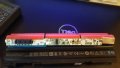
Dell 48Wh Battery circuit issue

Thread Starter

aja101

Joined Dec 31, 2017
7
Hello,
Below Pics are my Dell laptop battery circuit board where i circle in yellow mark, since i don't know what is this part, so i am wondering if anyone know what is work of said thing on circuit,
why i want to know this, here is reason,
i open battery to change its old cells with new and i did changed but after finished soldering new cells i find out i loss these two small wires from circuit board that place some where, i search alot on my table but not found, than i put two wires my own & try to check battery but after that battery not working & Dell Laptop showing battery is bad, so i am sure this thing is responsible & what i put two ordinary wires not working as per circuit it should work, so if anyone help me to tell what is this so i buy one new from computer hardware store & replace it,
Hope will get some help from someone who know what i am asking,
Thanks.
 

Attachments

LesJones

Joined Jan 8, 2017
4,511
My guess is the the wire went into a component that was broken off from the wires before the picture was taken. It would have probably been a thermistor, a fuse or a thermal fuse.

Les.
 

Thread Starter

aja101

Joined Dec 31, 2017
7
Hello LesJones,
Thanks for head-up, it was looks like below pic,
so is that thermistor? where can i buy this?
your help will be appreciated,
Thanks
 

Attachments

Thread Starter

aja101

Joined Dec 31, 2017
7
so is there anyways i check which is CORRECT themistor, since i try to search schematic of this circuit but not found anywhere,
Thanks.
 

LesJones

Joined Jan 8, 2017
4,511
Hi Dave,
I was under the impression that the pictures the TS posted of thermistors were not from his battery pack. I don't even know how he knows that his thermistor is like the ones in the picture as he just talks about 2 bits of wire sticking out of the board. He has never mentioned anything broken off from the end of the wires.

Les.
 

AlbertHall

Joined Jun 4, 2014
12,626
Hello LesJones,
Thanks for head-up, it was looks like below pic,
so is that thermistor? where can i buy this?
your help will be appreciated,
Thanks
Do you still have the original cells from this battery, is the thermistor still stuck to one of them?
 

Thread Starter

aja101

Joined Dec 31, 2017
7
@Dave, Thanks you so much for link, so i can use 10k 5% or 100k 1% for this battery? since seller selling two type, one is 10k-5% & other is 100k-1%
@LesJones that's true i not posted thermistor pics taken from battery but i know what i am posting is actual it is on circuit, anyways below is pic from same another same battery which i am using now on my laptop, i just open it to take pic to show you, anyways Thanks alot for help,
@AlberHall, i have original battery cells which i replaced but issue is at the time of open battery, first i desolder thermistor from circuit and put thermistor on table and than desolder cells from circuit and went to hardware store to buy same type of new cells & after two days i replace them, but as i mention in start, i misplace thermistor & now stuck with brick battery, since i am noobi, so i even don't know what is that & i was keep thinking its a normal wire, but anyways now i know what is that,
Thanks.
 

Attachments

LesJones

Joined Jan 8, 2017
4,511
I can't read any numbers on the pictures of the thermistor in post #9 If you can't read the value then just because it looks similar does not mean that it is the same. As you can see the seller is selling 2 diifferent thermistors. On is 10 times the resistance of the other. There are probably many other values available. As I said in post #5 you must use the correct thermistor.

Les.
 

Thread Starter

aja101

Joined Dec 31, 2017
7
The Number printed on thermistor is 53D12 from new battery circuit, i have no idea whether same number were printed on thermistor from my old battery circuit or not, since i am totally noobi, and you can see wht i were trying from first post, adding two normal wires on thermistor place & hoping battery should work, anyways Thanks.
 

Dodgydave

Joined Jun 22, 2012
11,395
Your only option is to measure the thermistor with an ohm meter or Dvm, if you get 10K ohms at room temperature, 25C / 75F then its a 10K type.
 
Last edited:

AlbertHall

Joined Jun 4, 2014
12,626
Your only option is to measure the thermistor with an ohm meter or Dvm, if you get 10K ohms at room temperature or 25C,// 75F, then its a 10K type.
But the original thermistor is lost.
You could try simply connecting a 10k resistor across your two wires and see if the computer then thinks the battery is OK.
If so, then you could get and fit the 10k thermistor from the link posted earlier.
If the battery still seems dead then you could try a 100k resistor across your wires and try that.

If it works with one of the resistors connected then do not leave it charging for any length of time as, with just a resistor, you have lost the overhearing protection.
 

ian field

Joined Oct 27, 2012
6,536
But the original thermistor is lost.
You could try simply connecting a 10k resistor across your two wires and see if the computer then thinks the battery is OK.
If so, then you could get and fit the 10k thermistor from the link posted earlier.
If the battery still seems dead then you could try a 100k resistor across your wires and try that.

If it works with one of the resistors connected then do not leave it charging for any length of time as, with just a resistor, you have lost the overhearing protection.
These units turn up in supermarket battery recycling containers, it not totally impossible to get hold of exact replacements.

Some batteries have fuel gauge chips that remember the cells were finished and won't activate unless you clear them - I would imagine Dell are probably one of the worst offenders.
 

Thread Starter

aja101

Joined Dec 31, 2017
7
@Dodgydave , @AlbertHall @ian field Thanks alot, i'll try as instructed,
Since i were not hoping this kind of big help, i must says, this place (ALL ABOUT CIRCUITS) is full with great & helpful peoples, indeed each & every post help me to understand new things,
Appreciated each & everybody's help,
Thanks.
 
Top