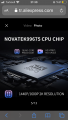
Unsuccessful in finding this part and its data sheet. I suspect that it may have to do with GPS. Given that it's under a shield it seems to be in need of shielding from other sources of interference. A µP (micro-processor) usually doesn't need shielding. I still think the small square chip I showed in post #55 is likely the µP. View attachment 272034
Hello guys,
I got the same dashcam and the same problem. I think its not the pcb itself, but the firmware + some hardware inconsistency.
What I have tested so far:
Tested with 32gb san**** sd card class 10 (included); car adapter + cable (included); 64gb sam**** sd card class 10 (not included); on PC, powered by usb cable (not included); without sd card at all.
What I have found so far:
1. Doesnt mater 32gb or 64gb, fat, fat32, exfat - same result - on next start, rebooting 3 times and self shutdown;
2. Doesnt mater where it takes power from - same result - on next start, rebooting 3 times and self shutdown;
3. It matters how its shutdown:
3.0. 1st time running with clean sd card - booting normally and recording;
3.1. cutting off the power /dc the cable or turn off engine/ - on next start, rebooting 3 times and self shutdown;
3.2. cutting off the power /dc the cable or turn off engine/, then remove sd card and delete all recordings - on next start, booting normally and recording;
3.3. from build in power button- there is no problem - on next start booting normally and recording, regardless any previous recordings;
4. Observations:
4.1. Without any sd card it boots and works normally, cant record any video, but still can accept connections.
4.2. When cut off power, it stays few seconds on before lights go off, so I think it should have enough time to write whatever it should write on sd or internal memory.
Conclusion: I think its firmware issue. Might be some wrong data written or missing somewhere in the line of procedures. My next test will be with 8/16gb sd card. Ill write the results.
additional note:
the seller sent me a firmware to update the device, but nothing changes.
Hope this was helpful and bring some new ideas...
Cheers!
ChorbalanWelcome to AAC.
Give us the make and model number of the dash cam. Also tell us how old it is. I've gone through a few DC's myself. The first lasted about 5 years then needed a battery replacement. After that it worked for another few years, but one issue mine had was that it would always start out with a date and time of midnight January 1st (and some bygone year). So if I needed a video with a date and time - I didn't have one. Just a video.
I replaced that with a new unit but it never worked right. Had an incident and needed the video but it failed to record. Fortunately the store had security cameras watching and I was able to prove myself at no fault. I bought another, and have been happy with that thus far. The other camera - I contacted the manufacturer and they sent me new firmware and a new SD card. I formatted the SD card directly in the camera. That way I didn't have to guess with formatting. It, too, has been working properly.
Yours may just be old enough that it needs to be replaced. As for the SD card - format it in the camera.
One other thing, AAC encourages users to start their own threads. I suppose a moderator may edit and open a new thread for you. Just information for next time.
ChorbalanWelcome to AAC.
Give us the make and model number of the dash cam. Also tell us how old it is. I've gone through a few DC's myself. The first lasted about 5 years then needed a battery replacement. After that it worked for another few years, but one issue mine had was that it would always start out with a date and time of midnight January 1st (and some bygone year). So if I needed a video with a date and time - I didn't have one. Just a video.
I replaced that with a new unit but it never worked right. Had an incident and needed the video but it failed to record. Fortunately the store had security cameras watching and I was able to prove myself at no fault. I bought another, and have been happy with that thus far. The other camera - I contacted the manufacturer and they sent me new firmware and a new SD card. I formatted the SD card directly in the camera. That way I didn't have to guess with formatting. It, too, has been working properly.
Yours may just be old enough that it needs to be replaced. As for the SD card - format it in the camera.
One other thing, AAC encourages users to start their own threads. I suppose a moderator may edit and open a new thread for you. Just information for next time.
Its the same dashcam, as its in the 1st post - Sameuo U750, brand new, just received it from AliExpress. I have tried all kind of formats, also MBR rebuild. Nothing helps. The only think that make this cam working is deleting the video files.
Is your camera set to overwrite old files when full? If the card is full then it's not going to accept any more video files unless the camera is set to overwrite.
One other thing, AAC encourages users to start their own threads. I suppose a moderator may edit and open a new thread for you. Just information for next time.

 Facebook
 Google
 GitHub
 Linkedin