
 Facebook
 Google
 GitHub
 Linkedin

For the case of sending you a finished model unit, I will be most happy to.
unsigned int mask[] = {0x0001, 0x0002, 0x0004, 0x0008, 0x0010, 0x0020, 0x0040, 0x0080, 0x0100, 0x0200};
double adcValue = 0.0, prevAdcValue = 0.0, f_fraction = 0.0;
unsigned int display[3] = {0, 0, 0};
char select = 0;
unsigned char myFlags = 0;
unsigned int whole_num = 0, fraction = 0;

sbit run_once_flag at myFlags.B0;

//Timer1
//Prescaler 1:1; PR1 Preload = 10000; Actual Interrupt Time = 2 ms
//Place/Copy this part in declaration section
void InitTimer1() {
    T1CON = 0x8000;
    T1IE_bit = 1;
    T1IF_bit = 0;
    IPC0 = IPC0 | 0x1000;
    PR1    = 10000;
}

void Timer1Interrupt() iv IVT_ADDR_T1INTERRUPT{
    T1IF_bit = 0;
    //Enter your code here
    LATA = (LATA & 0x01);

    switch(select) {
        case 0:
              LATB = display[0];
              LATA = (LATA & 0x01) | 0b1100;
              break;
        case 1:
              LATB = display[1];
              LATA = (LATA & 0x01) | 0b1010;
              break;
        case 2:
              LATB = display[2];
              LATA = (LATA & 0x01) | 0b0110;
              break;
    };

    if(++select == 3)select = 0;
}

void main() {

    ADPCFG = 0x0001;

    TRISA = 0x01;
    TRISB = 0x00;

    PORTA = 0x00;
    PORTB = 0x00;

    LATA = 0x00;
    LATB = 0x00;

    asm clrwdt
    Delay_ms(200);

    InitTimer1();

    while(1) {

        asm clrwdt

        adcValue = (double)ADC1_Get_Sample(0) * 300.0 / 1023.0;
        Delay_ms(10);

        if(prevAdcValue != adcValue) {

             asm clrwdt

             if((adcValue >= 0.0) && (adcValue < 1.0)) {
                  f_fraction = adcValue * 100.0;
                  fraction = (unsigned int)f_fraction;
                  asm clrwdt

                  display[0] = mask[0] | 0x0400;
                  display[1] = mask[fraction / 10];
                  display[2] = mask[fraction % 10];
             }
             else if((adcValue >= 1.0) && (adcValue < 10.0)) {
                  whole_num = (unsigned int)adcvalue;
                  f_fraction = (adcvalue * 100.0) - (whole_num * 100.0);
                  fraction = (unsigned int)f_fraction;
                  asm clrwdt

                  display[0] = mask[whole_num] | 0x0400;
                  display[1] = mask[fraction / 10];
                  display[2] = mask[fraction % 10];
             }
             else if((adcValue >= 10.0) && ((unsigned int)adcValue < 100.0)) {
                  whole_num = (unsigned int)adcvalue;
                  f_fraction = (adcvalue * 10.0) - (whole_num * 10.0);
                  fraction = (unsigned int)f_fraction;
                  asm clrwdt

                  display[0] = mask[whole_num / 10];
                  display[1] = mask[whole_num % 10] | 0x0400;
                  display[2] = mask[fraction];
             }
             else if((adcValue >= 100.0) && (adcValue < 1000.0)) {
                  whole_num = (unsigned int)adcvalue;

                  display[0] = mask[whole_num / 100];
                  display[1] = mask[(whole_num / 10) % 10];
                  display[2] = mask[whole_num % 10];
             }

             prevAdcValue = adcValue;

             asm clrwdt
             if(run_once_flag == 0) {
                T1IE_bit = 1;
                run_once_flag = 1;
             }
        }
    }
}unsigned int mask[] = {0x8000, 0x4000, 0x2000, 0x1000, 0x0800, 0x0400, 0x0200, 0x0100, 0x0080, 0x0040};
double adcValue = 0.0, prevAdcValue = 0.0, f_fraction = 0.0;
unsigned int display[3] = {0, 0, 0};
char select = 0;
unsigned char myFlags = 0;
unsigned int whole_num = 0, fraction = 0;
sbit run_once_flag at myFlags.B0;
//Timer1
//Prescaler 1:1; PR1 Preload = 8000; Actual Interrupt Time = 2 ms
//Place/Copy this part in declaration section
void InitTimer1() {
T1CON = 0x8000;
T1IE_bit = 1;
T1IF_bit = 0;
IPC0 = IPC0 | 0x1000;
PR1 = 8000;
}
void Timer1Interrupt() iv IVT_ADDR_T1INTERRUPT{
T1IF_bit = 0;
//Enter your code here
LATA = (LATA & 0xC1) | 0x0E;
switch(select) {
case 0:
LATB = display[0];
LATA = (LATA & 0x01) | 0x02;
break;
case 1:
LATB = display[1];
LATA = (LATA & 0x01) | 0x04;
break;
case 2:
LATB = display[2];
LATA = (LATA & 0x01) | 0x08;
break;
};
if(++select == 3)select = 0;
}
void main() {
asm clrwdt
CM1CON = 0x00;
CM2CON = 0x00;
CM3CON = 0x00;
ADPCFG = 0xFFFE;
TRISA = 0xC1;
TRISB = 0x00;
PORTA = 0x00;
PORTB = 0x00;
LATA = 0x00;
LATB = 0x00;
Delay_ms(200);
InitTimer1();
while(1) {
asm clrwdt
adcValue = (double)ADC1_Get_Sample(0) * 300.0 / 1023.0;
Delay_ms(10);
if(prevAdcValue != adcValue) {
if((adcValue >= 0.0) && (adcValue < 1.0)) {
f_fraction = adcValue * 100.0;
fraction = (unsigned int)f_fraction;
display[0] = mask[0] | 0x0020;
display[1] = mask[fraction / 10];
display[2] = mask[fraction % 10];
}
else if((adcValue >= 1.0) && (adcValue < 10.0)) {
whole_num = (unsigned int)adcvalue;
f_fraction = (adcvalue * 100.0) - (whole_num * 100.0);
fraction = (unsigned int)f_fraction;
display[0] = mask[whole_num] | 0x0020;
display[1] = mask[fraction / 10];
display[2] = mask[fraction % 10];
}
else if((adcValue >= 10.0) && ((unsigned int)adcValue < 100.0)) {
whole_num = (unsigned int)adcvalue;
f_fraction = (adcvalue * 10.0) - (whole_num * 10.0);
fraction = (unsigned int)f_fraction;
display[0] = mask[whole_num / 10];
display[1] = mask[whole_num % 10] | 0x0020;
display[2] = mask[fraction];
}
else if((adcValue >= 100.0) && (adcValue < 1000.0)) {
whole_num = (unsigned int)adcvalue;
display[0] = mask[whole_num / 100];
display[1] = mask[(whole_num / 10) % 10];
display[2] = mask[whole_num % 10];
}
prevAdcValue = adcValue;
if(run_once_flag == 0) {
T1IE_bit = 1;
run_once_flag = 1;
}
}
}
}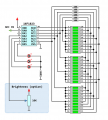


That display looks very nice... Are those etched plexiglass panels? And you're using a single LED per digit (panel) and not multiple LEDs per digit as jayanthd said?The PIC24FJ64GA102-I/SP is en route to me at this time. The schematic is being entered to be captured by PCB router. I will gather the data for the components to make certain that the footprints fit the components.
I thought that brightness control was employed via PWM or is that the same as the bit angle modulation?
I hopful that we can soon understand the way this type of display works so that in the future, it may be possible to use it in other types of devices such as timers, clocks, freq counters, DVMs
Below is are images of one of the displays I worked on about a year ago. This one is about 20mm x 15mm and would be driven by 0402 LED:
View attachment 114440 View attachment 114441
No, PIC (VDD) gets power from OUT pin of LM1117 - 3.3. VSS connects to GND (ground).Is vss and vdd of the pic being powered from where D5 is connected?
MCLR pin 1 is not used. It is disabled. You can leave it unconnected. If pin 20 is PIC VDD then you have to connect it to OUT pin of LM1117-3.3 which is at 3.3V.3.3v is being input to pins 1 and 20 correct.
I already told you in previous post that R9, R10 and R11 is not used in hardware. It is only used in Proteus Simulation. You can safely remove them from hardware.Is 3.3vdc being put in at R9, R10 and R11?
Yes, As PIC is working from 3.3V, ADC input is between 0 and 3.3V. POT is connected between 3.3V and GND.Is 3.3vdc the limit of input to AN0?
I was aware that the resistors were to be removed as a load resistor already exists at RB5. I was talking about the power input at that location. This will connect to output of LM1117.Is 3.3vdc being put in at R9, R10 and R11?
I already told you in previous post that R9, R10 and R11 is not used in hardware. It is only used in Proteus Simulation. You can safely remove them from hardware.
When there is no R9, R10 and R11 you don't connect 3.3V to transistors.I was aware that the resistors were to be removed as a load resistor already exists at RB5. I was talking about the power input at that location. This will connect to output of LM1117.
const code unsigned int mask[] = {0x8000, 0x4000, 0x2000, 0x1000, 0x0800, 0x0400, 0x0200, 0x0100, 0x0080, 0x0040};
char select = 0;
unsigned char myFlags = 0;
unsigned int whole_num = 0, fraction = 0;
unsigned int display[3] = {0, 0, 0};
double adcValue = 0.0, prevAdcValue = 0.0, f_fraction = 0.0;

sbit run_once_flag at myFlags.B0;

//Timer1
//Prescaler 1:1; PR1 Preload = 8000; Actual Interrupt Time = 2 ms
//Place/Copy this part in declaration section
void InitTimer1() {
    T1CON = 0x8000;
    T1IE_bit = 1;
    T1IF_bit = 0;
    IPC0 = IPC0 | 0x1000;
    PR1 = 8000;
}

void Timer1Interrupt() iv IVT_ADDR_T1INTERRUPT{
    T1IF_bit = 0;
    //Enter your code here
    LATA = (LATA & 0xF1);

    switch(select) {
        case 0:
              LATB = display[0];
              LATA = (LATA & 0xF1) | 0x02;
              break;
        case 1:
              LATB = display[1];
              LATA = (LATA & 0xF1) | 0x04;
              break;
        case 2:
              LATB = display[2];
              LATA = (LATA & 0xF1) | 0x08;
              break;
    };

    if(++select == 3)select = 0;
}

void main() {

    asm clrwdt

    CM1CON = 0x0000;
    CM2CON = 0x0000;
    CM3CON = 0x0000;

    AD1PCFG = 0xFFFE;

    TRISA = 0x0001;
    TRISB = 0x0000;

    PORTA = 0x0000;
    PORTB = 0x0000;

    LATA = 0x0000;
    LATB = 0x0000;

    Delay_ms(200);

    InitTimer1();

    while(1) {

        asm clrwdt

        adcValue = (double)ADC1_Read(0);
        Delay_ms(20);

        if(prevAdcValue != adcValue) {

             if((adcValue >= 0.0) && (adcValue < 1.0)) {
                  f_fraction = adcValue * 100.0;
                  fraction = (unsigned int)f_fraction;

                  display[0] = mask[0] | 0x0020;
                  display[1] = mask[fraction / 10];
                  display[2] = mask[fraction % 10];
             }
             else if((adcValue >= 1.0) && (adcValue < 10.0)) {
                  whole_num = (unsigned int)adcvalue;
                  f_fraction = (adcvalue * 100.0) - (whole_num * 100.0);
                  fraction = (unsigned int)f_fraction;

                  display[0] = mask[whole_num] | 0x0020;
                  display[1] = mask[fraction / 10];
                  display[2] = mask[fraction % 10];
             }
             else if((adcValue >= 10.0) && ((unsigned int)adcValue < 100.0)) {
                  whole_num = (unsigned int)adcvalue;
                  f_fraction = (adcvalue * 10.0) - (whole_num * 10.0);
                  fraction = (unsigned int)f_fraction;

                  display[0] = mask[whole_num / 10];
                  display[1] = mask[whole_num % 10] | 0x0020;
                  display[2] = mask[fraction];
             }
             else if((adcValue >= 100.0) && (adcValue < 1000.0)) {
                  whole_num = (unsigned int)adcvalue;

                  display[0] = mask[whole_num / 100];
                  display[1] = mask[(whole_num / 10) % 10];
                  display[2] = mask[whole_num % 10];
             }

             prevAdcValue = adcValue;

             if(run_once_flag == 0) {
                T1IE_bit = 1;
                run_once_flag = 1;
             }
        }
    }
}Then you would want to clarify to remove the power input as well. It is easy for a trained engineer to understand what is involved with a microcontroller and its necessary support components. For someone who is not as astute to Proteus, it is not always easy for one who has not worked with it before to assume these necessities. Please understand that my access to Proteus is limited and will get access it when I can. The schematic and pcb software I use do not face legal barriers (like MikroC and Proteus do in my country) but require very specific details to create the complete circuit. Due to this, I do my best not to assume. That is why I ask many specific questions.W
When there is no R9, R10 and R11 you don't connect 3.3V to transistors.
Correction. It is a current limiting resistor in RN2 that is connected to RB5.Where is load rsistor at RB5 ? I only see 11 current limiting resistors on the display data bus.
This was already agreed upon from the first request.When you get PCB manufactured send one board to me.
I already have been using these. Tighter tolerances are necessary in the final model.C1 and C2 (22uF 16V) are tantalum. Connect them properly according to the polarity.
For non polarized capacitors like 100nF 16V use Multilayer Ceramic Capacitors.
Use 1% Metal Fim Resistors for all resistors. If 5% Carbon resitors are used for current limiting resistors then due to resistance variation youy might get different brightness in displays.
Ongoing changes being made to components will delay procurement of the parts. It is not advantageous to obtain parts only to change them for other parts after they have been ordered. Here where I live, parts can be obtained cheaply from off shore sources but can take upwards of six weeks to receive them and in some cases, with high shipping costs. Parts can also in some cases be procured locally but can be expensive in return.Only one or two LEDs will be ON at a time and hence even if you set 20mA for each LED then max 40 mA flows through each transistor. So, you can use BC847 SOT23 transistors. Go for all SMD components. If you go for SMD package PIC then I will have to add programming header otherwise you will not be able to program the chip.






