Ceiling Fan lighting question

Thread Starter

Gdrumm

Joined Aug 29, 2008
684
My wife changed a burned out bulb (40 watt decorative) in the ceiling fan, and according to her, when she screwed in the new bulb, it blew out the other three. I pulled the lighting kit and checked it with a meter, and I can't find a problem. But then maybe I didn't check it properly.

How should I check it, under a load?

Could it simply be that she should have turned off the lights before changing the bulb?

None of the sockets test bad, and none are loose.
The new bulb was a GE 40 watt 400 lumens.

Any thoughts?
Thanks,
Gary
 

wayneh

Joined Sep 9, 2010
18,088
Check for power in the lighting circuit. Depending how far you've taken it apart, you may need to check the wires at the ceiling fixture. Did you turn the breaker off before taking it apart? Your solution may be as simple as turning that breaker back on.
 

Thread Starter

Gdrumm

Joined Aug 29, 2008
684
Thanks for the reply.
I was able to disconnect the light kit from the ceiling fan without danger.
I simply unplugged the two sheilded bananna plugs, one white, one black.
The ceiling fan still works, with no issues.
I was hoping to rule out the light fixture, but perhaps not.

My first thought was that a spike occurred as she was screwing in the bulb, and that blew the other three bulbs (all 4 bulbs are wired together, with a crimped wire nut).

This afternoon, I will check for 110v at the bananna plugs hanging from the ceiling at this time.
I checked the switch on the kit, and it tests good.

Thanks again,
Gary
 

gerty

Joined Aug 30, 2007
1,305
The most common problem I've seen with ceiling fan light sockets is the rivets that hold the shell part of the socket in place loosen up. The socket can, if loose enough, twist around and contact where the center connection is. That would possibly trip the breaker, maybe even blow the other bulbs.
 

#12

Joined Nov 30, 2010
18,224
My instinct is that something loose that got shorted as the wife screwed the bulb in, much like what gerty said. If the wiring is wrong, the shell could be "hot", and it should be Neutral.
 

wayneh

Joined Sep 9, 2010
18,088
Me too. There's no normal mechanism for the other lights to be affected. A short may have cooked the wire supplying the lights, so they all went out. Are the bulbs dead, or just dark?
 

Thread Starter

Gdrumm

Joined Aug 29, 2008
684
Update,
I tested the light kit out in the garage, and it works perfectly.
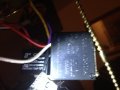
While trying to reinstall, parts inside the lower housing of the fan dropped down, one capacitor, and another item that looks like a capacitor, that has three wires, one of which goes to the lights.
When I turned everything on, the lights blinked once, and then all shut off (similar to what my wife described).

It think the problem may be with that thing that looks like a capacitor.
I tried to take a picture of it with my cell phone, I'll email it to myself to see if it is legible.

I wrote this on my palm.
Model AS101A
AC L=Red
AC N=W
Light = B
Then in very small print, E32943
It has no Microfarads written on it that I can see.

Any clues to what this is, is it some kind of safety?

Thanks,
Gary
 

Attachments

#12

Joined Nov 30, 2010
18,224
I've seen clearer pictures than that under water. Try again.
There is no purpose for a capacitor to run light bulbs.
It might be a circuit breaker or relay...but I've never seen anything more complex than a switch to run a light kit on a fan.
 

Thread Starter

Gdrumm

Joined Aug 29, 2008
684
Will try again when I get home, thanks.
Here are a few things that will muddy the water even more.
Might it be a small transformer for CFL bulbs (although the bulbs that came with it are not CFL)?
Might it be a Reverse Module? (I thought that was just a switch)
#12 mentioned that it might be a circuit breaker or a relay.
Might it be a Remote Receiver? (if so, I don't remember ever seeing the remote).
I am going to try and look it up on Mouser's web site.
Thanks
 

Thread Starter

Gdrumm

Joined Aug 29, 2008
684
Additional pictures not yet possible, I may have to take down the entire ceiling fan.

Previous Model # and etc. is correct, mfg. is AsiaBright Ind. (HK) Co. Ltd.

Hopefully someone has seen something like this in a ceiling fan (I've worked on and installed several and have never seen one of these).

Any insights appreciated.

I tried Mouser, but since I don't know what its called, I am not having much luck.

Thanks,
Gary
 

bwilliams60

Joined Nov 18, 2012
1,450
I suspect that this is a remote control receiver and if it is, there should be a small antenna wire that usually protrudes from the fixture to pick up the signal. Generally small black wire coming out of that box. If you don't have transmitter, best bet is to bypass or replace fixture.
 

Thread Starter

Gdrumm

Joined Aug 29, 2008
684
It has no antenna.
I got bold, and removed it, and the ceiling fan still works.

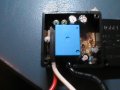
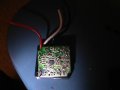
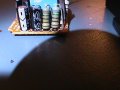
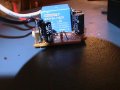
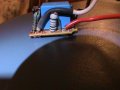
Its a circuit board, with a relay, resistors, capacitors, a diode, and a chip.
One of the resistors looks discolored.

Anyway, now I can test the individual components.

I've never seen a computer used to control lights for a ceiling fan.

Given the symptoms (the lights turn on, then right back off), any guesses as to what component failed?

See new pictures

I'm still looking for a name for it, so I can replace it if need be.
Any thoughts about what it's called?
 

Attachments

Last edited:

Thread Starter

Gdrumm

Joined Aug 29, 2008
684
No, it's just a plain old ceiling fan, with a light kit that uses decorative 40 watt 110v bulbs.
No remote, no dimmer, none of that stuff.

Maybe it is dimmer capable, I don't recall reading anything like that on the box 3-4 years ago when I installed it.

Any clue as to what may have caused these symptoms?

Thanks,
Gary
 

Thread Starter

Gdrumm

Joined Aug 29, 2008
684
I've looked at numerous light kit diagrams on Google search, and found nothing even remotely similar.

Any help in identifying it would be greatly appreciated.

Thanks
 

wayneh

Joined Sep 9, 2010
18,088
Maybe it's a bug. Know anybody at the NSA?

Just kidding. I can't think of what that circuit is for. No fan I've ever worked on had anything like that. Maybe a thermostat? Auto-reverse delay? Wild guesses.
 

Thread Starter

Gdrumm

Joined Aug 29, 2008
684
A sudden "on", then instantly shuts itself back off.

What kind of failed component does that sound like?

How do any of these components act when they fail?

A Relay does what?
A Zener Diode does what?
A resistor does what?
A capacitor?
A switch?

Are any of those prone to produce this symptom when they are bad, shorted or open?

I should be able to begin testing each component this afternoon.
Thanks
 
Top