Facebook
 Google
 GitHub
 Linkedin
Hello all, newbie to forum but I will be asking a lot of questions here in the foreseeable future 
I am really into tinkering with things and I got an AV receiver for free because it doesn't power on. Model is Onkyo TX-SR603X and when plugged in the standby light flashes for a split second and then nothing happens no matter what. I inspected everything inside and it looks okay to the naked eye but I am not too experienced with detailed circuit troubleshooting. From what I have gathered on the interwebz this is likely related to the standby circuit having a bad relay which seems to make sense. I was wondering if I can bypass the entire standby circuit so that the unit is always on when plugged in, that way I can use it meanwhile until I get a more permanent solution (cough Pioneer cough).
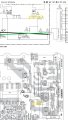
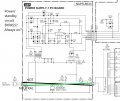
A little bit of digging around later I found the service manual for the receiver which would probably seriously come in handy if I knew how to read diagrams and the like. Anyway here is an attached picture of something I think might work, but I've already taken 120v to my hand once tonight (PSA for the kids, always remember to check to see if sh*t is plugged in before you go sticking hands and metal tools inside things) and don't want to risk damaging anything further if the standby board is not the problem. The cut off diagram on the bottom right goes to the "High Current Power Supply" as stated on the piece in large friendly lettering so basically I would be putting the 120v straight into that and the power switch wouldn't work... but I am wondering if there is any kind of manipulation of the power before it gets to the PSU? Would it be better to bypass only the relay (RL901)? Please let me know if this can work and second-most importantly, if it is safe!
Thanks
Miklos
I am really into tinkering with things and I got an AV receiver for free because it doesn't power on. Model is Onkyo TX-SR603X and when plugged in the standby light flashes for a split second and then nothing happens no matter what. I inspected everything inside and it looks okay to the naked eye but I am not too experienced with detailed circuit troubleshooting. From what I have gathered on the interwebz this is likely related to the standby circuit having a bad relay which seems to make sense. I was wondering if I can bypass the entire standby circuit so that the unit is always on when plugged in, that way I can use it meanwhile until I get a more permanent solution (cough Pioneer cough).
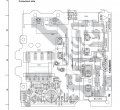
A little bit of digging around later I found the service manual for the receiver which would probably seriously come in handy if I knew how to read diagrams and the like. Anyway here is an attached picture of something I think might work, but I've already taken 120v to my hand once tonight (PSA for the kids, always remember to check to see if sh*t is plugged in before you go sticking hands and metal tools inside things) and don't want to risk damaging anything further if the standby board is not the problem. The cut off diagram on the bottom right goes to the "High Current Power Supply" as stated on the piece in large friendly lettering so basically I would be putting the 120v straight into that and the power switch wouldn't work... but I am wondering if there is any kind of manipulation of the power before it gets to the PSU? Would it be better to bypass only the relay (RL901)? Please let me know if this can work and second-most importantly, if it is safe!
Thanks
Miklos