Facebook
 Google
 GitHub
 Linkedin

Hello AAC forum,
Although the Tiny Programmer 11801 has been used successfully
a couple of times before, on Tuesday, April 29 after the sketch is compiled in Arduino IDE V 2.3.5,
when the sketch is sent to the Tiny Programmer the IDE returns:
"Failed programming: uploading error: exit status 1 "
The setup to sending the sketch is:
Win-11 USB port and the Ardino IDE set to Board: ATTiny…85, Processor: ATtiny85, Clock: Internal 1MHz and
Programmer: USasp (Attiny CoreBtiny)
After the setup at “Tools” at the “Sketch” tab the “Upload Using Programmer” option is chosen.
Have tried several times with same result.
At the Sparkfun forum it was suggested that the USBTinyISP programmer be used.
Tried selecting the USBTinyISP. It worked once then subsequent attempts to upload to
the Atttiny using Arduino IDE V 2.3.5, when the sketch is sent to the Tiny Programmer the IDE returns:
"Failed programming: uploading error: exit status 1 "
I have two Sparkfun Tiny Programmer 11801. Neither work.
Tried different ATtinies. Tried different ports. Tried different cables.
Tried plugging the Tiny Programmer directly into the USB on
the laptop. Tried different sketches like the Blink sketch in the
IDE Examples.
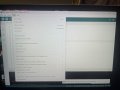
Attached is a screen shot of the set up at the Arduino IDE Tools tab.
Have tried running the Bootloader Result:
Error while burning the bootloader: Failed chip erase: uploading error: exit status 1
The various articles and tutorials like
https://learn.sparkfun.com/tutorials/tiny-avr-programmer-hookup-guide/all
have been scoured for hours but no solution can be found,
I am dead in the water until I can get the sketch uploaded to
the microcontroller.
Thanks.
Allen Pitts
Although the Tiny Programmer 11801 has been used successfully
a couple of times before, on Tuesday, April 29 after the sketch is compiled in Arduino IDE V 2.3.5,
when the sketch is sent to the Tiny Programmer the IDE returns:
"Failed programming: uploading error: exit status 1 "
The setup to sending the sketch is:
Win-11 USB port and the Ardino IDE set to Board: ATTiny…85, Processor: ATtiny85, Clock: Internal 1MHz and
Programmer: USasp (Attiny CoreBtiny)
After the setup at “Tools” at the “Sketch” tab the “Upload Using Programmer” option is chosen.
Have tried several times with same result.
At the Sparkfun forum it was suggested that the USBTinyISP programmer be used.
Tried selecting the USBTinyISP. It worked once then subsequent attempts to upload to
the Atttiny using Arduino IDE V 2.3.5, when the sketch is sent to the Tiny Programmer the IDE returns:
"Failed programming: uploading error: exit status 1 "
I have two Sparkfun Tiny Programmer 11801. Neither work.
Tried different ATtinies. Tried different ports. Tried different cables.
Tried plugging the Tiny Programmer directly into the USB on
the laptop. Tried different sketches like the Blink sketch in the
IDE Examples.
Attached is a screen shot of the set up at the Arduino IDE Tools tab.
Have tried running the Bootloader Result:
Error while burning the bootloader: Failed chip erase: uploading error: exit status 1
The various articles and tutorials like
https://learn.sparkfun.com/tutorials/tiny-avr-programmer-hookup-guide/all
have been scoured for hours but no solution can be found,
I am dead in the water until I can get the sketch uploaded to
the microcontroller.
Thanks.
Allen Pitts
Attachments
-
 3.5 MB Views: 3