Facebook
 Google
 GitHub
 Linkedin
Hi,
I would like to analyze the junction temperature of a SCT3022AL MOSFET during switching operation on LTspice.
Followint the Spice model and the thermal model of the MOSFET:
https://www.rohm.com/products/sic-power-devices/sic-mosfet/sct3022al-product/documents
I'm going to use SOAtherm-Nmos block.
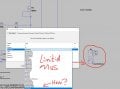
Unfortunately the thermal model of SCT3022AL is not alredy inserted inside the block.
How can I add the thermal model given in the above link into this block?
Thank You.
I would like to analyze the junction temperature of a SCT3022AL MOSFET during switching operation on LTspice.
Followint the Spice model and the thermal model of the MOSFET:
https://www.rohm.com/products/sic-power-devices/sic-mosfet/sct3022al-product/documents
I'm going to use SOAtherm-Nmos block.
Unfortunately the thermal model of SCT3022AL is not alredy inserted inside the block.
How can I add the thermal model given in the above link into this block?
Thank You.