Access ETM of Nucleo F401RE without using a debug kit

Thread Starter

Lorenzo Ruscitti 1

Joined Nov 30, 2018
24
Hi

i’m using Nucleo board F401RE.

i want to access to ETM with code, without debug kit.

i'm using IAR workbench.

My code:
C:
#define ETM_CR 0xE0041000 // Address of ETM_CR
#define ETM_LAR 0xE0041FB0 // Address of ETM_LAR
#define UNLOCK 0xC5ACCE55 // Value to unlock the ETM

int main (void)
{

unsigned int *pointer_1 = (unsigned int *) ETM_LAR; // The pointer_1 will point to the address contained in the variable ETM_LAR

pointer_1 = UNLOCK; // Cheque UNLOCK to the contents of the memory address ETM_LAR

unsigned int *pointer_2 = (unsigned int *) ETM_CR; // The pointer_2 will point to the address contained in the variable ETM_CR

unsigned int var = 0x0; // I initialize a variable called var

var = *pointer_1; // I assign the contents of pointer_1 to the variable var

while (1)
{
 printf(“Il contenuto in esadecimale è: %p\n”, *pointer_1); // I expect to see on the terminal the value of UNLOCK

}

}
Mod edit: code tags
 
Last edited by a moderator:

Thread Starter

Lorenzo Ruscitti 1

Joined Nov 30, 2018
24
If you want to do debug and trace your data flow inside your board you need for example jtag. And jtag is a external debug kit that you connect to your pc with USB and to your board with a particular connector.

Thanks
 

MrChips

Joined Oct 2, 2009
34,626
Usually, I accomplish all my software debugging using IAR connected to my target MCU via ST-Link.
Once the debugging is complete, I can monitor the progress of my software by sending functional data to some kind of display. There is no need to do any further debugging at the MCU core level.
 

MrChips

Joined Oct 2, 2009
34,626
If you are now starting out, you use the Nucleo or Disco boards to learn, experiment, explore, play, etc. with the MCU and platform.

When you are ready to move on to greater things, you make your own board. Use the ST-Link from the Nucleo or Disco board to program and debug your target MCU. You only need two lines plus ground to program and debug the board.
 

Thread Starter

Lorenzo Ruscitti 1

Joined Nov 30, 2018
24
If you are now starting out, you use the Nucleo or Disco boards to learn, experiment, explore, play, etc. with the MCU and platform.

When you are ready to move on to greater things, you make your own board. Use the ST-Link from the Nucleo or Disco board to program and debug your target MCU. You only need two lines plus ground to program and debug the board.
Is possible to use function printf in tool IAR without open debug session ? thanks
 

MrChips

Joined Oct 2, 2009
34,626
You can use the printf( ) function but you will have to redirect the output to the output device of your choice by writing your own fputc( ) function. I have not done this before. I generally write my own printf( ) functions.

Retargeting printf( )
 

MrChips

Joined Oct 2, 2009
34,626
For starters, I never use floating point arithmetic. I use fixed point.
Hence, I write my own binary-to-ASCII functions.

If you wish you can use sprintf( ) to format your data into a string. Then all you need is putc( ) and puts( ) functions.
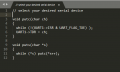
C:
// select your desired serial device
void putc(char ch)
{
  while (!(UART6->ISR & UART_FLAG_TXE) );
  UART6->TDR = ch;
}

void puts(char *s)
{
  while (*s) putc(*s++);
}
 

Thread Starter

Lorenzo Ruscitti 1

Joined Nov 30, 2018
24
For starters, I never use floating point arithmetic. I use fixed point.
Hence, I write my own binary-to-ASCII functions.

If you wish you can use sprintf( ) to format your data into a string. Then all you need is putc( ) and puts( ) functions.
C:
// select your desired serial device
void putc(char ch)
{
  while (!(UART6->ISR & UART_FLAG_TXE) );
  UART6->TDR = ch;
}

void puts(char *s)
{
  while (*s) putc(*s++);
}
Hi
thank you very much

So do i have to add this two functions in my project, right ?

After can i call printf , or do i have to edit other things ?
Thank you very much
 

MrChips

Joined Oct 2, 2009
34,626
You have to do a few other steps.

1. Select which serial module you wish to use, e.g. UART6
2. Use CubeMX and HAL to initialize the module
3. Use sprintf( ) by passing an pointer to a string.
4. Use my prints( ) to print the string.
 

Thread Starter

Lorenzo Ruscitti 1

Joined Nov 30, 2018
24
You have to do a few other steps.

1. Select which serial module you wish to use, e.g. UART6
2. Use CubeMX and HAL to initialize the module
3. Use sprintf( ) by passing an pointer to a string.
4. Use my prints( ) to print the string.
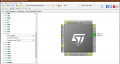
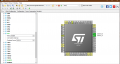
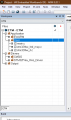
i chose my UART, in this way. Tell me what do you think ?

After I uploaded the CUBE MX file on IAR

Thanks
 

Attachments

Top