Hi,
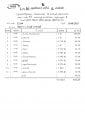
Thanks for your reply. My goal is to create a report like below. Why Ms Word? so that we can have a complete control on formats of the report. When comes to formatting, Access Report Designer is not very helpful. Thanks.
Access may be difficult but I believe you'll be farther ahead in the long run if you take the time to build your form there instead of trying to pass data to Word. Just my opinion. My database experience is mostly Filemaker Pro and I know creating such a form would be quite doable with that software. Access is more difficult for sure.
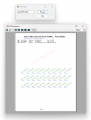
for decades we are using an access DB for purchasing, inventory etc. it has various reports (RFQ, PO, Receiving, BOM, cost analysis etc.). The output can span many pages and still looks good (vertical lines are not broken like in #3).
the code is VBA (part of same MDB file).
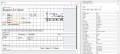
Configuring report is the old style WYSIWYG with placing controls onto a form and adjusting properties (font, size etc.):
While that system is still doing great service, fast and reliable, it is not truly a multiuser design and there is bunch of new features on the wishlist - like server based DB and client app will be separate DotNet applications with security, right management etc.
this tiny program was the the initial demos. it is a quick and dirty "hello world" for printers -detect installed printers, generate single page content and demo print and preview function.

 Facebook
 Google
 GitHub
 Linkedin