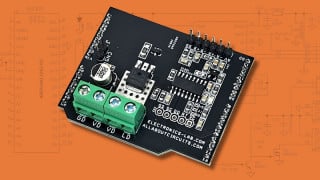
2 layers PCB with through hole vias

mcgyvr

Joined Oct 15, 2009
5,394
itead
10 boards 10cm x 10cm for $19.90 USD..
can't beat that..
http://imall.iteadstudio.com/open-pcb/pcb-prototyping.html

quality is great.. took about 2 weeks to make it to the US after I placed the order.


If you DIY you don't need rivets or anything.. the component leads will work just fine as through holes.. just solder them on both sides.. then you can just use a piece of cutoff leads from a resistor or whatever to make any vias you need.
 

MrChips

Joined Oct 2, 2009
34,845
Some more examples of traces that can be moved to the solder side:


But also take a look at mcgvr's suggestion about iteadstudio.
 

Thread Starter

adam555

Joined Aug 17, 2013
858
Thanks, I also noticed those in the border and change them; but couldn't find any in the middle of the board.

itead
10 boards 10cm x 10cm for $19.90 USD..
can't beat that..
http://imall.iteadstudio.com/open-pcb/pcb-prototyping.html

quality is great.. took about 2 weeks to make it to the US after I placed the order.

If you DIY you don't need rivets or anything.. the component leads will work just fine as through holes.. just solder them on both sides.. then you can just use a piece of cutoff leads from a resistor or whatever to make any vias you need.
That's $6 less than the cheapest I found this morning...

If I had more boards to print... if I needed other PCBs often, I would probably wait and order them all together and benefit from these offers; but I'm just making a couple of small ones a year.
 

mcgyvr

Joined Oct 15, 2009
5,394
It will cost you more than $19.90 in time/materials alone to DIYone single board yourself. your choice though obviously.
Use the one and throw the other 9 away or whatever.. :)
 

Thread Starter

adam555

Joined Aug 17, 2013
858
Sorry for the confusion mcgyvr, and thanks for the post... I can barely believe they are going to print and drill 10 boards for $19.90.
 

mcgyvr

Joined Oct 15, 2009
5,394
Sorry for the confusion mcgyvr, and thanks for the post... I can barely believe they are going to print and drill 10 boards for $19.90.
yep the $19.90 is for all 10 boards (not each) all drilled/silkscreen,etc... and they do a really good job at it..
 

Thread Starter

adam555

Joined Aug 17, 2013
858
I'm transferring my design already; plus another 2 crappy ones that I did last year by hand. :)

Do they need to be the same design, or can you send 10 different ones for $19.90?
 

jpanhalt

Joined Jan 18, 2008
11,087
If it seems too good to be true, then... its probably a typo.

Tried ordering a 32 cm x 32 cm = $204.80 or $0.20/cm\(^{2}\)

Still, the other prices are great.

John
 

alfacliff

Joined Dec 13, 2013
2,458
rivets through the vias is not a good idea, just ask any kenwood repair tech about problems with the ts940. they wont stay soldered.
 

Thread Starter

adam555

Joined Aug 17, 2013
858
Hi,

What's the best method for making PCBs at home -also considering costs?

I just tried the toner transfer and the results are quite bad for thin tracks (0.025 in). In my first attempt the transfer was quite weak, and as a result most tracks had no continuity. I just did another test, but this time using 2 transfers instead of one per layer; though now the problem is that in some places the toner overlaps adjacent tracks -even when both transfers were perfectly aligned.

Is photo-transfer the best home method? If so, do you know what's the cheapest equipment necessary?

Thanks in advance for your comments...
 

jpanhalt

Joined Jan 18, 2008
11,087
This thread had all the ear marks of never ending. There are hundreds, if not thousands of threads about toner transfer vs. photo. The answer is simple: Do what works for you.

I use the photo method and have never had a failure. I have tried toner transfer and have never been excited with the results. Getting 8 mill traces and nice solid areas with the photo method is easy. Getting a usable PCB with toner transfer is easy too. But getting 8 mil traces with nice solid areas with toner transfer may not be so easy. If it doesn't matter to you how a PCB looks, so long as it works, then toner transfer is probably the way to go. For me it is a hobby, and appearance matters, so I use the photo method.

John
 

Thread Starter

adam555

Joined Aug 17, 2013
858
Yes, should have opened a new thread... anyway...

I saw some UV homemade equipment quite easy to make; even some with LEDs instead of lamps or tubes. I would appreciate any comments or tips about this.

And then I guess I would also need the transparencies (for which I don't have a laser printer, but can print elsewhere), and the photo resistant pcbs... not sure if they are cheap or not; but, can you also make them at home? I mean, making a normal pcb photo resistant.
 

jpanhalt

Joined Jan 18, 2008
11,087
1) For the consumer type of photoresists, ordinary fluorescent lamps work quite well. You DO NOT NEED UV LAMPS. There is a lot of confusion on that simple fact.
2) You do need a transparency. Laser works quite well; inkjet works even better. If your printer is some sort of dot-matrix impact printer, you are out of luck. The good news: I haven't seen such a printer in this century.

John
 

Thread Starter

adam555

Joined Aug 17, 2013
858
Didn't know you could also print transparencies with inkjet. That solves that problem then.

I'm watching a video of a guy making photo-resistant pcbs at home with some sort of photo-resistant lacquer. It's the first I hear of it, but seems like an easy process and I guess cheaper than commercial ones. Anyone tried it?
 
Last edited:

jpanhalt

Joined Jan 18, 2008
11,087
There is a variety of transparency materials made for inkjets. Pictorico makes one that is absolutely superb -- museum-artist quality. Their polyester film has a fine coating of micro ceramic particles. Resolution is spectacular, but the product is getting hard to get. Some new versions incorporate UV blocker to enhance visual contrast, but that is not good for our use. I have also used a 3M transparency film that works fine. It is quite easy to tell what will work and what won't. Just print a sample and look at whether the ink beads up (bad) or flow out (good).

John
 

ErnieM

Joined Apr 24, 2011
8,415
I've seen Arduino mega prototype shield boards starting at around 2 bucks each on EBay. While you have to do point to point wiring with them you will get the first one working without any cuts & jumpers (meaning the very first PCB has a better chance of working).
 

Thread Starter

adam555

Joined Aug 17, 2013
858
Thanks, those could come handy; though I won't be able to fit all the components of this project in that shield.

Yesterday I was asking in general for all projects. I need to upgrade from the circuit marker that I was using until now; and the toner transfer will not do.

Anyway, I already found what I was looking for; that photo-resistant lacquer is ideal: easy, cheap, fast, and you make the solder mask as well as the track etching in the same application.
 
Top