Workshop tidiness

Thread Starter

ApacheKid

Joined Jan 12, 2015
1,762
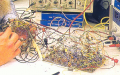
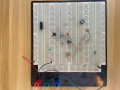
How do others deal with this, I play around with some circuits or other for a week or so, then put it aside and move on. Then I want to tidy the bench and cleanup but what to do with this:
1683747598884.png

Do I carefully return each component to the pack it came from? or just lump them all together into a little "sundry" box and then always go to that box when I start some new experiment, see if the values I need are already in there?

The ICs should likely go to the boxes they came from, but all the rest?
 

MrChips

Joined Oct 2, 2009
34,628
All of the above.

I clean off the breadboard and put all the components in one tray. When I have the time I sort them all and put them back from where they came. Since I do commercial and industrial work, I put the used ICs back into anti-static foam and keep them separate from new stock.
 

geekoftheweek

Joined Oct 6, 2013
1,429
Putting everything away is what I want to do... put away the sensitive stuff and throw the rest in a glass pie dish is what usually happens. I'm pretty good about getting resistors and bigger components back in their homes though.
 

Ya’akov

Joined Jan 27, 2019
10,226
I have a set of “inboxes” for my parts storage. Resistors, caps, diodes, switches and relays, wiring, and miscellaneous. I do a first sort into those, then I return the parts to their specific places from the inbox as I get time.
 

schmitt trigger

Joined Jul 12, 2010
2,027
The late electronics gurus Bob Pease and Jim Williams had World-Class messy work areas.
I had the privilege of meeting them both and their work areas. There are many pictures on the Internet of their areas, but after seeing them close and personal I can tell you the images don’t convey the magnitude of the mess.
Is like attempting to capture all the majestic beauty of the Iguazu falls in a photo. You can’t.

But since I am NOT an electronics guru, I keep components organized in bins, separated by category, type and value ranges.
 

Tonyr1084

Joined Sep 24, 2015
9,744
I'm like you. I have a pile of stuff on my desk. When I need room to start yet another project things get pushed to one side. Often things get lost or damaged. I'm poor at housekeeping.

I DO have bins for resistors segregated by value, wattage and percentage. I have a bin for diodes and a bin for transistors. Larger stuff seem to stay in Velostat bags. Transformers are in a box. Cables are just about everywhere. Thing-a-ma-bobs are all over the place too. I have so many things that I'm going to do something with that I can never get to a single thing I want done.

Right now I'm pursuing two issues: How to run two different types of motors. They're not the simple motors I know that spin when a voltage is applied. These change positions with the changing of energizing coils one way or another, or a different set of coils - etc. There's some old phone batteries, a coffee cup, a bunch of pill bottles with all kinds of screws. A few power supplies and wall warts - in general - a freaking mess!
 

bassbindevil

Joined Jan 23, 2014
918
Professionals might not want to contaminate the pristine new components in the parts bins with used parts that could potentially have sustained damage during prototyping, so they probably get thrown in a bucket (and taken home for proper disposal or passed on to hobbyists). Myself, I usually put them back in the parts drawer because Murphy's Law says that otherwise you'll be short that exact quantity some time in the future.
 

Jon Chandler

Joined Jun 12, 2008
1,560
I usually don't worry about resistors – they're cheap and the ones with the blue body are such a pain in the backside to read.

Organizing is complex. Tiny parts to big stuff. Parts that go together (PIC18F25K22, ULN2003) compared to parts that there may only be one or two of that time. Parts that aren't the same, but are of the same type of thing, so they can go in the same container.

My recent efforts have been putting small parts in 3" × 5" envelopes and putting them in 3 × 5 card file drawers. I put a label with a bar code that links back to a database, the part number and package and some description about what it is.

I realized this week that an improvement would be to add a QR code (2D barcode that can hold a mass of info and be read with a phone) with a more complete description, links to datasheets, app notes, etc. Then it's easy to see all the details about a part...is this the one I was thinking of, and will it do what I want, available with a quick scan.

This QR code has way more info than I'd want to include! It can be read with Google Lens or other QR code reader.

Poc18f qr.png
 

SamR

Joined Mar 19, 2019
5,470
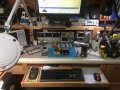
AM Radio project I'm playing with, breadboarded, amplifier modules, tuner and detector section. Plus some of my bench instruments and tool carousel.
d.jpg
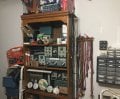
Going left to right, some old radios to refurbish one of these days and my hanging stuff.
a.jpg
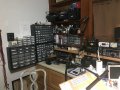
Parts, chemicals, and my "in use" radios, shelves with wash pans of sorted junk. On top of the far left wall bin are plastic boxes of resistors in 3x3" bags by value. Not seen below bench are lots of drawers full of wire and cords and such.
b.jpg
Right side of active work bench are shelves of textbooks and notebooks and more parts bins. Below the shelf are various power supplies, soldering iron, hot air, vacuum desoldered, third hand, magnifying visor, and more drawers of parts and pieces. Digital microscope on shelf.
c.jpg
Kinda shown is side table for books and toolbox and another toolbox not shown along with unix computer. Keeps me busy being retired. Not too big a mess. When I pull parts I keep the bags in small plastic cups to put the parts back into and after project done put all the bags back into their storage/sorting boxes. I do have a few populated breadboards floating around and when I forget what they were for, I figure it must be time to tear them down and store the parts.
 

Ya’akov

Joined Jan 27, 2019
10,226
My recent efforts have been putting small parts in 3" × 5" envelopes and putting them in 3 × 5 card file drawers. I put a label with a bar code that links back to a database, the part number and package and some description about what it is.

I realized this week that an improvement would be to add a QR code (2D barcode that can hold a mass of info and be read with a phone) with a more complete description, links to datasheets, app notes, etc.
I do something similar. I have a database that I am in the process of populating (so many parts to add). I use a data matrix code for the “tag” and sometimes include a QR linking to documentation (note: the QR in the photo is a fail, I cut off the bottom and didn’t notice until long after it was done). The database has various links as well. I try to include the order number as well (e.g. AX is AliExpress, AZ is Amazon, etc.) I have found this very helpful when trying to reorder or get information on the component.

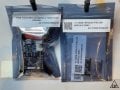
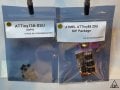
IMG_0336-Edit.jpgIMG_0337-Edit.jpg

Though not represented in the (arbitrarily selected items I the) photos, some components include basic info like supply voltage, current requirements or capacity, pinout, etc. I all depends on the part and how much time I have to make the label.

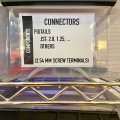
I have a colored dot system to make replacing things easier. The dots correspond to general storage locations. Storage varies, and because of the transition from my old workspace to the new studio I have not got it all laid out again yet. But, one type is plastic bins with “bin tickets” inserted into self-adhesive business card sized vinyl pouches.

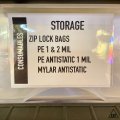
IMG_0339.jpgIMG_0340.jpg

The tickets include the class and category of the contents, as well as the items to varying degrees of specificity. They are printed on the label printer but I don’t remove the backing. This way I can repurpose the bin cleanly at any time.

It takes a fair bit of work to maintain it as an orderly system but I have found the support to my ADHD challenged brain extremely helpful. With the number and variety of components I keep on hand, I think most would become distant memories before being used. I have, on several occasions in the past ordered parts only to realize I already had them. This was the big impetus in starting it.
 

SamR

Joined Mar 19, 2019
5,470
I haven't gone so far as a database and I applaud your effort to build and maintain one. I do keep a text file for chips and transistor packaged devices by model number and with some basic description and main parameters.
 

Thread Starter

ApacheKid

Joined Jan 12, 2015
1,762
I think the junk tin is my ideal approach. Also many times if I need a component like a res or cap there's a good chance its value will be a common, previously used value, if the tin starts to get too full then I can do some putting away.

The reason to tidy at all of course is to make it easier to work, just as in software, disorganization and clutter are OK in the short term but unless regular refactoring is performed the code base soon becomes hard to work with, hindering further development.

How Pease and Williams were able to work is a mystery to me, but it's impressive that when deeply focused on a goal the mind can somehow see through the apparent chaos.
 

SamR

Joined Mar 19, 2019
5,470
I've got about 2' depth and 3-4' width when the bench is tidy but it can get full in a hurry working on a project so I'll have to do some "interim" organizing and cleaning to keep working. Start running power supply cables, scope probes, sig gen cable, soldering iron, solder spool, third hand, hand tools, handheld DMM and bench DMM cables and the space disappears fast especially if I have to get my Dremel mini drill press or digital microscope out. Keeping parts sorted and labeled where I can find them helps but takes time to sort, mark, and pigeon hole where I can find it again all the parts. I try to do that upon receipt so it doesn't become too huge a task. That and doing basic go no-go testing on chips and such from china.
 
Top