
 Facebook
 Google
 GitHub
 Linkedin

Important Update:
After my mistake with the BLACK Arduino Tiny, I bought an original Arduino Nano.
They are differentiating by the type of the plug in port/connector. They have 3 port types, but all they really are , is the same board but with different plug in port type. I chose mine to have a Mini USB port.
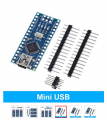
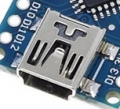
Today it arrived. And I immediately install it on my MCP board. Ive got panicked for 1 minute until I find the damn cable. And I have only 1 ! Good choice ! Haha.
It didnt worked at all, from the beginning !
Until I figure out a couple of problems to resolve first, and thats the reason I am writing it here for you as well.
1-main driver update and restart PC.
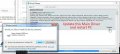
2- It appears that is a new option called the "old bootloader". Ive actually speak with people from arduino forums and they directed me towards this special setting.
Only with these settings worked!
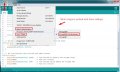
First of all, I tried with a Blink program from the tutorial folder the program comes with.
And after that worked, I loaded my 'heavy' program for MCP board.
And indeed it worked.
Look how nice it is fit there ! Exactly as I imagined and as I hoped. But what a ride to make it so.
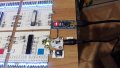
So problem solved but not without some hiccups in the beginning.
Now my board doesn't need Arduino Uno anymore. It runs directly from this arduino Nano board that is mounted onboard, literally. Is very cool ! I love it. Aaah. But I wait for this to happen a couple of good months !!!
Thank you !
After my mistake with the BLACK Arduino Tiny, I bought an original Arduino Nano.
They are differentiating by the type of the plug in port/connector. They have 3 port types, but all they really are , is the same board but with different plug in port type. I chose mine to have a Mini USB port.
Today it arrived. And I immediately install it on my MCP board. Ive got panicked for 1 minute until I find the damn cable. And I have only 1 ! Good choice ! Haha.
It didnt worked at all, from the beginning !
Until I figure out a couple of problems to resolve first, and thats the reason I am writing it here for you as well.
1-main driver update and restart PC.
2- It appears that is a new option called the "old bootloader". Ive actually speak with people from arduino forums and they directed me towards this special setting.
Only with these settings worked!
First of all, I tried with a Blink program from the tutorial folder the program comes with.
And after that worked, I loaded my 'heavy' program for MCP board.
And indeed it worked.
Look how nice it is fit there ! Exactly as I imagined and as I hoped. But what a ride to make it so.
So problem solved but not without some hiccups in the beginning.
Now my board doesn't need Arduino Uno anymore. It runs directly from this arduino Nano board that is mounted onboard, literally. Is very cool ! I love it. Aaah. But I wait for this to happen a couple of good months !!!
Thank you !
Last edited:






