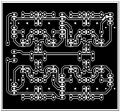
VeeCad libary

panic mode

Joined Oct 10, 2011
5,003
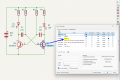
if using the latest version ( VeeCAD 2.46), i think the easiest way is to locate footprints library file V_Standard.per and doubleclick on it... it will show what is available as default.
1781193790467.png
you can use that instance of VeecAD as footprint buffet to copy and paste what you need to your project (in another instance).

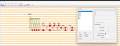
if you are using KiCad to create schematics, just use those names as footprints then use menu File>Export>NetList>Orcad2
and in VeeCad import it (NetList>Import...)

1781193961389.png
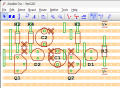
then arrange parts and route board...

1781194235549.png
 

Thread Starter

Homebrew1964

Joined Nov 22, 2024
217
if using the latest version ( VeeCAD 2.46), i think the easiest way is to locate footprints library file V_Standard.per and doubleclick on it... it will show what is available as default.
View attachment 368265
you can use that instance of VeecAD as footprint buffet to copy and paste what you need to your project (in another instance).

if you are using KiCad to create schematics, just use those names as footprints then use menu File>Export>NetList>Orcad2
and in VeeCad import it (NetList>Import...)

View attachment 368266
then arrange parts and route board...

View attachment 368267
Thanks Panic Mode.
 

panic mode

Joined Oct 10, 2011
5,003
you are welcome. or shall i say thank you. because i was unaware of this product until stumbling across your post. but it looked so straight forward that i spent 15min to learn more about it

1781201506724.png
 

Thread Starter

Homebrew1964

Joined Nov 22, 2024
217
Mmmm, looks a lot easier to use than Fritzing, will go have a play :)
I'm currently laying out a circuit and i can say its more fun than using a pencil and graph paper, easier too when i can move components around without using an eraser and having smudge marks all over, i should have started with an easier circuit though :eek::oops:
 

Thread Starter

Homebrew1964

Joined Nov 22, 2024
217
if using the latest version ( VeeCAD 2.46), i think the easiest way is to locate footprints library file V_Standard.per and doubleclick on it... it will show what is available as default.
View attachment 368265
you can use that instance of VeecAD as footprint buffet to copy and paste what you need to your project (in another instance).

if you are using KiCad to create schematics, just use those names as footprints then use menu File>Export>NetList>Orcad2
and in VeeCad import it (NetList>Import...)

View attachment 368266
then arrange parts and route board...

View attachment 368267
I just found footprints library file V_Standard.per and it's got tons of stuff

thanks again.
 

dl324

Joined Mar 30, 2015
18,340
I'm currently laying out a circuit and i can say its more fun than using a pencil and graph paper, easier too when i can move components around without using an eraser and having smudge marks all over
I'm not a big fan of stripboard (Veroboard). The layout tends to be "clunky" due to the limitations of the tracked approach. Cutting tracks can also be tedious.

I prefer to do actual PCB layouts and making homemade boards.

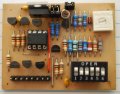
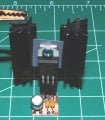
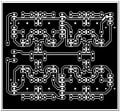
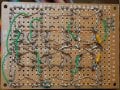
You couldn't do something like this with Veroboard:
powerFixBreadboard.jpgLM317Manhattan.jpg4discreteFFBot.jpg6discreteFlipFlops.jpg
I used Eagle to do a board for a 4 discrete flip flop layout. I didn't want to wait for etching and drilling a board, so I used the board layout as a guide and did point-to-point wiring for a board that I modified on-the-fly to be 6 flip flops.

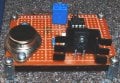
Maybe not even something like this:
breadboardOnStandoffs.jpg
 
Last edited:

MrChips

Joined Oct 2, 2009
34,829
I'm not a big fan of stripboard (Veroboard). The layout tends to be "clunky" due to the limitations of the tracked approach. Cutting tracks can also be tedious.

I prefer to do actual PCB layouts and making homemade boards.

You couldn't do something like this with Veroboard:
View attachment 368288
I used Eagle to do a board for a 4 discrete flip flop layout. I didn't want to wait for etching and drilling a board, so I used the board layout as a guide and did point-to-point wiring for a board that I modified on-the-fly to be 6 flip flops.
You can take this one step further.
Get an affordable CNC engraver and have your PCB made in minutes.

1781233650342.png
 

dl324

Joined Mar 30, 2015
18,340
Probably the only reason to make a PCB is if your working with RF and you need a good earth plane.
There are many reasons for making PCBs for designs that aren't RF. I have several Veroboards and have never considered using them due to the layout restrictions. I'm much more inclined to use pad per hole phenolic boards for quick and dirty circuits. If I plan to make more than one, it's almost always a custom board layout. Single sided, so no ground planes.
 
Top