Suggestions needed for logging a 200kHz signal for hours in order to troubleshoot spurious frequency oscillations

Thread Starter

tmarc

Joined Jul 23, 2017
13
Hi all,

I'm having problems with a pulsed CNC laser at the company I'm working at. The laser is used to drill hole patterns in metal sheets. Every once in a while, the laser drills holes which are significantly larger than requested. Since I have ran the same program with the same parameters on a different machine and it works well there, I'm suspecting that either the CNC controller has a spurious frequency oscillation which concentrates certain pulses and therefore deposits excessive energy in/on the hole, or the laser itself has an anomalous mode (it was already sent for refurbishment and graded OK).

In order to troubleshoot the controller/trigger aspect, I'd like to record and analyze the trigger signal going from the CNC controller to the laser. It's a 5V 40%DC TTL signal at 200 kHz. The problem is, if it is indeed a frequency oscillation, that it occurs only once every thousand holes or so. Since each hole is a series of pulses, this represents a lot of data (around 6 hours of pulsing per process). My question is, what would be the easiest/cheapest way to log this data so that I could analyze it in Matlab or something like that? I'm also considering attaching a low-pass filter to the laser trigger input, but even if this solves the issue, I'd still like to know where the problem is originating (the CNC controller was already swapped..). I'd be grateful for any input, thanks.
 

Sensacell

Joined Jun 19, 2012
3,767
Get a scope with "complex waveform trigger" - you can set it up to trigger when a pulse is too long or too short- when this event happens, you will have the pre-event data and post event data to stare at.
 

WillyRadio

Joined Nov 10, 2025
5
Get a scope with "complex waveform trigger" - you can set it up to trigger when a pulse is too long or too short- when this event happens, you will have the pre-event data and post event data to stare at.
That is the rigorous (correct) way to do it. If you're running on a shoestring just use a 50 cent 555 timer to look for a missing/runt pulse to trigger your scope. :cool:
 

Thread Starter

tmarc

Joined Jul 23, 2017
13
Hi guys, thanks for the input.

Would the complex waveform triggering method also work on pulsetrains? Just to clarify, the pulses are not constant. To drill a hole, the controller generates a pulsetrain to the laser trigger, repositions, generates pulsetrain, repositions, etc. So if triggering on pulse width, the scope shouldn't trigger due to the downtime between pulsetrains while the scan head is repositioning...
 

Reloadron

Joined Jan 15, 2015
7,852
No idea as to your budget but you may want to look into a Data Logger. This would record and store all your pulses for review. Data Loggers come in many flavors and numbers of channels. A Google of Data Loggers will bring up dozens of units ranging from inexpensive to $Arm&Leg. I used quite a few of systems from Dataq but there are plenty to choose from. At start of your process it can be setup to trigger and run for an indefinite period. I would leave them in place with a laptop and many have onboard memory. The file is saved and later you can review it for any missing or unusual pulses. Anyway, something to consider.

Ron
 

panic mode

Joined Oct 10, 2011
4,864
fancy scopes and data or logic analyzers are normally used for this. but this is a digital signal so following 200kHz is simple. so small devel board can be used to monitor and record data stream RPI zero, RP2040, ESP32, whatever...). i would not want to sift through hours of days of data. first make the machine do ONE hole and record the pattern. this will give you a baseline. then let it do 5 holes and see what the data looks like. since most of the time things are ok, you should simply see 5x baseline data. now you can tell it to keep running indefinitely, capture data and if it matches baseline, toss it. if it does not match save it or spit it out.
 

panic mode

Joined Oct 10, 2011
4,864
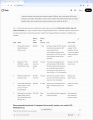
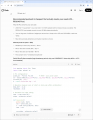
and Grok agrees:
1763402268677.png
1763402308950.png

and this is code that was proposal:

Code:
from machine import Pin, Timer
import time, sdcard, os

# Pin configuration
pulse_pin = Pin(28, Pin.IN)        # GP28 = your pulse input
sd = sdcard.SDCard(spi_sck=Pin(2), spi_mosi=Pin(3), spi_miso=Pin(4), spi_cs=Pin(5))
os.mount(sd, "/sd")
f = open("/sd/pulses.log", "a")

# Baseline (measure once at start or hard-code after calibration)
BASE_DUTY = 0.40
TOLERANCE = 0.03

# Variables for edge timing
last = time.ticks_us()
state = pulse_pin.value()

def log_pulse():
    global last, state
    now = time.ticks_us()
    t = time.ticks_diff(now, last)
    last = now
   
    cur_state = pulse_pin.value()
    if cur_state == state: return     # glitch/filter
    state = cur_state
   
    if state == 1:  # rising edge → full period just ended
        period_us = t
        # high_time was measured on previous falling edge, approximate here or use two timers
        # Simpler: use PIO for exact high/low counts (even more accurate)
        duty = high_time / period_us
        line = f"{now},{period_us},{duty:.4f}"
        if abs(duty - BASE_DUTY) > TOLERANCE:
            line += ",ANOMALY\n"
        else:
            line += "\n"
        f.write(line)

# Use IRQ for lowest latency
pulse_pin.irq(trigger=Pin.IRQ_RISING | Pin.IRQ_FALLING, handler=lambda p: log_pulse())

print("Logging... Ctrl-C to stop")
try:
    while True:
        time.sleep(1)
except KeyboardInterrupt:
    f.close()
    os.umount("/sd")
1763402692909.png
 
Last edited:

Thread Starter

tmarc

Joined Jul 23, 2017
13
Thank you all for the extensive input, I really appreciate it.
As per the suggestion of @panic mode, I think I'll go with the RP setup. It's cheap and exactly what I need.
 

MisterBill2

Joined Jan 23, 2018
27,159
Another scheme is to use a couple of "multivibrators" in a dual"missing pulse detector setup, with one monitoring the trigger pulse HIGH and the other monitoring the trigger pulse LOW.
 
Top