Starting Arduino, but no micro-controller programming skills

djsfantasi

Joined Apr 11, 2010
9,237
I looked at the sketch you sent via Dropbox.

The issue facing us has NOTHING to do with your sketch. The USB connection has been corrupted in some way. Try my suggestion in post #79. And read the Arduino forum.
 

Thread Starter

Terrypin

Joined Feb 5, 2016
113
Did you perform a search on that error message? Google has many answers as to what it means. Since it’s an Arduino, you’ll likely get answers from a straight search of any error message. These are the responses just from the Arduino site.

It indicates a communication problem between your computer, the USB cable and the Arduino.

Close any and all occurrences of the IDE that are running. Disconnect the USB cable. Reset the Arduino by removing power or pressing the reset button on the board. Then, reconnect the cable and restart the IDE.

Other advice can be found on the link I provided.
Thanks, reading this over breakfast and will follow up later today.

USB cable is the only power source so presumably removing and replacing it does a full reset? Or just pressing the reset button?

Do you think the cable extension I mentioned could be a factor?

I did do some googling from my iPad around midnight and the most notable suggestion I found was to press the reset key when the Updating message appears. Most of the others were way over my head.

I’m also going to try installing 1.8.9 to replace 1.0.6, hoping that too works with XP.
 

Thread Starter

Terrypin

Joined Feb 5, 2016
113
That means the computer is not communicating with the Arduino. Common issue may be selecting the wrong board or wrong COM port.
Correct port and board specified.

Pin 13 flashes yellow LED permanently at 1 Hz, with or without software running. Pressing Reset button does not stop it! Does that mean the board is faulty? This has been the case ever since I tried to run that trivial edit to Blink.. Or is it because Blink is permanently running (although I don’t recall seeing the yellow LED on the very first time I connected the board)?
 
Last edited:

Thread Starter

Terrypin

Joined Feb 5, 2016
113
Something else that was brought up. Are you running XP? That operating system has been unsupported for a long time. Current software likely will not be able to run properly.
Yes. See posts #27 and #39.

But the yellow LED on pin 13 is flashing permanently (when USB connected to provide power) even when no IDE loaded. And pressing Reset does not switch the LED off.
 

dendad

Joined Feb 20, 2016
4,637
As well as selecting the correct port, you need to also select the correct Arduino board.
Going by the error message you are getting, one or both of those are not set.
When you plug in the Arduino, does the port appear? And if you plug it into another USB port, does the port number change?

The LED will flash, running the supplied pre-programmed sketch as long as there is power. he IDE is just needed to program it, not run it.
 

Thread Starter

Terrypin

Joined Feb 5, 2016
113
Success! At least on the Win 10 PC here in the house. Yet to try it on the intended XP PC in the shed workshop.

Still unclear what the problem was. I've repeated step-by-step from the Elegoo PDF Tutorial, even using 'MyBlink' as the name of my edited sketch!

A minor puzzle. When I save the file, why does it place it in an identically named sub-folder, instead of the specified one? For example, my first saved file was supposed to go to
C:\Users\terry\Dropbox\Electronics\Arduino\MyBlink.ino
but it's been placed here:
C:\Users\terry\Dropbox\Electronics\Arduino\MyBlink\MyBlink.ino
 

dendad

Joined Feb 20, 2016
4,637
Each sketch is in a folder of the same name. That is just how Arduino IDE works. You can plase local libs in that folder. Also, any circuit notes etc.
 

djsfantasi

Joined Apr 11, 2010
9,237
As well as selecting the correct port, you need to also select the correct Arduino board.
Going by the error message you are getting, one or both of those are not set.
When you plug in the Arduino, does the port appear? And if you plug it into another USB port, does the port number change?

The LED will flash, running the supplied pre-programmed sketch as long as there is power. he IDE is just needed to program it, not run it.
That’s the way an Arduino works!

The loop() function automatically starts over when it reaches the end of your code. Hence, your LED will continue to flash.

The setup() function only executes once.

Yes, removing the USB cable will reset the Arduino. As well as pressing the reset button.

And yes, your extension cable may have contributed to the problem.
 

Wolframore

Joined Jan 21, 2019
2,619
Awesome it’s progress...

Void setup() {
}
// this runs first and only once

Void loop() {
}

// this is the main loop which runs continuously

It is possible to stop this main loop, wait for input ...etc
This is the structure in Arduino
 

Thread Starter

Terrypin

Joined Feb 5, 2016
113
That’s the way an Arduino works!

The loop() function automatically starts over when it reaches the end of your code. Hence, your LED will continue to flash.

The setup() function only executes once.

Yes, removing the USB cable will reset the Arduino. As well as pressing the reset button.

And yes, your extension cable may have contributed to the problem.
Thanks, understood.

Pleased to report all working well on XP PC as well. That’s now version 1.8.9, the latest.

Many thanks to all here for the great help in getting me over that initial frustrating hurdle. Still not really sure of the cause. One day I’ll return to the issue as I hate unsolved puzzles!

Have just finished the second tutorial, running a 4-pin RGB LED from three PWM pins.

Terry, East Grinstead, UK
 

dendad

Joined Feb 20, 2016
4,637
Great that you have it going :)
There is a fun adventure ahead of you with Arduinos. They are quite versatile.
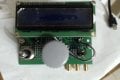
Here is my VFO for Ham Radio.
ArduinoVFO1.jpg

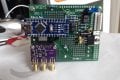
At the moment, I'm writing code to use it as a simple HF sweep generator to test the tuning of my transceiver.
ArduinoVFO2.jpg
That is one example of why an Arduino or similar is so good. The original use can be changed quite easily.

This board is rather large but that is because I tried to make it multi purpose, and only used thru hole parts. Some of the hams here have not wanted to try surface mount. Maybe next time?
You can see the Arduino Nano is just used as a component as mentioned earlier.

When you get up to speed a bit, you may try some other boards too, and not necessarily the "Arduino" ones. Many, like the ESP8266 and ESP32 boards have been added to the Arduino IDE.
I don't remember if I mentioned Random Nerd Tutorials before. http://randomnerdtutorials.com/
I find their articles to be well worth the cost. Also, they have quite a bit of free stuff too.
 
Top