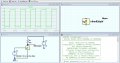
.spi file in LT Spice

Thread Starter

Christian_Mingle11434

Joined Sep 15, 2025
20
Here goes my inaugural post. I have a .spi file representing the MOSFET found here and also attached to this post. I would like to use this file in LT Spice and I don't know how to import this MOSFET properly. Does anybody have any experience with this? I have googled it and received conflicting answers.
 

Attachments

eetech00

Joined Jun 8, 2013
4,704
Hi. Thanks for the reply I’ll try these later, but could you show or direct me to the method for this? So I don’t have to ask a second time.
Yo
Hi. Thanks for the reply I’ll try these later, but could you show or direct me to the method for this? So I don’t have to ask a second time.
Only models defined with a .Model statement can be added to the mosfet "pick list".

The model your using is defined using a ".SUBCKT" definition. So it can't be "imported" or added to the mosfet "pick list". Eric has shown one way of using a new mosfet model. But is has problems.

An easier way is to:
1. Place an NMOS symbol on the schematic.
2. Change the symbol "Value" attributes to "irlhm620pbf" without quotes.
3. Change the symbol "Prefix" attribute to an "X" without quotes.
4. Add this directive to the schematic:

.inc irlhm620pbf.spi

5. Done

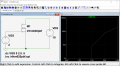
1757973659091.png
 

Attachments

Thread Starter

Christian_Mingle11434

Joined Sep 15, 2025
20
An easier way is to:
1. Place an NMOS symbol on the schematic.
2. Change the symbol "Value" attributes to "irlhm620pbf" without quotes.
3. Change the symbol "Prefix" attribute to an "X" without quotes.
4. Add this directive to the schematic:

.inc irlhm620pbf.spi

5. Done
Thank you! This makes my life so much easier. I successfully recreated this simulation and can store this skill in my toolbelt.
 
Top