Running Pspice model in LTspice

Thread Starter

NickR

Joined Oct 22, 2019
4
Hi, I am hoping somebody can help me run a Pspice model of a Vishay FET (SiAA00DJ) in LTspice. Very much new to this. The zip file I have downloaded contains files with extensions .txt/.lib/.olb. Am looking for instructions on where to save these relative to the location of my schematic and on whether the files need modifying in any way. I have tried applying a .sub file extension to the .txt file and placing it in the sub folder within the lib folder. I have added a pmos symbol to my schematic, changed the prefix to 'X' in the component attribute editor, renamed the Value to 'SiAA00DJ' and tried various subcircuit/library/include commands on my schematic. When I attempt to run I get an 'expanding empty subcircuit: siaa00dj' error. Thanking in advance.
 

Attachments

eetech00

Joined Jun 8, 2013
4,705
HI

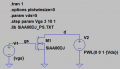
1. Place .txt file or .lib in same folder as schematic
2. Place NMOS symbol on schematic
3. Change NMOS value to SiAA00D_J without quotes.
4. Change Prefix value to "X" without quotes.
5. Add ".lib SiAA00DJ_PS.txt" directive, without quotes, to schematic.

that's it..

eT


1571758649956.png
 

Thread Starter

NickR

Joined Oct 22, 2019
4
Very many thanks eetech!
It runs. I didn't know if I had a underlying installation problem. That clears that up.
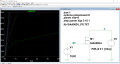
I've copied your schematic exactly (as far as I can tell). When I run and select the Ix(M1:D) I get the attached graph. How do I produce your I-V characteristic in place of a time plot? Apologies if that's a lazy question. I'm hoping to become more familiar with Spice in the coming days. Thanks againCapture.PNG
 

eetech00

Joined Jun 8, 2013
4,705
Hi

Click in the graph window, then rht-click the horizontal axis at the bottom. Change the quantity plotted from "time" to v(d) so it shows the voltage across the drain and source. Also change the Axis limits to min:0V, tick:1V, and max:5V

Do the same for the vertical axis except only change the limits.

I got the values used in the simulation from Output Characteristic shown on the data sheet graph.

eT
 

candelas

Joined Oct 12, 2020
3
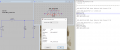
Hi, I'm trying to build my own inductor library, so I have created a .asy and .sub file. I just include
series resistance, parallel resistance and parallel shut capacitance for the indutor model. Both file (.asy and .sub) are in the same folder of my schematic and when I attempt to run I get an 'expanding empty subcircuit: ' error. Thanking in advance.

1602522330915.png
1602522687588.png
 

eetech00

Joined Jun 8, 2013
4,705
Try this:

.subckt mpl-al4020-r47 1 2
+ params:
+ L=0.47u
+ Rser=0062
+ Rpar=651.59
+ Cpar=6.6167p
L 1 2 L={L} Rser={Rser} Rpar={Rpar} Cpar={Cpar}
.ends mpl-al4020-r47
 

eetech00

Joined Jun 8, 2013
4,705
Hi eetech00,

I have tried your suggestion now the error is missing inductor value :(
View attachment 219461
Sorry... I mean this:

.subckt mpl-al4020-r47 1 2
+ params:
+ L=0.47u
+ Rser=0062
+ Rpar=651.59
+ Cpar=6.6167p
L 1 2 {L} Rser={Rser} Rpar={Rpar} Cpar={Cpar} <--modified
.ends mpl-al4020-r47

The reason your subckt produced an error is because there is no "inductor" defined in you subcircuit.
 
Last edited:

candelas

Joined Oct 12, 2020
3
Sorry... I mean this:

.subckt mpl-al4020-r47 1 2
+ params:
+ L=0.47u
+ Rser=0062
+ Rpar=651.59
+ Cpar=6.6167p
L 1 2 {L} Rser={Rser} Rpar={Rpar} Cpar={Cpar} <--modified
.ends mpl-al4020-r47

The reason your subckt produced an error is because there is no "inductor" defined in you subcircuit.
Hi eetech00!

Thanks a lot for your help, now it's working :)
 
Top