Please recommend a video processor for FPGA noob

drjohsmith

Joined Dec 13, 2021
1,609
Well I just spent the past 6 hours following the 282 step process to get the blinky LED program into the Arty board and my LED no blinky.


Now I'm heading to bed to dwell on my temporary defeat and pout myself to sleep.

Not asking for help, just exposing my tender underbelly for the gratification of the "this is not a noob project" crowd.
This will take some serious effort. But I'm not giving up any time soon.
Well done for trying

there should be some pre built projects there if I remember

If its any consolation
Im just trying to use a rather exotic processor fpga on a project
and I wonder what the ^&*( Ive gotten myself into ...

keep at it
 

Thread Starter

strantor

Joined Oct 3, 2010
6,875
Well done for trying

there should be some pre built projects there if I remember

If its any consolation
Im just trying to use a rather exotic processor fpga on a project
and I wonder what the ^&*( Ive gotten myself into ...

keep at it
Thanks for the encouragement. I went back to your earlier post to pick out the pearls of wisdom that I didn't know enough to identify the first time around, and found this:
I'd avoid for starters anything with a processor in it
its just another layer of complexity that will cause you more problems
I'm not sure if you meant a board with a separate processor on it, or a project with a soft processor in the FPGA (until last night I didn't even know an FPGA could have a processor in it). I just started at the top of the list of tutorials and went in order. The very first guided tour on the agenda after installing the IDE was the one where you implement a MicroBlaze Soft Processing System.

1653506056608.png

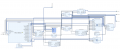
The tutorial was meant to support several different boards and there were some points at which it seemed the instructions didn't apply to my board or I couldn't figure out how they applied so I skipped them. I'm sure that's the problem. This is what it led me to create:

1653505734938.png


Does that seem a little complicated as a first project? It does to me, but I don't know what I'm talking about. Maybe it was geared toward experienced users of other brands of FPGA to demonstrate the Xilinx way of doing things while simultaneously showcasing all the neatest features in one place; not so much for the noobs.

I just now wandered back to the tutorials list and saw that the next one in the list sounds a lot simpler (it even has the word "simple" in the description!) and probably is the one I should have started with. I will try that one tonight and hopefully have better news to report tomorrow.
 

MrSalts

Joined Apr 2, 2020
2,767
Well I just spent the past 6 hours following the 282 step process to get the blinky LED program into the Arty board and my LED no blinky.


Now I'm heading to bed to dwell on my temporary defeat and pout myself to sleep.

Not asking for help, just exposing my tender underbelly for the gratification of the "this is not a noob project" crowd.
This will take some serious effort. But I'm not giving up any time soon.
There was a movie scene about the boy who couldn't get his lamp to light...
 

drjohsmith

Joined Dec 13, 2021
1,609
Thanks for the encouragement. I went back to your earlier post to pick out the pearls of wisdom that I didn't know enough to identify the first time around, and found this:

I'm not sure if you meant a board with a separate processor on it, or a project with a soft processor in the FPGA (until last night I didn't even know an FPGA could have a processor in it). I just started at the top of the list of tutorials and went in order. The very first guided tour on the agenda after installing the IDE was the one where you implement a MicroBlaze Soft Processing System.

View attachment 268023

The tutorial was meant to support several different boards and there were some points at which it seemed the instructions didn't apply to my board or I couldn't figure out how they applied so I skipped them. I'm sure that's the problem. This is what it led me to create:

View attachment 268022


Does that seem a little complicated as a first project? It does to me, but I don't know what I'm talking about. Maybe it was geared toward experienced users of other brands of FPGA to demonstrate the Xilinx way of doing things while simultaneously showcasing all the neatest features in one place; not so much for the noobs.

I just now wandered back to the tutorials list and saw that the next one in the list sounds a lot simpler (it even has the word "simple" in the description!) and probably is the one I should have started with. I will try that one tonight and hopefully have better news to report tomorrow.
Yep,
Thats a good high starting point.

I'd normally recommend to start a program to flash one of the leds on the board
the FPGA equivalent of "hello world" in programming languages.
 

Thread Starter

strantor

Joined Oct 3, 2010
6,875
Ok I spent an hour reading through the simpler tutorial this evening and got an LED to blink no problem.
Then I modified the example and got TWO LEDs to blink, all on my own. Such big boy...
Here's to little victories...
 

tindel

Joined Sep 16, 2012
939
You're off to the races! Keep digging. As you've experienced - even making an LED blink in FPGA land is not a trivial task initially. FPGA's have opened up a new world for me. Well, SoC's actually (hard processor with FPGA fabric)

The thing that wasn't immediately apparent to me when starting on FPGA's is that it's crucial that the FPGA 'close timing'. That means making sure that all the combinational logic gets completed within the next clock cycle so that you don't have any metastability issues on the synchronous logic. Something that could work at ambient may not work across temperature. Crucial that you setup your timing constraints correctly and that it meet those constraints. You may have to redesign your hardware to close timing. If combinational logic is large (multiplication), you can skip clock cycles using delays lines. For high data thruput like you may be talking, you may need to use pipelining.

Another thing that wasn't apparent was that HDL is a hardware description language. Everything you code is converted to hardware in the form of lookup tables and flip-flops. As you look at the code, try to understand, just by looking, what is combinational vs. synchronous. Come up with coding structures that help you quickly identify what the hardware is doing.

You should also learn about real-time operating systems/real-time embedded systems to really make an FPGA whirl.
 
Top