PIC16F877A - Object Detection and Rejection - Timer Interrupt

JohnInTX

Joined Jun 26, 2012
4,787
@JohnInTX Which code is working on the simulator?
#212 modified as I described to use the internal clock (so I wouldn’t have to generate external input pulses). That only verified the timer/compare/interrupt section. But I also verified that a bit will propagate through the shift register and actuate the kicker when it gets to the 0x0400 position.

@JohnInTX
CCP1CON =0b00001011;
What's wrong with this ?
Nothing, but it’s not in your #218 test code.

EDIT: please note that the length of the shift register and the bit to drive the kicker were chosen in one of my examples above and they will not necessarily be suitable for your actual system. Be sure to understand the basic example that they provide and make modifications to suit your actual system.
 
Last edited:

Thread Starter

daljeet795

Joined Jul 2, 2018
295
EDIT: please note that the length of the shift register and the bit to drive the kicker were chosen in one of my examples above and they will not necessarily be suitable for your actual system. Be sure to understand the basic example that they provide and make modifications to suit your actual system.
@JohnInTX I did the some modification and tried three different codes
C:
#include <xc.h>
#pragma config FOSC = XT  // Oscillator Selection bits (XT oscillator)
#pragma config WDTE = OFF  // Watchdog Timer Enable bit (WDT disabled)
#pragma config PWRTE = ON  // Power-up Timer Enable bit (PWRT enabled)
#pragma config BOREN = OFF  // Brown-out Reset Enable bit (BOR disabled)
#pragma config LVP = OFF  // Low-Voltage (Single-Supply) In-Circuit Serial Programming Enable bit (RB3 is digital I/O, HV on MCLR must be used for programming)
#pragma config CPD = OFF  // Data EEPROM Memory Code Protection bit (Data EEPROM code protection off)
#pragma config WRT = OFF  // Flash Program Memory Write Enable bits (Write protection off; all program memory may be written to by EECON control)
#pragma config CP = OFF  // Flash Program Memory Code Protection bit (Code protection off)
// #pragma config statements should precede project file includes.

// Use project enums instead of #define for ON and OFF.
#define ENCODER RC0
#define SENSOR  RC1
#define KICKER  RD0
#define _XTAL_FREQ 20000000  // **you need this for delays**
__bit gotIRQ;  // signals main that an interrupt

void __interrupt() IRQ(void)
{
  // CCP1 Interrupt
  if(CCP1IF == 1)  // if the CCP1 Interrupt flag is set...
  {
    CCP1IF = 0;
    gotIRQ = 1;  // 'Signal' main that an interrupt happened
  }
}

void main(void)
{
  unsigned int ShiftReg = 0; //  Init to 0
  INTCON = 0; // No interrupts
  TRISC = 0b00000011; // RC0 Eencoder Pin RC1 Sensor Pin
  TRISD = 0b00000000; // RD0 Kicker Pin ** had typo  **

  //CCP1 MODULE INITIALIZATION
  T1CON = 0b00000011 ;  // 1:1 prescale, OSC disabled, Input Synchronized, External clock on T1CKI(RC0), Timer ON

  CCP1CON = 0b00001011;  // Compare mode using CCPR1H and CCPR1L as a 16 bit value


  CCPR1H = 0x03;
  CCPR1L = 0x1B;
  CCP1IF = 0;
  CCP1IE = 1;  //Enabled CCP1 interrupt

  INTCON = 0xc0;  //Enabled Global interrupts & Peripherals interrupt
   while(1)
  {
        if (gotIRQ)
       
        ShiftReg << 1;         // shift the integer shift register one bit left. LSbit = 0 after shift
        if (SENSOR == 1)
           {
            ShiftReg |= 0x0001;
            gotIRQ  = 0;
            }
        if(ShiftReg & 0x0400)
            {
            KICKER = 1;
             __delay_ms(30);
             KICKER = 0;
            }
 
    }

}
I have attached two other sample code I think capture mode is not working in a code
 

Attachments

djsfantasi

Joined Apr 11, 2010
9,237
I think I see where the problem is.

You only reset gotIRQ when SENSOR is a 1.

Hence, even if you don’t get an interrupt, you are going to shift the register. The speed of the loop is going to be so fast, that the reject bit is going to disappear.

Look at my edit below.

C:
INTCON = 0xc0;  //Enabled Global interrupts & Peripherals interrupt
   while(1)
  {
        if (gotIRQ)
  
        ShiftReg << 1;         // shift the integer shift register one bit left. LSbit = 0 after shift
        gotIRQ = 0; // reset gotIRQ here
        if (SENSOR == 1)
           {
            ShiftReg |= 0x0001;
            // gotIRQ  = 0; <- don’t reset here
            }
        if(ShiftReg & 0x0400)
            {
            KICKER = 1;
             __delay_ms(30);
             KICKER = 0;
            }
    }
Removed the following comment, as my opinions have changed. See post#225.
I still personally believe that the test for
ShiftReg & 0x0400
...should be done outside the if test for gotIRQ. But that’s me and my passion for bulletproof code
 
Last edited:

JohnInTX

Joined Jun 26, 2012
4,787
@djsfantasi Beat me to it but to add..
Line 52, does not shift. We fixed that syntax above.
Dj is right about where you reset gotIRQ.

I'm not sure about the last part
I still personally believe that the test for
ShiftReg & 0x0400
...should be done outside the if test for gotIRQ. But that’s me and my passion for bulletproof code
I see your point but disagree (but may be missing a bigger picture). My understanding is that each interrupt represents one system state defined by a distance on the belt. All decisions are made when a new state (interrupt) occurs then nothing happens until the next state. If you take the kicker test out of that state by state mechanism, it is no longer sync'd with the progress of the belt. With this particular code, that would mean that the kicker would actuate over and over whenever the kick bit was present in the shift register. Could that interfere with the next object coming down the belt? Not sure.

It's a good point though and worthy of more thought.

@daljeet795 You posted two other codes, both of those had problems. #2 had the same shift bug. #3 had the kicker on a different bit on PORTD. Again, the way to do this is to
1) have a plan, a design, a flowchart or something that addresses the WHOLE project and answers your ALL of your questions in the operation. Dj's suggestion is worthy of consideration.
2) code to the plan - completely. Don't leave anything out. If there is something you don't want to mess with at the time, comment it out as a block.
3) debug the code until it correctly implements your plan. Do not write and write and write different programs looking for the magic bullet. As I said before, that can introduce new errors, as in the code you posted.
4) if you get that far and the system does not work, it means your design or plan is faulty. Go back and revise the plan then proceed with modifying the implementation. Obviously, a good plan is the place to start.

Here is the code I tested on the sim as described above but a better approach would be to debug it with a PICkit_x, ICD_x or some real Microchip programmer/debugger. That way you can see if your actual hardware is generating the signals you need to make it work. If you are just programming the chip, turning it on and watching what happens, this project will take a great deal of time...
C:
#include <xc.h>
#pragma config FOSC = XT  // Oscillator Selection bits (XT oscillator)
#pragma config WDTE = OFF  // Watchdog Timer Enable bit (WDT disabled)
#pragma config PWRTE = ON  // Power-up Timer Enable bit (PWRT enabled)
#pragma config BOREN = OFF  // Brown-out Reset Enable bit (BOR disabled)
#pragma config LVP = OFF  // Low-Voltage (Single-Supply) In-Circuit Serial Programming Enable bit (RB3 is digital I/O, HV on MCLR must be used for programming)
#pragma config CPD = OFF  // Data EEPROM Memory Code Protection bit (Data EEPROM code protection off)
#pragma config WRT = OFF  // Flash Program Memory Write Enable bits (Write protection off; all program memory may be written to by EECON control)
#pragma config CP = OFF  // Flash Program Memory Code Protection bit (Code protection off)
// #pragma config statements should precede project file includes.
// Use project enums instead of #define for ON and OFF.
#define ENCODER RC0
#define SENSOR  RC1
#define KICKER  RD0
#define _XTAL_FREQ 20000000  // **you need this for delays**
__bit gotIRQ;  // signals main that an interrupt
void main(void)
{
  unsigned int ShiftReg = 0; //  Init to 0
  INTCON = 0; // No interrupts
  TRISC = 0b00000011; // RC0 Eencoder Pin RC1 Sensor Pin
  TRISD = 0b00000000; // RD0 Kicker pin
  //CCP1 MODULE INITIALIZATION
  T1CON = 0b00000011;  // 1:1 prescale, OSC disabled, Input Synchronized, External clock on T1CKI(RC0), Timer ON
  CCP1CON = 0b00001011;  // Compare mode using CCPR1H and CCPR1L as a 16 bit value
  //2165 equal to 0x0875
  CCPR1H = 0x08;
  CCPR1L = 0x75;
  CCP1IF = 0;
  CCP1IE = 1;  //Enabled CCP1 interrupt
  INTCON = 0xc0;  //Enabled Global interrupts & Peripherals interrupt
  while(1)
  {
  if (gotIRQ)
  {
  gotIRQ = 0;  // acknowledge the interrupt ** ALWAYS and before the delay **

  ShiftReg <<= 1;  // shift the integer shift register one bit left. LSbit = 0 after shift

  if (SENSOR == 1)
  ShiftReg |= 0x0001;  // bad object, put 1 in LSbit

  if(ShiftReg & 0x0400){  // and if the #10 bit after shift is '1', kick it
  KICKER = 1;  // set output pulse high
  __delay_ms(30);  // *groan* Delay to see output ( inbuilt delay)
  KICKER = 0;  // set output pulse low
  }// kicker
  }// gotIRQ
} // while
}// main
void __interrupt() IRQ(void){
  // CCP1 Interrupt
  if(CCP1IF == 1)  // if the CCP1 Interrupt flag is set...
  {
  CCP1IF = 0;
  gotIRQ = 1;  // 'Signal' main that an interrupt happened
  }
}
Good luck!
 
Last edited:

djsfantasi

Joined Apr 11, 2010
9,237
@djsfantasi I'm not sure about the last part
I see your point but disagree (but may be missing a bigger picture). My understanding is that each interrupt represents one system state defined by a distance on the belt. All decisions are made when a new state (interrupt) occurs then nothing happens until the next state. If you take the kicker test out of that state by state mechanism, it is no longer sync'd with the progress of the belt. With this particular code, that would mean that the kicker would actuate over and over whenever the kick bit was present in the shift register. Could that interfere with the next object coming down the belt? Not sure.

It's a good point though and worthy of more thought.
I was going to write a long explanation, but as I was deleting all the stuff that I was not going to respond to, I see your point.

I take back my additional comment as it wouldn’t work the way the code is structured!

I just see the object bring in front of the reject station as not necessarily linked to an object positioned in the sensing station. Uneven object placement. An object that is perturbed moving down the conveyor belt. These are examples of why assuming there is a relation between the two positions may cause a problem.

That’s why my first solution was an event list. But I now agree; the reject code should remain where it is.
 

JohnInTX

Joined Jun 26, 2012
4,787
I just see the object bring in front of the reject station as not necessarily linked to an object positioned in the sensing station. Uneven object placement. An object that is perturbed moving down the conveyor belt. These are examples of why assuming there is a relation between the two positions may cause a problem.
Yeah.. I don't think that has been fully explored by the TS. We also talked about more resolution across the belt but TS is still using the example code. That's something he needs to visit. I do like the event list.
Good thoughts!
 

Thread Starter

daljeet795

Joined Jul 2, 2018
295
debug the code until it correctly implements your plan. a better approach would be to debug it with a PICkit_x,
!
@JohnInTX @djsfantasi I would start with very simple

How to use Pick Kit3 to debug following code

Program should suppose to kick kicker after 795 pulses

I wrote this program to ensure that rejection happen so if this program doesn't work than how to debug code to see the problem
https://microchipdeveloper.com/mplabx:migration-debugger-menu
C:
#include <xc.h>

#pragma config FOSC = XT  // Oscillator Selection bits (XT oscillator)
#pragma config WDTE = OFF  // Watchdog Timer Enable bit (WDT disabled)
#pragma config PWRTE = ON  // Power-up Timer Enable bit (PWRT enabled)
#pragma config BOREN = OFF  // Brown-out Reset Enable bit (BOR disabled)
#pragma config LVP = OFF  // Low-Voltage (Single-Supply) In-Circuit Serial Programming Enable bit (RB3 is digital I/O, HV on MCLR must be used for programming)
#pragma config CPD = OFF  // Data EEPROM Memory Code Protection bit (Data EEPROM code protection off)
#pragma config WRT = OFF  // Flash Program Memory Write Enable bits (Write protection off; all program memory may be written to by EECON control)
#pragma config CP = OFF  // Flash Program Memory Code Protection bit (Code protection off)
// #pragma config statements should precede project file includes.
// Use project enums instead of #define for ON and OFF.

#define _XTAL_FREQ 20000000

int main (void)
{
    TRISC = 0b00000001; //Timer 1 Clock Input is RC0
    TRISD = 0b00000000; // RD0 Kicker pin
    T1CON = 0b00000011 ;  // 1:1 prescale, OSC disabled, Input Synchronized, External clock on T1CKI(RC0), Timer ON.

//Set CCPR1H and CCPR1L (16 bits) to the number of encoder pulses e.g. for 795
    CCPR1H = 0x03;
    CCPR1L = 0x1B;

//  Compare mode using CCPR1H and CCPR1L as a 16 bit value
  CCP1CON = 00001011;

CCP1IF = 0;
  while(1){
  if(CCP1IF == 1)  // if the CCP1 Interrupt flag is set
  {
       RD4 = 1;            // set output pulse high
       __delay_ms(40);    // Delay to see ouput ( inbuilt delay)
       RD4 = 0;            // set output pulse low

       CCP1IF = 0;
  }
}
}
Edit: PIC16F877A have debugger hardware on the chip,
and may be debugged using MPLAB X (or 8) and PICkit 3

I followed this step to create project

File -> New Project
Next
PIC16F877A
select tool -> Pickit3
compiler tool chain - XC8
Project name - sample1-> Finish
Project name -> source file ->new -> main.c-> sample1.c
Finish

Write c code in window and save it

Click on project sample 1
Clean and build
Run
Select - Pickit3
 
Last edited:

djsfantasi

Joined Apr 11, 2010
9,237
@daljeet795
Ignore my following comments to JohnInTX. They are not directed to your problem. Just something I wanted to share with John and possibly future readers of the thread.

@JohnInTX
Without separate events distinguishing “at the sensing station” and “at reject station”, the last code with both of our adjustments should work or be very close.

I just took a walk and figured out what was missing from the reject code. One line in the reject code,
ShiftReg = ShiftReg & !(0x0400)​
Or
ShiftReg = ShiftReg & 0xFBFF​
Would clear the reject bit, ensuring that one and only one object would be rejected
 
Last edited:

Thread Starter

daljeet795

Joined Jul 2, 2018
295
Yeah.. I don't think that has been fully explored by the TS. We also talked about more resolution across the belt but TS is still using the example code. That's something he needs to visit. I do like the event list.
Good thoughts!
I liked the list idea But you suggested shift register, so I followed that method

I am following what you are telling to do
 

JohnInTX

Joined Jun 26, 2012
4,787
I liked the list idea But you suggested shift register, so I followed that method

I am following what you are telling to do
Actually, the process is to listen to suggestions then YOU pick a method that you think best fits the problem and your particular hardware. We can't do that for you. But, don't change the plan unless you have determined that it won't work.

So with that, debug the real code in #225.

To start the debugger, click on 'Debug Main Project' on the X toolbar. It will build and start. You can stop the code and set a breakpoint inside the interrupt routine. Reset and run. Rotate the encoder. If you don't get an interrupt, check your hardware.
Once you get the interrupt, set the breakpoint to break when gotIRQ is true. Step the code through. You can look at ShiftReg and other variables in the Variables window. Once you are happy with that, look at what happens when SENSOR should be '1'. If you never get to that breakpoint, look at your sensor hardware. Drill down until it is functional.

Read the MPLAB-X manual for more info.
Note that you should be using a real PICkit from Microchip. Many clones do not support debugging. Also, with the '877A, you only get one breakpoint. That's enough for now but you'll have to remove the breakpoint before you can single step the program.
 
Last edited:

Thread Starter

daljeet795

Joined Jul 2, 2018
295
To start the debugger, click on 'Debug Main Project' on the X toolbar. It will build and start. You can stop the code and set a breakpoint inside the interrupt routine. Reset and run. Rotate the encoder. If you don't get an interrupt, check your hardware.

Read the MPLAB-X manual for more info.
Note that you should be using a real PICkit from Microchip..
https://www.mouser.com/datasheet/2/268/51795B-67396.pdf
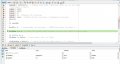
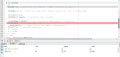
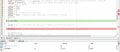
I'm trying to debug the program but can't get the PIC into debug mode.
But, it ends with:
Programming/Verify complete
The target device is not ready for debugging. Please check your configuration bit settings and program the device before proceeding.
 

Ian Rogers

Joined Dec 12, 2012
1,136
One thing I observed but didn't follow up.. I was under the impression the program ran, but not correct.

This is a minor issue, but a 20Mhz crystal may not have enough power using FOSC = XT.. I could never get a pic16f877a to run on this setting.

XT is for crystals up to 4Mhz... Set the FOSC to HS... At least then it'll be out of my head.
 

Thread Starter

daljeet795

Joined Jul 2, 2018
295
One thing I observed but didn't follow up.. I was under the impression the program ran, but not correct.

This is a minor issue, but a 20Mhz crystal may not have enough power using FOSC = XT.. I could never get a pic16f877a to run on this setting.

XT is for crystals up to 4Mhz... Set the FOSC to HS... At least then it'll be out of my head.
@Ian Rogers I have Set the FOSC to HS

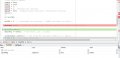
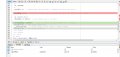
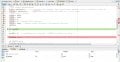
I think I am not setting breakpoints correctly

pic2.jpg
 

Attachments

Last edited:

Ian Rogers

Joined Dec 12, 2012
1,136
John said some time back that using the CCP to match input.. But it seems you have the CCP in "special Event" mode even though the ADC is not active.. SO.. even though there are vey little differences between modes I would set CCP1CON to 0x0A as the "special event" isn't required. When you say " not working as expected" explain?.. I could stick this on the sim to see it kicks when it should.
 

Ian Rogers

Joined Dec 12, 2012
1,136
Messing with your "latest" code CCP1CON = 0x0D... 0x0A seems to faulter..

The count of 2165 does indeed trip the interrupt.. BUT!! You shift left 1.. Wel!! heres the rub 0x400 is quite a way to go 10 x 2165 takes a piggin long time to get to I set the Hz to 150 and it took 14 seconds to spill... 140 seconds is 2 minutes 20 seconds before the kick.. It worked as expected but you need to set RD0 to zero or it'll boot high..
 

JohnInTX

Joined Jun 26, 2012
4,787
Good catch on XT vs HS. I wasn't paying attention to the hardware.. That may be why TS is having problems with getting any of the test code to work. No clock, no go.

John said some time back that using the CCP to match input.. But it seems you have the CCP in "special Event" mode even though the ADC is not active.. SO.. even though there are vey little differences between modes I would set CCP1CON to 0x0A as the "special event" isn't required. When you say " not working as expected" explain?.. I could stick this on the sim to see it kicks when it should.
The special event on compare is used to make TIMER1 (in the external counter mode) a period counter to divide the 5K PPR encoder into something more manageable. Using it in the special event mode prevents any lost counts that could happen when the timer was manually reloaded. On the '877A, using CCP1 (instead of CCP2) as the compare register just resets the timer on compare and generates an interrupt (CCP2 starts the A/D conversion). The result is the distance between sensor and kicker is divided into some number of equal length segments with one interrupt per segment. By changing the compare value in CCPR1H/L, you can define the number of encoder pulses that define a segment and hence the number of segments between sensor and kicker. The shift register is sized for 1 bit per segment and shifts along as each segment moves along the belt, each bit 'following' its corresponding segment on the belt. The number of segments has to correspond with the number of bits in the shift register.

I describe my thinking here and in some following posts:
https://forum.allaboutcircuits.com/...tion-and-rejection.158059/page-8#post-1389586

Cheers!

EDIT: @Ian Rogers
Looking back at this code you posted
https://forum.allaboutcircuits.com/...tion-and-rejection.158059/page-5#post-1387153
the oscillator was set to HS. I missed that it had been changed. It's like herding cats. @daljeet795
 
Last edited:

Ian Rogers

Joined Dec 12, 2012
1,136
Cheers for the explanation John.. That explains why it doesn't work the other way... Point is, the code works very well indeed.. One little thing
C:
   ShiftReg |= 0x0001;  // bad object, put 1 in LSbit
 

     if(ShiftReg & 0x0400){  // and if the #10 bit after shift is '1', kick it
      KICKER = 1;  // set output pulse high
     __delay_ms(30);  // *groan* Delay to see output ( inbuilt delay)
      KICKER = 0;  // set output pulse low
     }// kicker
I don't get this bit.. does this imply any of the 10 objects can be bad??
 

Thread Starter

daljeet795

Joined Jul 2, 2018
295
Messing with your "latest" code CCP1CON = 0x0D... 0x0A seems to faulter..

The count of 2165 does indeed trip the interrupt.. BUT!! You shift left 1.. Wel!! heres the rub 0x400 is quite a way to go 10 x 2165 takes a piggin long time to get to I set the Hz to 150 and it took 14 seconds to spill... 140 seconds is 2 minutes 20 seconds before the kick.. It worked as expected but you need to set RD0 to zero or it'll boot high..
bit 3-0 CCPxM3:CCPxM0: CCPx Mode Select bits
1010 = Compare mode, generate software interrupt on match (CCPxIF bit is set, CCPx pin is
unaffected)
1011 = Compare mode, trigger special event (CCPxIF bit is set, CCPx pin is unaffected); CCP1
resets TMR1; CCP2 resets TMR1 and starts an A/D conversion (if A/D module is
enabled)

so @Ian Rogers I need to set CCP1CON = 0000 1010 //Compare mode, generate software interrupt on match (CCPxIF bit is set, CCPx pin is
unaffected)

C:
#include <xc.h>
#pragma config FOSC = HS // Oscillator Selection bits (XT oscillator)
#pragma config WDTE = OFF  // Watchdog Timer Enable bit (WDT disabled)
#pragma config PWRTE = ON  // Power-up Timer Enable bit (PWRT enabled)
#pragma config BOREN = OFF  // Brown-out Reset Enable bit (BOR disabled)
#pragma config LVP = OFF  // Low-Voltage (Single-Supply) In-Circuit Serial Programming Enable bit (RB3 is digital I/O, HV on MCLR must be used for programming)
#pragma config CPD = OFF  // Data EEPROM Memory Code Protection bit (Data EEPROM code protection off)
#pragma config WRT = OFF  // Flash Program Memory Write Enable bits (Write protection off; all program memory may be written to by EECON control)
#pragma config CP = OFF  // Flash Program Memory Code Protection bit (Code protection off)
// #pragma config statements should precede project file includes.
// Use project enums instead of #define for ON and OFF.
#define ENCODER RC0
#define SENSOR  RC1
#define KICKER  RD0
#define _XTAL_FREQ 20000000  // **you need this for delays**
__bit gotIRQ;  // signals main that an interrupt
void main(void)
{
  unsigned int ShiftReg = 0; //  Init to 0
  INTCON = 0; // No interrupts
  TRISC = 0b00000011; // RC0 Eencoder Pin RC1 Sensor Pin
  TRISD = 0b00000000; // RD0 Kicker pin
//CCP1 MODULE INITIALIZATION
  T1CON = 0b00000011;  // 1:1 prescale, OSC disabled, Input Synchronized, External clock on T1CKI(RC0), Timer ON
  CCP1CON = ob0000 1010;   //Compare mode, generate software interrupt on match (CCPxIF bit is set, CCPx pin is
unaffected)

  //2165 equal to 0x0875
  CCPR1H = 0x08;
  CCPR1L = 0x75;
  CCP1IF = 0;
  CCP1IE = 1;  //Enabled CCP1 interrupt
  INTCON = 0xc0;  //Enabled Global interrupts & Peripherals interrupt
  while(1)
  {
  if (gotIRQ)
  {
  gotIRQ = 0;  // acknowledge the interrupt ** ALWAYS and before the delay **
  ShiftReg <<= 1;  // shift the integer shift register one bit left. LSbit = 0 after shift
  if (SENSOR == 1)
  ShiftReg |= 0x0001;  // bad object, put 1 in LSbit
  if(ShiftReg & 0x0400){  // and if the #10 bit after shift is '1', kick it
  KICKER = 1;  // set output pulse high
  __delay_ms(30);  // *groan* Delay to see output ( inbuilt delay)
  KICKER = 0;  // set output pulse low
  }// kicker
  }// gotIRQ
} // while
}// main
void __interrupt() IRQ(void){
  // CCP1 Interrupt
  if(CCP1IF == 1)  // if the CCP1 Interrupt flag is set...
  {
  CCP1IF = 0;
  gotIRQ = 1;  // 'Signal' main that an interrupt happened
  }
}
Messing with your "latest" code CCP1CON = 0x0D... 0x0A seems to faulter..

The count of 2165 does indeed trip the interrupt.. BUT!! You shift left 1.. Wel!! heres the rub 0x400 is quite a way to go 10 x 2165 takes a piggin long time to get to I set the Hz to 150 and it took 14 seconds to spill... 140 seconds is 2 minutes 20 seconds before the kick.. It worked as expected but you need to set RD0 to zero or it'll boot high..
If kicker kick once on the belt, then I can think about the perfect rejection

assume only one object is bad I am expecting at least kicker should be kick once. if the two products are bad than kicker should be kick two times if three are bads than it's should be kick 3 times
Edit CCP1CON = 0x0D;
 
Last edited:

JohnInTX

Joined Jun 26, 2012
4,787
Cheers for the explanation John.. That explains why it doesn't work the other way... Point is, the code works very well indeed.. One little thing
C:
   ShiftReg |= 0x0001;  // bad object, put 1 in LSbit


     if(ShiftReg & 0x0400){  // and if the #10 bit after shift is '1', kick it
      KICKER = 1;  // set output pulse high
     __delay_ms(30);  // *groan* Delay to see output ( inbuilt delay)
      KICKER = 0;  // set output pulse low
     }// kicker
I don't get this bit.. does this imply any of the 10 objects can be bad??
Yes, any combination of objects on the belt between sensor and kicker can be bad. There is a 1:1 correspondence between the bits in the shift register and corresponding segments on the belt. Since the SR is shifted each time a new segment goes by, a '1' bit marking a bad object will 'follow' that object as it moves along the belt. When the object reaches the kicker, its corresponding bit will be at the end of the shift register. If there is a '1' in the SR (placed at the sensor and saying that segment contains a faulty object) the kicker is actuated. The ShiftReg & 0x0400 construct determines where the logical end of the shift register is and the value of that bit. The bit is selected to match the number of segments between the sensor and kicker i.e. 10 segments needs 10 bits of the 16 bit integer making up the shift register. The number of segments in turn is determined by the number of encoder pulses between interrupts which are in turn determined by the setting in the compare register CCP1RH/L.

Someone posted a link to this in another thread. I shamelessly appropriated it as an example of how to keep track of objects on a belt with a shift register. Even though the example uses a PLC, the principle is the same.
https://accautomation.ca/plc-programming-example-shift-register-conveyor-reject/

Cheers yerself!
 
Last edited:
Top