PIC16F877A Datasheet

JohnInTX

Joined Jun 26, 2012
4,787
@jpanhalt @JohnInTX
I am confused by interrupt vs polling. both method can generate delay

What's specif use of polling method ?
Polling just means that you test something and act on it in the normal flow of the program. Most things like looking at a button or reading a sensor can be done when you get around to them - in the normal flow of the program so they can be polled. Interrupts are used when something needs immediate attention, regardless of where the normal program flow is. Interrupts should be reserved only for things that can't otherwise be done in the normal program flow - in PICs anyway.
 

Thread Starter

Gajyamadake

Joined Oct 9, 2019
310
Polling just means that you test something and act on it in the normal flow of the program. Most things like looking at a button or reading a sensor can be done when you get around to them - in the normal flow of the program so they can be polled. Interrupts are used when something needs immediate attention, regardless of where the normal program flow is. Interrupts should be reserved only for things that can't otherwise be done in the normal program flow - in PICs anyway.
Is it correct sequence for polling method
C:
#include<pic16f877a.h>

#define Timer_Load_Value  0

void  initialize (void)
{
   //Make all PORTD pins low
   PORTA = 0;
   PORTB = 0;
   PORTC = 0;
   PORTD = 0;
   PORTE = 0;

   //Configured Port pin as input
     TRISC = 0b 0000 0100;  //RC2 pin as input for sensor

// Configured PORT pins as Output
   TRISA = 0b00000000;
   TRISB = 0b00000000;  //RB0 as Output PIN for buzzer and RB1 for buzzer
   TRISD = 0b00000000;
   TRISE = 0b00000000;
}

void main()
{
       initialize ();   //initialize port pins

     // Timer0 with internal instruction clock  and 64 as prescalar // Also Enables PULL UP  updated line
     OPTION_REG = 0b00000101;

    TMR0 = Timer_Load_Value;    // Load the time value
    TMR0IF = 0;                 // clear timer interrupt flag updated line
    //TMR0IE = 1;                 //Enable timer interrupt bit updated line 

    while(1)
    {
      if (TMR0IF==1)   //Updated line in code
        {
          TMR0 += Timer_Load_Value;     //Load the timer Value
          TMR0IF=0;       // Clear timer interrupt flag
 
           if(RC2 == 0)  // check sensor is working
             RB1 = 1; // Alert Buzzer
           else  
             RB1 = 0; //  Buzzer OFF
        }
 
        if(RC2 == 1)   //check sensor is active    
           RB0 = 1; //LED ON
         else
             RB0 = 0; //LED ON    
    }
}
 
Last edited:

JohnInTX

Joined Jun 26, 2012
4,787
Is it correct sequence for polling method
More or less. You are polling timer 0's interrupt flag TMR0IF and doing something each time it gets set by the timer. But, you've also enabled the timer's interrupt so the code will crash when TMR0IF is set (there is no interrupt service routine).

Your use of while (TMR0IF==1) as the poll is functional but would be a better construct to use
if(TMR0IF==1)
{
TMR0IF=0;
...
}
 
Last edited:

djsfantasi

Joined Apr 11, 2010
9,237
An interrupt is a parallel process, outside of your code that checks for an input, like a digital change of a GPIO. You tell your code what to do when that change occurs.

Polling tests the input inside your code. When it detects a change, you code what to do.

The difference is that you have to continually perform a test inside the code, taking time away from the rest of your program each time. And, if your program doesn’t test the input often enough, events can be missed. Using an interrupt, your code is only interrupted when a change occurs and there is little chance of missing an event.
 

Thread Starter

Gajyamadake

Joined Oct 9, 2019
310
But, you've also enabled the timer's interrupt so the code will crash when TMR0IF is set (there is no interrupt service routine).
so I have to remove only one line i code for polling
Code:
 TMR0IE = 1;                 //Enable timer interrupt bit
Updated code #42
 
Last edited:

JohnInTX

Joined Jun 26, 2012
4,787
Try it and see.
But please don’t go back and edit code that has been referenced in a subsequent post. Re-post it in a new post. Otherwise it becomes difficult to follow the sequence of changes.
 

Thread Starter

Gajyamadake

Joined Oct 9, 2019
310
Try it and see.
But please don’t go back and edit code that has been referenced in a subsequent post. Re-post it in a new post. Otherwise it becomes difficult to follow the sequence of changes.
PIC16F877A Timer1 interrupt

C:
#include<pic16f877a.h>
void  initialize (void)
{
   //Make all PORTD pins low
   PORTA = 0;
   PORTB = 0;
   PORTC = 0;
   PORTD = 0;
   PORTE = 0;

   //Configured Port pin as input
     TRISC = 0b 0000 0100;  //RC2 pin as input for sensor

// Configured PORT pins as Output
   TRISA = 0b00000000;
   TRISB = 0b00000000;  //RB0 as Output PIN for buzzer and RB1 for buzzer
   TRISD = 0b00000000;
   TRISE = 0b00000000;
}

void main()
{
       initialize ();   //initialize port pins

     // Timer0 with internal instruction clock  and 64 as prescalar // Also Enables PULL UP
     OPTION_REG = 0b00000101;

    TMR1H=0x00;     // Clear Timer value
    TMR1L=0x00;  

    TMR1IE= 0;       //Disable timer interrupt bit in PIE1 register

    TMR1H=0x0B;     // Load the time value(0xBDC) for 100ms delay
    TMR1L=0xDC;  

    TMR1IF = 0;     // clear timer interrupt flag updated line

    TMR1IE=1;       //Enable timer interrupt bit in PIE1 register

    TMR1ON = 1;     //Start Timer1


    while(1)
    {
        if(RC2 == 1)   //check sensor is active
         {
           RB0 = 1; //LED ON
         }
         else
         {
             RB0 = 0; //LED ON
         }
    }
}

void interrupt timer_isr()
{
    if(TMR1IF==1)
    {
        TMR1H=0x0B;     // Load the time value(0xBDC) for 100ms delay
        TMR1L=0xDC;
        TMR1IF=0;       // Clear timer interrupt flag

         if(RC2 == 0)  // check sensor is working
           RB1 = 1; // Alert Buzzer
         else
           RB1 = 0; //  Buzzer OFF
    }
}
 
Last edited:

Thread Starter

Gajyamadake

Joined Oct 9, 2019
310
Using CCP1 is different way to do the same thing.

Note that your interrupt stuff will now use CCP1IF as the interrupt flag. CCP1IE and PEIE must be 1 to enable the peripheral interrupt along with the GIE global interrupt enable.

Note also that you still have to configure the timer/prescaler and mode using T1CON and the capture using CCP1CON. For a period register use CCP1CON = 00001011. Your init must:
Configure T1CON with the prescaler, clock source etc. Start with TMR1ON=0 to stop the timer.
Clear TMR1H/L registers
Load CCPR1H/L with the number of counts between interrupts
Disable TMR1IE
Clear CCP1IF
Enable CCP interrupt CCP1IE=1
Enable peripheral interrupts PEIE=1 (now it's proper)
Enable global interrupts GIE=1
Start the Timer TMR1ON = 1

In the interrupt routine manage CCPIF, not TMR1IF.
Count the interrupts as before if necessary. Between 16 bit timer/capture and the prescaler, you might get the time period you want just from the timer/capture itself. As noted above, you can also run the timer from another source but I always just use the internal clock.

Have fun!
Timer 1 with CCP1 interrupt

C:
#include<pic16f877a.h>

void  initialize (void)
{
   //Make all PORTD pins low
   PORTA = 0;
   PORTB = 0;
   PORTC = 0;
   PORTD = 0;
   PORTE = 0;

   //Configured Port pin as input
  // TRISC2 = 0b 0000 0100;  //RC2 pin as input for sensor
     TRISC = 0b 0000 0100;  //RC2 pin as input for sensor updated line

// Configured PORT pins as Output
   TRISA = 0b00000000;
   TRISB = 0b00000000;  //RB0 as Output PIN for buzzer and RB1 for buzzer
   TRISD = 0b00000000;
   TRISE = 0b00000000;
}

void main()
{
       initialize ();   //initialize port pins

     // Timer0 with internal instruction clock  and 64 as prescalar // Also Enables PULL UP  updated line
     OPTION_REG = 0b00000101;  /* Do i really need to set this line 
   
    CCP1CON = 00001011 ;
   
    TMR1ON=0 ;
     
    TMR1H=0x0B;     // Load the time value(0xBDC) for 100ms delay
    TMR1L=0xDC;      

   
    TMR1IE = 0;       //Disable timer interrupt bit in PIE1 register
   
    CCP1IF = 0;    // Clear CCP1IF
   
    CCP1IE=1       // Enable CCP interrupt

    TMR1IE= 1;    // Enable peripheral interrupts PEIE=1

    GIE=1           //  Enable global interrupts

   
    TMR1ON = 1;     //Start Timer1  
   

    while(1)
    {
        if(RC2 == 1)   //check sensor is active
         {
           RB0 = 1; //LED ON
         }
         else
         {
             RB0 = 0; //LED ON
         }
    }
}

void interrupt timer_isr()
{
    if(CCPIF==1)
    {
        TMR1H=0x0B;     // Load the time value(0xBDC) for 100ms delay
        TMR1L=0xDC;    
        CCPIF=0;       // Clear timer interrupt flag
   
         if(RC2 == 0)  // check sensor is working
           RB1 = 1; // Alert Buzzer
         else    
           RB1 = 0; //  Buzzer OFF
   
    }
}
 
Last edited:

Thread Starter

Gajyamadake

Joined Oct 9, 2019
310
Did you get the TMR0 "project" to work using the interrupt?
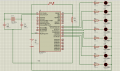
@jpanhalt I have verified timer 0 code and its working on proteus right now

1573564947657.png

When I held button LED start to blink
C:
// CONFIG
#pragma config FOSC = HS        // Oscillator Selection bits (HS oscillator)
#pragma config WDTE = ON        // Watchdog Timer Enable bit (WDT enabled)
#pragma config PWRTE = OFF      // Power-up Timer Enable bit (PWRT disabled)
#pragma config BOREN = ON       // Brown-out Reset Enable bit (BOR enabled)
#pragma config LVP = OFF        // Low-Voltage (Single-Supply) In-Circuit Serial Programming Enable bit (RB3 is digital I/O, HV on MCLR must be used for programming)
#pragma config CPD = OFF        // Data EEPROM Memory Code Protection bit (Data EEPROM code protection off)
#pragma config WRT = OFF        // Flash Program Memory Write Enable bits (Write protection off; all program memory may be written to by EECON control)
#pragma config CP = OFF         // Flash Program Memory Code Protection bit (Code protection off)

// #pragma config statements should precede project file includes.
// Use project enums instead of #define for ON and OFF.


#define _XTAL_FREQ 20000000 //Specify the XTAL crystal FREQ
#include <xc.h>

#define Timer_Load_Value  0

void  initialize (void)
{
   //Make all PORTD pins low
   PORTA = 0;
   PORTB = 0;
   PORTC = 0;
   PORTD = 0;
   PORTE = 0;

   //Configured Port pin as input
   TRISB = 0b00000001;  //RB0 as input PIN for button
    
// Configured PORT pins as Output
   TRISA = 0b00000000;
   TRISC = 0b00000000;  //RC7 pin as out for LED
   TRISD = 0b00000000;
   TRISE = 0b00000000;
}

void main(void)
{
    //initialize port pins
       initialize ();   

    // Timer0 with internal instruction clock  and 64 as prescalar 
     OPTION_REG = 0b00000101;
    
    TMR0 = Timer_Load_Value;    // Load the time value
    TMR0IF = 0;                 // clear timer interrupt flag updated line
    TMR0IE = 1;                 //Enable timer interrupt bit
    GIE = 1;                    //Enable Global Interrupt
    
    while(1)
    {
 
    }
    return;
}
 
void interrupt timer_isr()
{
    if(TMR0IF==1)
    {
        TMR0 += Timer_Load_Value;     //Load the timer Value
        TMR0IF=0;       // Clear timer interrupt flag
    
         if(RB0 == 1)  // check sensor is working 
           RC7 = 1; // LED ON
         else     
           RC7 = 0; //  LED OFF
    
    } //TMR0IF
}// interrupt
 

JohnInTX

Joined Jun 26, 2012
4,787
Writing lots of code without testing any part of it is a recipe for frustration.
This!

Notes:
When you test the code in #47 you'll find you never get an interrupt - why?
Before you test the CCP code in #48, re-read my post #37. You are mixing TMR1 rollover and using TMR1 as the counter for the capture using CCP1 to get periodic interrupts. Two different approaches to getting a periodic interval.
And yes, you still should visit the OPTION_REG even if you don't use TMR0. That controls the pullups for PORTB which you should explicitly set for your application.

Other inits that you are missing:
Look up ADCON1 and initialize it to make all the I/O digital.
Look up ADCON0 to turn the A/D converter off.

Good progress, though.
 
Top