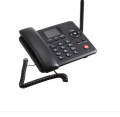
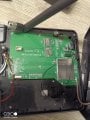
I have a 4G WIFI Wireless Fixed Phone Desktop Telephone and I want to physically disable it being able to be used as a WiFi hotspot. Is it as simple as cutting the Wi-Fi antenna wire?
Internal many thanks
Maybe, maybe not. Depends on how strong/close the signal is that you want to reject. If it's strong enough, it doesn't need a good antenna. Also, cutting the antenna has the potential to damage the transceiver (which may not matter to you if that's all that it does), but the phone overall might misbehave if that part of it doesn't function as expected. There is probably a settings menu that will allow you to enable/disable various features, one of which is probably to disable WiFi entirely.
There is no option to disable the Wi-Fi.
I may not have been clear enough. The phone has the ability to be used as a router to allow other devices to connect to it to use its data connection, this is what I want to disable. Normally a router has a password but on this device you can see the password on the settings so anyone with physical access to the device can find the password and connect to it.
Sounds like the "proper" solution is to just get a phone that doesn't have WiFi in any shape for form. Barring that, physically removing the antenna will likely work -- subject to the caveats I mentioned before (and possibly others). Basic landline phones are dirt cheap. Or do you need the data connection for something else? Is this a VoIP phone?
Another option would be to set the password to the longest random string of crap you can possibly enter. I'm guessing it's probably something like 63 characters. If someone has to physically access the phone, scroll through the display to accurately write down a 63 character random password, and then enter that into a device (or even just enter it directly), they are likely to conclude that it just ain't worth it. Doesn't mean they absolutely can't do it, of course, but it might be a "good enough" solution for you.
I’d be inclined to wrap the antenna in something like copper foil then use your method at the antenna end. Mainly to make reenabling easier but also to keep hands unskilled at reworking off the main board. If reversibility is really not required, I’d cut the antenna PCB 10mm or so about the solder pads on it and then put a 50Ω resistor across them—it wouldn’t have to be SMD, it could be an ⅛W with the leads bent and trimmed to the shortest that could still be easily soldered.
Sounds like the "proper" solution is to just get a phone that doesn't have WiFi in any shape for form. Barring that, physically removing the antenna will likely work -- subject to the caveats I mentioned before (and possibly others). Basic landline phones are dirt cheap. Or do you need the data connection for something else? Is this a VoIP phone?
Another option would be to set the password to the longest random string of crap you can possibly enter. I'm guessing it's probably something like 63 characters. If someone has to physically access the phone, scroll through the display to accurately write down a 63 character random password, and then enter that into a device (or even just enter it directly), they are likely to conclude that it just ain't worth it. Doesn't mean they absolutely can't do it, of course, but it might be a "good enough" solution for you.
It is basically a mobile phone in the shape of a landline. I wanted a 4g one as 3g is being phased out. It is being used as a landline to avoid bringing fibre into the house. All the 4g ones I found have Wi-Fi. I cannot use any password system as I want others, who I don't want to use the Wi-Fi to be able to use the rest of the functions.
I’d be inclined to wrap the antenna in something like copper foil then use your method at the antenna end. Mainly to make reenabling easier but also to keep hands unskilled at reworking off the main board. If reversibility is really not required, I’d cut the antenna PCB 10mm or so about the solder pads on it and then put a 50Ω resistor across them—it wouldn’t have to be SMD, it could be an ⅛W with the leads bent and trimmed to the shortest that could still be easily soldered.
I am ok with it being non reversible. Due to my lack of technical knowledge I don't understand the point of all these resistors and why it can't just be cut, another point is is the antenna just a boost but get close enough and you get Wi-Fi? Thanks
I am ok with it being non reversible. Due to my lack of technical knowledge I don't understand the point of all these resistors and why it can't just be cut, another point is is the antenna just a boost but get close enough and you get Wi-Fi? Thanks
The WiFi module has a transmitter in it, the transmitter’s final output stage (transistor(s)) require an impedance matched load. In the absence of that, its behavior is unpredictable. It could be nothing—or anything from heating up to the point of burning up, possibly affecting the operation of other parts of the phone; to transmitting on frequencies other than the proper ones, causing interference (and being illegal).
The 50Ω resistor serves as that load. When such a thing is done for testing it’s called a dummy load. There is a non-zero risk to omitting it, but the chances are at least 50% that it will do nothing in particular. But instead of cutting it you should desoldering it from the board so if it is needed, unexpectedly, you can simply reattach it.

 Facebook
 Google
 GitHub
 Linkedin