Facebook
 Google
 GitHub
 Linkedin

I'm trying to learn/use Pspice for a very simple circuit to analyze it (and will need to use program more further in the course). I want the green and blue boxes overlaying the circuit showing voltages and current for the different nodes.
I'm running into an issue where it won't show the voltages and currents on the circuit when I click the simulate button.
On the simulation window, in the uh bottom left text box, right under the "Simulation running..." it says "No recognized product configuration selected".
I am not familiar with the software at all, and did try googling it but didn't find anything helpful.
I'm also not sure what I need to send to be more helpful/to troubleshoot.
It's a simple DC circuit if that informs any thing.
When my professor showed an example, he didn't need to change any settings or anything so idk why it's not working.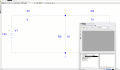
I'm running into an issue where it won't show the voltages and currents on the circuit when I click the simulate button.
On the simulation window, in the uh bottom left text box, right under the "Simulation running..." it says "No recognized product configuration selected".
I am not familiar with the software at all, and did try googling it but didn't find anything helpful.
I'm also not sure what I need to send to be more helpful/to troubleshoot.
It's a simple DC circuit if that informs any thing.
When my professor showed an example, he didn't need to change any settings or anything so idk why it's not working.