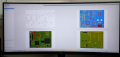
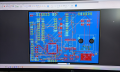
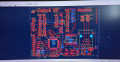
+ KiCad is an open source product and it is free.
+ It is a very mature EDA used to design PCBs.
+ it is quite intuitive. I was spending days just to get around some of alternatives and was frustrated by their price and limitations. then i stumbled upon KiCad in only couple of days was able to crank out two large and complex boards.
+ no restrictions on board size, number of lasers, number of connections etc. imagine it and make it. you want 16 or 32 layers and 2mx2m boards? with bunch of nested schematics etc? no problem.
+ Runs on any OS
+ has quite modest requirements and it runs quite smoothly even inside VM using only software rendered 2D/3D view.
+ Supports plugins and there are many to choose from
+ Files are plain text files so if one is inclined to manipulate something this can be done either manually or scripting.
+ comes with pretty large libraries
+ quick and easy to create own symbols, footprints and link with 3D models in variety of formats.
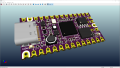
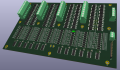
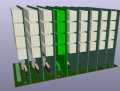
+ entire board can be exported as 3D models. this is handy when checking fit of different boards (mother + daughter boards).
+ supports many languages and switches from one to another in an instant, without need to close or restart.
+ decent built in interactive (manual) router with many options.
- it no longer includes autorouter as a built in feature. original autorouter was simple but i liked it. it was not very smart but was great to finalize remaining connections after one has sorted out important ones. but it does (did) have options to use external autorouter (online or offline).
- occasionally i still find errors in footprints. so the ones i plan on using, i clone to my own library and if needed make corrections.
- some of parts in the libraries do not include 3D models. while they are easy to find and add, this can be cause for frustration, specially for noobs.
- libraries are installed in the same folder tree as the application. while i see that as a plus, note that on Windows this means folder C:\Program Files ... is private and write access is ... complicated. as a result one cannot easily and conveniently modify supplied library (for example link 3D model of some part). One can of course move libraries to another folder and change paths. I'm a rebel so i prefer to simply use my own folders anyway (i do not use MS prescribed folders like My Documents etc.)
I have been paying $4000 a year for CAD.
With KiCAD I send them $100 a year to help them. More if I am making money and none when I am not.
Years ago, I talked to a shareware developer, and asked how are you making money. He said they sold 1000 copies at $500 over 10 years. They went to share ware (free) and (back then) had a million installs that donated $25 or more a year, and 3 million that never donate.
There are some other free CAD programs, but they only work with a certain fab house. You can't get the PCB anywhere.
Well there is a plea for a donation, if you so feel free. !
It originated some years ago when a tutor/professor started designing it for his students, several offered their input and the rest is history, with CERN Switzerland getting involved later on as well !
At my first job I learned AUTOCAD, which was what the company owned. That was excellent for producing mechanical designs, and quite adequate for electrical drawings, and electronic circuit drawings. AND I produced PCB drawings with the CAD equivalent of the tape scheme that was used prior to cad being available. Then I was given the EAGLE PCB software by a friend. The whole process is totally different in every aspect. But it still created whole schematic drawings that were possible to follow. NONE of those collections of small details that only an auto-router would use.
Hopefully KICAD it allows creating a whole circuit drawing rather than a collection of visualized net-list details.
.I originally used Autocad for electro-mechanical and also OrCad for electronics.
Now I find Free KiCad excellent for PCB circuitry and boards, having been using it from one of the early versions, with quite a number of boards made from it.
NONE of those collections of small details that only an auto-router would use.
Hopefully KICAD it allows creating a whole circuit drawing rather than a collection of visualized net-list details.
process flow in KiCad is pretty muck like any other EDA.
1. optional, create own libraries. i like to do that since most of the designs use same few dozens of parts. and like all my parts to have 3D models, center and orientation of footprint that i like, any details that i like. some may find 3D view superfluous but i find this to be very helpful when communicating with others (stacking multiple boards, fitting enclosure,
2. create schematics.
here you can go as plain or fancy as you like. at least components will need to be annotated and assigned footprint. if interested in only PCB design values are not important. i like to do detailed design, with comments, naming at least some of the key connections so that creating net classes is quick and easy.
3. if needed, change footprints...
4. use PCB editor to arrange parts, create board outline and make connections. this too can be as plain or detailed as you like.
EasyEDA schematic capture/PCB layout/simulation software is provided free by JLCPCB. It's no-srings-attached software – yes, it makes it simple to order boards from JLC, but Gerber files any fab house will happily use are just a button click away from a zip file ready to send to the vendor of your choice.
Their library contains nearly everything in the LCSC catalog (Chinese equivalent of Digikey, with Chinese and Western parts) with 3D models included for the majority of components. Plus, Eagle libraries can be readily imported, and you can create your own symbols and footprints if needed.
All of your layout files are private, with no limitation on files stored (EasyEDA is cloud-based but there is a stand-alone version and source files can be downloaded) but you can also share them privately or publicly if you desire. The ONLY files you don't have total control over are component library symbols you create – those are shared publicly. If that's a problem, make the name obscure and chances are nobody will even look at them.
I use the EasyEDA standard version (because that's where I started and it has some features not included in the pro version) and it is indeed easy to use with a shallow learning curve. The pro version (you're thinking "AHA! This is where they get you!") is also FREE, with a slightly steeper learning curve. A couple great features are the ability to create a 3D print file for an enclosure to fit your pcb, and use FULL COLOR GRAPHICS for the SILK SCREEN for boards ordered from JLC (i.e., you upload a jpg to have printed as the silkscreen).
Note: I'm just a satisfied EasyEDA user and ,JLCPCB customer. Although they did include a small roll of narrow electrical tape as a gift with a pcb order years ago.
Any CAD can be used to do things other than intended, but it is preposterous to prefer one over another without trying them both. When the only tool you know is a hammer, then every problem starts to looks like a nail. i find it very ignorant when someone mocks the alternative (a very popular one) after the very post asking "what is it?", simply because "there is a catch". No product is perfect - ever. And i speak from experience. i've been using AutoCad for past 25 years. it is a great piece of software. at the same time i also used for various other CAD systems such as Via (before it became AutoCad electrical) , See4000, SWE, BricksCad, Edge, FreeCad, DraftSight,
Using AutoCad to design PCB is not just possible but probably attractive for one off and not too complex design. It makes sense if one already has access to it and knows how to use it, so he does not need to invest time in learning another product.
But if we are to list shortcomings of plain AutoCad in PCB design, there would be hardly anything positive to mention - very pricey license, no library of any kind to support EDA so one must make each and every symbol and footprint himself., no ERC/DRC of any kind, no routing, selecting items is painfully slow, everything is manual, there is no report of any kind (at least BOM), no cross reference, there is no gerber format support...
it is the same as claiming that 5 gallon bucket or bowl for mixing salad can be used to mix cement. Well it can, if you are trying to mix small quantity like for a flower pot. But you will not see any construction company working on bridges or skyscrapers ditch their equipment because 5 gallon buckets. or salad mixing bowls are on the special.
I have access to AutoCad, BricksCad and DraftSight and know how to use them. But for EDA i choose to use another product because it is way better for such job, it is not even comparable.
Using AutoCad to design PCB is not just possible but probably attractive for one off and not too complex design. It makes sense if one already has access to it and knows how to use it, so he does not need to invest time in learning another product.
I'll add that when users familiar with one tool (such as AutoCAD) use some other, new-to-them tool to do something that the familiar tool is poorly suited suited for (such as laying out a PCB or an IC), they will often quickly identify capabilities that the familiar tool has, and that they have come to rely on when using it, that would be extremely useful if the new tool had them but doesn't. That tends to heavily bias our opinions as we see the obvious shortcomings of the new tool relative to the familiar one while, at the same time, not yet being aware of the myriad shortcomings of the familiar one relative to the new one because we haven't yet gotten that far.
The example that sticks in my mind was the rich set of snapping and trimming modes that AutoCAD had that none of the PCB or IC layout tools had (and may still not have, I don't know). This caused a lot of frustration because I had to do things very manually and inefficiently that were so simple and natural in AutoCAD. This made me want to figure out ways to use AutoCAD for this work, but it didn't take long to realize that, while AutoCAD had been completely reasonable for making artwork for small boards that were printed out and used as a photomask on DIY boards, it was completely unsuited for doing things that a tool designed for PCB or IC work needed to do, including LVS/DRC and Gerber/GDSII generation. The lack of those very useful features continued to be an annoyance, but you learn ways to reduce the corresponding inefficiencies and just grit your teeth and bear it, reminding yourself how tortuous and/or all-but-impossible doing the truly PCB- or IC-specific things would be using AutoCAD.
I started back in the days when Eagle was expensive (because I needed physically large boards) but you owned it. When upgrading to the subscription model was out of the question, I looked at some of the vendor-provided versions but found them lacking (limited number of projects to be saved, files public, limited ability to create your own libraries, Gerbers held hostage).
I tried Kicad. It just didn't make sense to me (I find the same to be true of Inkscape). I started with Eagle – If you've ever used it, you know it has a STEEP learning curve.
Then I tried EasyEDA. I was worried it wouldn't measure up to Eagle, and it would be quickly given up. The user interface is quite different than Eagle, but easy to figure out. I've never looked back.
everyone needs to find product that works for them. originally i was planning on using Eagle, downloaded free Eagle version, did couple of tiny boards. result looked great but i found the software was very non intuitive. Still, it was commonly used product and i wanted to know it. In the mean time i was exploring and testing other products too. then suddenly one day i needed couple of larger boards and the budget for software at that moment was only about half of what it would cost to get the suitable Eagle version. The alternatives i was aware of then costed even more. that was before EasyEDA. So i was ready to buy the Eagle Pro but did one last ditch effort to try finding something that will not break the bank. i found few products that could do the job and fit the budget but learning curve was also steep and during tests things came up that ruled them out. In those early days KiCad was far cry from what is it now but it was usable and learning curve was short. I tried it and in few hours decision was made... never looked back. Over time KiCad improved tremendously. It was sporting 3D view long before Eagle. Since many of my products are multi-board designs, fit is everything, so for me this is an important feature. The way i see it, it was an Eagle killer and has put pressure on other products as well. While it still does not do everything that big products can (Altium and co.), it does all that i need and then some. Not bad for $0 and short learning curve.
I still use the Eagle functionality in Fusion 360 (mainly used for 3D modeling and printing). For pure hobby use, it can be expensive (but price pressure is hitting the market as they have a 50% off promo running now that I just renewed on).
The version 9 imports from Fusion 360 (exported as Eagle 9 files) look pretty good (the schematic import does) but the auto-netlist option trashes Eagle 4 layer board imports by default
Fusion 360
4 layer board exported to Eagle format.
Kicad Ver. 9, Eagle 9 files import.
Air wires from the missing/incorrect inner layers netlist data during the import process. Likely a way to fix that but the default Eagle import process is missing the two inner layers trace data.
This looks fine.
I (re)started with Pcb design on Kicad 8 - suitably impressed as I am comparing it to 1995-2000s offerings.
I wish I had waited for v9.1 though before updating, there seems to be a lot of bugs and regular crashing in V9 at the moment.
Creating / Editing / implementing 3rd party (compatible) components seem to have the most issues - I am getting better at saving more often!
I saw the plea for donations, I’m similar to other uses more than happy to donate, usually relative to the success or not of my designs. Sometimes just because I really love the fact it is ‘free’
When compared to industry giants like Altium, I think I would have a very hard time justifying a license there at my low skill level.

 Facebook
 Google
 GitHub
 Linkedin