new guy with IR question

Thread Starter

djc242010

Joined Jan 21, 2015
8
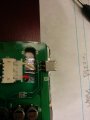
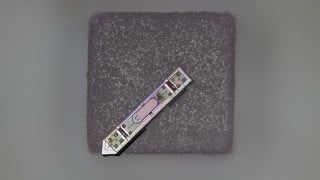
Hey guys! Came across this and thought this was an interesting forum so decided to join up and see if my question could be answered. I have a headrest monitor that uses an IR remote to be turned on. There is no power button to bypass the IR remote Signal. I spoke with the tech support of my product and they told me they no longer make this remote anymore and I can't get around this problem without replacing my screens. I beg to differ. I'm a mechanic and do computer/ basic electronics on the side as a hobby and wish to know if I can jump the voltage in pin and the voltage out pin on my IR reciever and should this power up my screen? I was unable to find a number on my IR receiver. Best I have is a picture. Hope someone can help me here as I'm unfamiliar with infrared. Thanks again guys!!
 

Attachments

Thread Starter

djc242010

Joined Jan 21, 2015
8
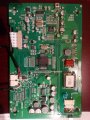
I don't have a picture of the remote as that is the piece I am missing. I have a picture of the back of the board. The monitor is a power acoustik model number pt-713hrs. These monitors came in the vehicle I bought and I would like to utilize them not replace lol.
 

Attachments

Thread Starter

djc242010

Joined Jan 21, 2015
8
The one thing I do know is that the center pin on the IR receiver is the ground. I traced the circuit and it is also the ground for the 12 volt signal coming to the board to power it.
 

#12

Joined Nov 30, 2010
18,224
Just shorting the IR receiver probably won't work because the brain is waiting for a train of pulses at a certain frequency. We'll probably have to dig deeper than that.
 

MrChips

Joined Oct 2, 2009
34,817
Any equipment that operates off a remote controller uses command codes to activate specific functions. You cannot bypass the IR receiver output. The command codes are integral to the operation of the equipment.

Find someone with a working remote and we can duplicate it.
 

GopherT

Joined Nov 23, 2012
8,009
You might start by grabbing every remote in your house and point them one at a time at the monitor and push each button until it starts. Good luck.
 

Thread Starter

djc242010

Joined Jan 21, 2015
8
Well that's the issue lol. I've searched for two weeks now for a remote and falling flat. Would it be worth it to take my Comcast universal remote and put it into cast mode and see if maybe I can catch a pulse that would turn it on?? Lol. I might sound stupid there but just throwing out anything. Lol
 

Thread Starter

djc242010

Joined Jan 21, 2015
8
OK I will try that first thing in the morning. So is it possible if that doesn't work to replace the infrared receiver with a different one that I can get a remote for? I'm pretty good at soldering haha
 

Thread Starter

djc242010

Joined Jan 21, 2015
8
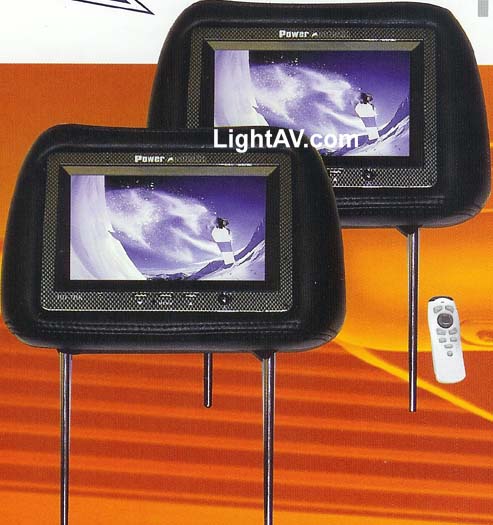
It looks like this one. The remotes do look the same but the lovely people on the other end of the phone said that none of the remotes crossed to it??
 

Attachments

MrChips

Joined Oct 2, 2009
34,817
I would check out every Thrift Store you come upon.
I found my 8mm camcorder eventually.

Edit: Having read the last two posts, there's your solution.

answer: There's an app for that!:D
 

Thread Starter

djc242010

Joined Jan 21, 2015
8
I literally just read that on nexus support haha thank you for the idea though! Also mrchips and #12 thank you for the help. I will grab my remote from home and hope for the best. If I can not get anything to work maybe I'll see about getting a remote for one of their newer models and hope that the parts people are wrong lol
 
Top