
Need help with an arduino sketch

Thread Starter

johnaustinkaty

Joined Jul 16, 2021
282
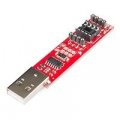
I am using a programming module for an attiny85 microchip connected to a USB on my laptop. I am using the arduino IDE to program the chip.
My sketch is posted below. I cannot get the low batt warning sequence of 15 blinks at the end to run no matter what I do. All other light behaviors are executing perfectly.
What the heck am I missing???? Please help. Thx

light fading and blinking:
//8 mghz

//                                  ***MAIN LED AT 91.7% BRIGHTNESS WITH LOW BATT ALERT***
//                          THIS SKETCH IS THE LATEST FOR THE NEW 2026 PCB WITH THE FORUM TEAM

//                            THIS SKETCH IS CONFIGURED FOR EASY TESTING (QUICK FADE UP AND DOWN)
//                                            REVISE FADE TIMING WHEN TESTING IS COMPLETE

const int ledPin = 0;
const int sensorPin = 2;
const int alertPin = 1;
const int battPin = 5;
const int darkPin = 3;

int delayTime = 30000;
int sensorValue = LOW;
unsigned long lastmotion;

// ATMEL ATTINY85
//
//                  +-\/-+
// BATT (D 5) PB5  1|    |8  Vcc
// DARK (D 3) PB3  2|    |7  PB2 (D 2) SENSOR
//      (D 4) PB4  3|    |6  PB1 (D 1) ALERT
//            GND  4|    |5  PB0 (D 0) LED
//                  +----+


void setup()
{
  pinMode(ledPin, OUTPUT);
  pinMode(sensorPin, INPUT);
  pinMode(alertPin, OUTPUT);
  pinMode(battPin, INPUT_PULLUP);
  pinMode(darkPin, INPUT_PULLUP);

  digitalWrite(sensorPin, HIGH);//CHANGE TO LOW AFTER TESTING
  digitalWrite(battPin, HIGH); //CHANGE TO LOW AFTER TESTING
  digitalWrite(darkPin, HIGH);//CHANGE TO LOW AFTER TESTING
  //delay(60000);  //UNCOMMENT AFTER TESTING


}


void loop() {


  while (digitalRead(darkPin) == HIGH) {  //CHANGE TO LOW AFTER TEST

    analogWrite(ledPin, 1);
    analogWrite(alertPin, 100);


    while (digitalRead(sensorPin) == HIGH) {
      for (int i = 0; i < 5; i++) {
        digitalWrite(ledPin, HIGH);  // turn the LED on
        delay(500);                    // wait for 500 milliseconds (half a second)
        digitalWrite(ledPin, LOW);   // turn the LED off
        delay(500);                    // wait for 500 milliseconds
      }
      // fade in from min to max 550 mA:
      for (int fadeValue = 1 ; fadeValue <= 234; fadeValue += 1) {
        // sets the value (range from 2 to 234):
        analogWrite(ledPin, fadeValue);
        // wait for 30 milliseconds to see the dimming effect
        delay(80); //CHANGE TO 386 AFTER TEST
      }
      delay(5000);


      lastmotion = millis();


      while (millis() < lastmotion + delayTime)

        if (digitalRead(sensorPin) == LOW) { //CHANGE TO HIGH AFTER TEST
          lastmotion = millis();
        }

      delay(1000);    //Keep this fix - 1 unit

      // fade out from max to min 40 mA:
      for (int fadeValue = 234 ; fadeValue >= 1; fadeValue -= 1) {
        // sets the value (range from 0 to 255):
        analogWrite(ledPin, fadeValue);
        // wait for 30 milliseconds to see the dimming effect
        delay(40); //CHANGE TO 193 AFTER TEST
      }
    }

    analogWrite(ledPin, 1);
    delay(1000);
    
[B]// NO MATTER WHAT I DO, I CANNOT GET THE CODE BELOW TO RUN AT ALL. IT SIMPLY GETS SKIPPED AND LOOPS BACK TO THE TOP
//  WHAT AM I MISSING??

    while (digitalRead(battPin) == HIGH) {   //CHANGE TO LOW AFTER TEST

      for (int i = 0; i < 15; i++) {
        digitalWrite(ledPin, HIGH);  // turn the LED on
        delay(50);                    // wait for 50 milliseconds (20th of a second)
        digitalWrite(ledPin, LOW);   // turn the LED off
        delay(100);   // wait for 100 milliseconds (10th of a second)[/B]
      }
    }
  }
}
 
Hi! Based on your description, this sounds like a logic flow issue rather than a hardware fault. Most sketch "hangs" happen because of blocking code (like delay()) or variable scope issues where values are reset unexpectedly.

To help you fix this, could you please provide:
  1. The Sketch
  2. A Schematic
  3. Serial Monitor Output
Often, just moving a variable from local to global scope or replacing a delay() with a millis() timer solves these kinds of problems. Looking forward to seeing the code..
 

Thread Starter

johnaustinkaty

Joined Jul 16, 2021
282
Measure the "Darkpin" and verify it is HIGH. The code looks to be setting PB4 when you meant PB3?
I have darkPin set HIGH in the code for testing code function/flow. This test is only flashing the small led on the programmer. I'll check my pin#. DarkPin is connected to D3, PB3 (literal attiny pin 2)
I will verify that darkPin is HIGH.
 
Last edited:

Thread Starter

johnaustinkaty

Joined Jul 16, 2021
282
Hi! Based on your description, this sounds like a logic flow issue rather than a hardware fault. Most sketch "hangs" happen because of blocking code (like delay()) or variable scope issues where values are reset unexpectedly.

To help you fix this, could you please provide:
  1. The Sketch
  2. A Schematic
  3. Serial Monitor Output
Often, just moving a variable from local to global scope or replacing a delay() with a millis() timer solves these kinds of problems. Looking forward to seeing the code..
The sketch is in initial post above. I can post schematic in the morning.
eetech00 actually helped a lot with developing recent improvements to my schematic. That is why I am needing to modify my sketch now.
Everything appears to be working properly in the code except for that one rapid blink sequence. It simply gets ignored no matter where I put it. I'm sure it's a logic flow issue, but I am just not seeing it.
 
Last edited:
TLDR; You wrote a 0 to the input pin and turned off its pullup, and the input reads low.

I do not see an obvious coding error or something overlooked (such as a break or continue). The only thing would be that there is some parasitic electrical thing on pin 1 (PB5 or battPin) pulling it below the VIH threshold.

An easy test is to substitute the while() with an if() of the opposite condition. If the pulse sequence happens exactly once, then there is a voltage situation on pin 1.

C:
    if (digitalRead(battPin) == LOW) {   //CHANGE TO LOW AFTER TEST
With employing the hardware abstraction (your code not writing directly to the registers such as MCUCR) I do not know if the pullups are disabled. This would allow an input floating low, for example.

I expected those analogWrite() of alertPin and ledPin to be digitalWrite() because you are writing to a GPIO port, and none of the alternate functions are a DAC (analog output pin). I cannot find any mention of a DAC in the AtTiny85 documentation. I mean, you are writing 8-bit numbers, and appear to be happy about it, so I guess it works for you, but I don't how it's possible. However, if you are writing 8-bit numbers to PORTB, then the last one that you wrote is 0x00000000, which could set battPin to 0. (Writing a 0 to a GPIO pin such as PB5 turns off the pullup, and your code does this. Also, writing 0 will cause a 0 to be read next time; that is why toggling is easy to do using these chips.) Very hard to tell when interacting with the hardware using a high-level language, because you cannot see what actually is taking place.

Anyway, just some guessing from some random guy on the internet.
 
Last edited:

Thread Starter

johnaustinkaty

Joined Jul 16, 2021
282
I do not see an obvious coding error or something overlooked (such as a break or continue). The only thing would be that there is some parasitic electrical thing on pin 1 (PB5 or battPin) pulling it below the VIH threshold.

An easy test is to substitute the while() with an if() of the opposite condition. If the pulse sequence happens exactly once, then there is a voltage situation on pin 1.

C:
    if (digitalRead(battPin) == LOW) {   //CHANGE TO LOW AFTER TEST
I'll try that! Thx
 

Thread Starter

johnaustinkaty

Joined Jul 16, 2021
282
FYI
In the final code, PB5 (battPin)(pin 1) will be high using INPUT_PULLUP. A pin on an LM393 will pull it LOW when the battery falls below 11v, which will trigger that rapid 15 blink sequence that is the issue. I have the battPin set HIGH for code flow testing purposes only. The battPin will be read each time the loop runs. If battery needs charging, the 15 blinks will let the user know.
 

Thread Starter

johnaustinkaty

Joined Jul 16, 2021
282
But Wait! There's more!

(added to my post while you were reading it)
The alertPin will have both digital and analog controls (PWM) and the ledPin will only have analog (PWM) control in the actual device (PCB). Like I stated previously, I am only trying to establish program flow at this point. Apparently, the programmer module I am using to test the flow will only light up the onboard LED based on the ledPin. I am seeing the initial 5 blinks as well as the full fading up and down of ledPin. I do not see ledPin blink rapidly 15 times at the end and I don't know why. However, considering the points you bring up, I will troubleshoot further in the morning. Thx!!
I'll try using an if statement first....
1769071078993.jpeg
 

Thread Starter

johnaustinkaty

Joined Jul 16, 2021
282
But Wait! There's more!

(added to my post while you were reading it)
I have posted my latest code below. I tried the IF statement LOW instead of WHILE pin is HIGH as you suggested (line 96) and now my sketch runs exactly as I had expected originally. All blinking and fading happens exactly as it should..... finally. You stated that there could be a voltage issue on that BATT pin?
as of 1-22 at 6:30pm CST:
//8 mghz

//                                  ***MAIN LED AT 91.7% BRIGHTNESS WITH LOW BATT ALERT***
//                          THIS SKETCH IS THE LATEST FOR THE NEW 2026 PCB WITH THE FORUM TEAM

//                            THIS SKETCH IS CONFIGURED FOR EASY TESTING (QUICK FADE UP AND DOWN)
//                                            REVISE FADE TIMING WHEN TESTING IS COMPLETE

const int ledPin = 0;
const int sensorPin = 2;
const int alertPin = 1;
const int battPin = 5;
const int darkPin = 3;
int initiate = 0;

int delayTime = 30000;
int sensorValue = LOW;
unsigned long lastmotion;

// ATMEL ATTINY85
//
//                  +-\/-+
// BATT (D 5) PB5  1|    |8  Vcc
// DARK (D 3) PB3  2|    |7  PB2 (D 2) SENSOR
//      (D 4) PB4  3|    |6  PB1 (D 1) ALERT
//            GND  4|    |5  PB0 (D 0) LED
//                  +----+


void setup()
{
  pinMode(ledPin, OUTPUT);
  pinMode(sensorPin, INPUT);
  pinMode(alertPin, OUTPUT);
  pinMode(battPin, INPUT_PULLUP);
  pinMode(darkPin, INPUT_PULLUP);


  digitalWrite(sensorPin, HIGH);//CHANGE TO LOW AFTER TESTING
  digitalWrite(battPin, HIGH); //CHANGE TO LOW AFTER TESTING
  digitalWrite(darkPin, HIGH);//CHANGE TO LOW AFTER TESTING
  //delay(60000);  //UNCOMMENT AFTER TESTING


}


void loop() {

  while (digitalRead(darkPin) == HIGH) {  //CHANGE TO LOW AFTER TEST
    analogWrite(ledPin, 1);
    analogWrite(alertPin, 100);

    {
      while (digitalRead(sensorPin) == HIGH) {
        for (int i = 0; i < 5; i++) {
          digitalWrite(ledPin, HIGH);  // turn the LED on
          delay(500);                    // wait for 500 milliseconds (half a second)
          digitalWrite(ledPin, LOW);   // turn the LED off
          delay(500);                    // wait for 500 milliseconds
        }

        // fade in from min to max 550 mA:
        for (int fadeValue = 1 ; fadeValue <= 234; fadeValue += 1) {
          // sets the value (range from 2 to 234):
          analogWrite(ledPin, fadeValue);
          // wait for 30 milliseconds to see the dimming effect
          delay(80); //CHANGE TO 386 AFTER TEST
        }
        delay(5000);

        lastmotion = millis();


        while (millis() < lastmotion + delayTime) {
          if (digitalRead(sensorPin) == LOW) {
            lastmotion = millis();
          }
        }
        delay(1000);    //Keep this fix - 1 unit

        // fade out from max to min 40 mA:
        for (int fadeValue = 234 ; fadeValue >= 1; fadeValue -= 1) {
          // sets the value (range from 0 to 255):
          analogWrite(ledPin, fadeValue);
          // wait for 30 milliseconds to see the dimming effect
          delay(40); //CHANGE TO 193 AFTER TEST
        }


        if (digitalRead(battPin) == LOW) {   //CHANGE TO LOW AFTER TEST

          for (int i = 0; i < 15; i++) {
            digitalWrite(ledPin, HIGH);  // turn the LED on
            delay(50);                    // wait for 50 milliseconds (20th of a second)
            digitalWrite(ledPin, LOW);   // turn the LED off
            delay(100);
          } // wait for 100 milliseconds (10th of a second)
          delay(5000);
        }
      }
    }
  }
}
 
Yeah. My hypothesis is that you wrote a 0 to the pin and then read it. Not really voltages and currents and those kinds of things.
  • The last time that the "fade" loop runs, fadeValue equals 1, so analogWrite(ledPin, fadeValue); writes 00000001 to PORTB.
  • After the loop, you do it again, with "analogWrite(ledPin, 1);"
  • 0 is written to battPin, and that is what you get when you read it back.
  • The idea here is that analogWrite writes 8 bits to its destination port, so all 8 bits of 00000001 are written to PORTB.
  • Your observation supports the hypothesis.

The simplest way to deal with this before you turn on PWMs and things like that, is to write 00111111 to PORTB after the fade loop and before the battery check loop. (I think that the underlined position is battPin.)
  • The line is ahead of "delay(1000);"
  • Just replace the "1" with "0b00111111" in your existing code.
  • Now, battPin will read HIGH or LOW according to any applied voltage or impedance.

change the analogWrite in order to reset the inputs for reading:
    analogWrite(ledPin, 0b00111111);
    delay(1000);
From there, feel free to revert the "if( ... LOW)" back to "while( ... HIGH)".
 

Thread Starter

johnaustinkaty

Joined Jul 16, 2021
282
Yeah. My hypothesis is that you wrote a 0 to the pin and then read it. Not really voltages and currents and those kinds of things.
  • The last time that the "fade" loop runs, fadeValue equals 1, so analogWrite(ledPin, fadeValue); writes 00000001 to PORTB.
  • After the loop, you do it again, with "analogWrite(ledPin, 1);"
  • 0 is written to battPin, and that is what you get when you read it back.
  • The idea here is that analogWrite writes 8 bits to its destination port, so all 8 bits of 00000001 are written to PORTB.
  • Your observation supports the hypothesis.

The simplest way to deal with this before you turn on PWMs and things like that, is to write 00111111 to PORTB after the fade loop and before the battery check loop. (I think that the underlined position is battPin.)
  • The line is ahead of "delay(1000);"
  • Just replace the "1" with "0b00111111" in your existing code.
  • Now, battPin will read HIGH or LOW according to any applied voltage or impedance.

change the analogWrite in order to reset the inputs for reading:
    analogWrite(ledPin, 0b00111111);
    delay(1000);
From there, feel free to revert the "if( ... LOW)" back to "while( ... HIGH)".
Fantastic!! Thank you very much.
-John
 

Thread Starter

johnaustinkaty

Joined Jul 16, 2021
282
Yeah. My hypothesis is that you wrote a 0 to the pin and then read it. Not really voltages and currents and those kinds of things.
  • The last time that the "fade" loop runs, fadeValue equals 1, so analogWrite(ledPin, fadeValue); writes 00000001 to PORTB.
  • After the loop, you do it again, with "analogWrite(ledPin, 1);"
  • 0 is written to battPin, and that is what you get when you read it back.
  • The idea here is that analogWrite writes 8 bits to its destination port, so all 8 bits of 00000001 are written to PORTB.
  • Your observation supports the hypothesis.

The simplest way to deal with this before you turn on PWMs and things like that, is to write 00111111 to PORTB after the fade loop and before the battery check loop. (I think that the underlined position is battPin.)
  • The line is ahead of "delay(1000);"
  • Just replace the "1" with "0b00111111" in your existing code.
  • Now, battPin will read HIGH or LOW according to any applied voltage or impedance.

change the analogWrite in order to reset the inputs for reading:
    analogWrite(ledPin, 0b00111111);
    delay(1000);
From there, feel free to revert the "if( ... LOW)" back to "while( ... HIGH)".
Your code fixed the blinking issue at the end. However, the rapid 15 blinks is now looping....
I cannot seem to get it to loop back to the digitalRead DARK at the top. I can't figure out where I have misplaced braces controlling the program flow . Do you see my error? This portion is looping:

analogWrite(ledPin, 0b00111111);
delay(1000);

while (digitalRead(battPin) == LOW) { //CHANGE TO LOW AFTER TEST

for (int i = 0; i < 15; i++) {
digitalWrite(ledPin, HIGH); // turn the LED on
delay(50); // wait for 50 milliseconds (20th of a second)
digitalWrite(ledPin, LOW); // turn the LED off
delay(100);
} // wait for 100 milliseconds (10th of a second)
analogWrite(ledPin, 1);

delay(5000);

Latest sketch is here:

as of 1-23 @ 10.42am CST:
//8 mghz

//                                  ***MAIN LED AT 91.7% BRIGHTNESS WITH LOW BATT ALERT***
//                          THIS SKETCH IS THE LATEST FOR THE NEW 2026 PCB WITH THE FORUM TEAM

//                            THIS SKETCH IS CONFIGURED FOR EASY TESTING (QUICK FADE UP AND DOWN)
//                                            REVISE FADE TIMING WHEN TESTING IS COMPLETE

const int ledPin = 0;
const int sensorPin = 2;
const int alertPin = 1;
const int battPin = 5;
const int darkPin = 3;
int initiate = 0;

int delayTime = 30000;
int sensorValue = LOW;
unsigned long lastmotion;

// ATMEL ATTINY85
//
//                  +-\/-+
// BATT (D 5) PB5  1|    |8  Vcc
// DARK (D 3) PB3  2|    |7  PB2 (D 2) SENSOR
//      (D 4) PB4  3|    |6  PB1 (D 1) ALERT
//            GND  4|    |5  PB0 (D 0) LED
//                  +----+


void setup()
{
  pinMode(ledPin, OUTPUT);
  pinMode(sensorPin, INPUT);
  pinMode(alertPin, OUTPUT);
  pinMode(battPin, INPUT_PULLUP);
  pinMode(darkPin, INPUT_PULLUP);


  digitalWrite(sensorPin, HIGH);//CHANGE TO LOW AFTER TESTING
  digitalWrite(battPin, HIGH); //CHANGE TO LOW AFTER TESTING
  digitalWrite(darkPin, HIGH);//CHANGE TO LOW AFTER TESTING
  //delay(60000);  //UNCOMMENT AFTER TESTING


}


void loop() {

  while (digitalRead(darkPin) == HIGH) {  //CHANGE TO LOW AFTER TEST
    analogWrite(ledPin, 1);
    analogWrite(alertPin, 100);


    while (digitalRead(sensorPin) == HIGH) {
      for (int i = 0; i < 5; i++) {
        digitalWrite(ledPin, HIGH);  // turn the LED on
        delay(500);                    // wait for 500 milliseconds (half a second)
        digitalWrite(ledPin, LOW);   // turn the LED off
        delay(500);                    // wait for 500 milliseconds
      }

      // fade in from min to max 550 mA:
      for (int fadeValue = 1 ; fadeValue <= 234; fadeValue += 1) {
        // sets the value (range from 2 to 234):
        analogWrite(ledPin, fadeValue);
        // wait for 30 milliseconds to see the dimming effect
        delay(80); //CHANGE TO 386 AFTER TEST
      }
      delay(5000);

      lastmotion = millis();


      while (millis() < lastmotion + delayTime) {
        if (digitalRead(sensorPin) == LOW) {
          lastmotion = millis();
        }
      }
      delay(1000);    //Keep this fix - 1 unit

      // fade out from max to min 40 mA:
      for (int fadeValue = 234 ; fadeValue >= 1; fadeValue -= 1) {
        // sets the value (range from 0 to 255):
        analogWrite(ledPin, fadeValue);
        // wait for 30 milliseconds to see the dimming effect
        delay(40); //CHANGE TO 193 AFTER TEST
      }
      analogWrite(ledPin, 0b00111111);
      delay(1000);

      while (digitalRead(battPin) == LOW) {   //CHANGE TO LOW AFTER TEST

        for (int i = 0; i < 15; i++) {
          digitalWrite(ledPin, HIGH);  // turn the LED on
          delay(50);                    // wait for 50 milliseconds (20th of a second)
          digitalWrite(ledPin, LOW);   // turn the LED off
          delay(100);
        } // wait for 100 milliseconds (10th of a second)
        analogWrite(ledPin, 1);
        delay(5000);

      }
    }
  }
}
 

ericgibbs

Joined Jan 29, 2010
21,391
while (digitalRead(battPin) == LOW) { //CHANGE TO LOW AFTER TEST
for (int i = 0; i < 15; i++) {
digitalWrite(ledPin, HIGH); // turn the LED on
delay(50); // wait for 50 milliseconds (20th of a second)
digitalWrite(ledPin, LOW); // turn the LED off
delay(100);
} // wait for 100 milliseconds (10th of a second)
analogWrite(ledPin, 1);
delay(5000);

}
} ///// this goes back to sensor
} /// Dark
}
 
The sketch is in initial post above. I can post schematic in the morning.
eetech00 actually helped a lot with developing recent improvements to my schematic. That is why I am needing to modify my sketch now.
Everything appears to be working properly in the code except for that one rapid blink sequence. It simply gets ignored no matter where I put it. I'm sure it's a logic flow issue, but I am just not seeing it.
hey, I hope you got your solution till now, is it so? what was the issue?
 
Top




