Facebook
 Google
 GitHub
 Linkedin

I am still having difficulty in trying to get the Nano 33 IoT to communicate using the I2C with another Nano 33 IoT. The specific problem I am experiencing is that data just stops receiving at the master. When this occurs a reset the Nano by pressing the button on the board. Reseting either the slave or master will resume activity (I would think reseting the master is what would be needed but reseting the slave seems to do the same thing). During data transfer some of the data is corrupted, displaying a space or reverse "?" or even an "!" at times.
I have reloaded the IDE along with the SAMD Core for the Nano 33 IoT. Thinking hardware could be a problem, I used an MPU6050 to see if I could communicate with it over I2C and was successfull for each of the Nano 33 IoT's. They each were able to keep a connection and return raw data using the Wire library for over 45 minutes each.
I am powering from a laptop computer via USB. I measured voltage on the 3.3V pin and have 3.289 volts I don't think I have a problem here. I am allowing the on board 4700 Ohm resistors to serve as pull-up resistors. I suppose I could remove one of the resistors by desoldering but I am not sure that will help and it also may have other effects for I2C communications I do not know about which may be occurring on the Nano 33 IoT board.
I also performed an additional test where I used two Nano's (older model) to communicate using the I2C using the same setup. The only difference being the hardware and software. They worked well and were very stable even after reducing the delay() time in the example and also increasing the clock to 400000 (setClock(400000)). I had never done this setup beforef and I wanted to see how things would perform.
My code I am using for the slave_sender and master_reader is from the example folder included with the Wire library.
I adjusted the code at the master and noticed that the data stops when the "wire.available()" is no longer available. Even when the code executes the next statement in the loop, "Wire.requestFrom(2, 6)", no further data is available. The result is the connection just stops. To correct this problem I inserted "Wire.begin()" after the wire is no longer available. By doing this I have been able to keep the connection sending the "hello ". It is as if I pressed the reset buton and it started again. I guess you could call this a workaround for the problem I am having but I don't like it.
I am wondering if it is something in the library - I am not that familiar with the library and find it difficult to follow. Could it be a timing problem? I have played around with the "delay()" statements on both the slave and master and it did not help.
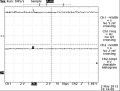
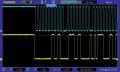
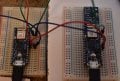
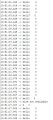
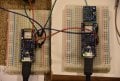
I have attached my code and other references. Sketches are master and slave. Photo is setup. Console output from master. Also included scope activity when data is being transferred normally and then I tried to capture point when Wire.available() was lost.
Maybe someone could try to reproduce or offer an explanation for why it is behaving the way it does. I am not sure what to try next.
I have reloaded the IDE along with the SAMD Core for the Nano 33 IoT. Thinking hardware could be a problem, I used an MPU6050 to see if I could communicate with it over I2C and was successfull for each of the Nano 33 IoT's. They each were able to keep a connection and return raw data using the Wire library for over 45 minutes each.
I am powering from a laptop computer via USB. I measured voltage on the 3.3V pin and have 3.289 volts I don't think I have a problem here. I am allowing the on board 4700 Ohm resistors to serve as pull-up resistors. I suppose I could remove one of the resistors by desoldering but I am not sure that will help and it also may have other effects for I2C communications I do not know about which may be occurring on the Nano 33 IoT board.
I also performed an additional test where I used two Nano's (older model) to communicate using the I2C using the same setup. The only difference being the hardware and software. They worked well and were very stable even after reducing the delay() time in the example and also increasing the clock to 400000 (setClock(400000)). I had never done this setup beforef and I wanted to see how things would perform.
My code I am using for the slave_sender and master_reader is from the example folder included with the Wire library.
I adjusted the code at the master and noticed that the data stops when the "wire.available()" is no longer available. Even when the code executes the next statement in the loop, "Wire.requestFrom(2, 6)", no further data is available. The result is the connection just stops. To correct this problem I inserted "Wire.begin()" after the wire is no longer available. By doing this I have been able to keep the connection sending the "hello ". It is as if I pressed the reset buton and it started again. I guess you could call this a workaround for the problem I am having but I don't like it.
I am wondering if it is something in the library - I am not that familiar with the library and find it difficult to follow. Could it be a timing problem? I have played around with the "delay()" statements on both the slave and master and it did not help.
I have attached my code and other references. Sketches are master and slave. Photo is setup. Console output from master. Also included scope activity when data is being transferred normally and then I tried to capture point when Wire.available() was lost.
Maybe someone could try to reproduce or offer an explanation for why it is behaving the way it does. I am not sure what to try next.
Attachments
-
973 bytes Views: 7
-
755 bytes Views: 6
-
 1.4 MB Views: 10