Measuring current in a PWM signal.

Irving

Joined Jan 30, 2016
5,155
You need to connect the opto coupler collector to the blue wire and the emitter to ground.

and you need to connect the optocoupler anode to Arduino +5V and cathode to the Arduino GPIO.

Now, whe the GPIO is high, the opto is off and the blue wire is pulled up, so high. When the GPIO is low, opto is on so blue wire is pulled down.

This assumes the opto can sink the required current, which we still don't know.

Bob
He'll need a resistor in series with the LED in the opto-coupler.

I suspect that if the fan input is left either open-circuit or short-circuit the fan defaults to full speed, but we don't know which way 'up' the actual PWM signal is. Generally on automotive circuits 'pulled down' = active so it needs the LED to be ON for the high-side pulse from the Arduino, ie wired from GPIO to ground (via resistor of course). Otherwise higher PWM values -> lower fan speed!
 

BobTPH

Joined Jun 5, 2013
11,560
He'll need a resistor in series with the LED in the opto-coupler.

I suspect that if the fan input is left either open-circuit or short-circuit the fan defaults to full speed, but we don't know which way 'up' the actual PWM signal is. Generally on automotive circuits 'pulled down' = active so it needs the LED to be ON for the high-side pulse from the Arduino, ie wired from GPIO to ground (via resistor of course). Otherwise higher PWM values -> lower fan speed!
Yes, of course about the resistor.

I was assuming active high since leaving it unconnected with pullup runs at full speed, but you may be right.

Bob
 

Thread Starter

MB107

Joined Jul 24, 2016
400
OK been a long day of research. and recouping of what I found. First thing is this is apparently a 12V fan and not a 5V fan. In interpreting the Mercedes Benz manuals you need to understand that they are written for MB technicians and they wont get into the nitty gritty required to design and aftermarket system, in fact they hide that detail on purpose. What they publish is the detail required to troubleshoot the system by a technician following there procedures and using there proprietary diagnostic equipment that really gives the technician no idea what he or she is actually measuring. In any case in the 203 they give a required voltage to the fan control of >3VDC and no other detail. Well I guess that means 440V is OK? If I take a look at a later vehicle that uses the same fan, the series 220 I found a little more detail.

From the 203 manual
image
image761×45 4.27 KB


From the 220 manual
image
image1495×114 18.4 KB


Note on the left side of each picture the term 4.39. That means connector #4 pin 39 of the N3/10 module. Both vehicles use these fans and N3/10 modules. They are each different but I believe they are operating the same. So using the later 220 data max at 20% duty cycle = 2 to 4 volts DC about the same as you would get with a DC voltmeter measuring a 20% PWM signal on 13.8V and likewise 12.5V is ~90% of 13.8V. So I'm a believer. And consequently the statement of >3V in the operational mode makes a little more sense.

So where am I at now. The desire is to replicate the signal of the Mercedes Benz main engine computer, previously referenced as the N3/10 module. And of course I don't have an N3/10 module and getting the true output specs on it from pin 4-39 is going to be difficult. If my wife had a friend with a Mercedes, I could have her invite her over for tea and coffee while put a scope on her car. But I don't see that happening.
So now there are three concepts.

  1. Driving the fan directly with the Arduino at 5V PWM. I think I can rule this out based on the 12V discussion.
  2. Driving with the opticoupler with emitter to ground. This works well but still would like to work on the final output signal.
  3. Driving with the opticoupler with emitter to 5V. This doesn't work at the moment but knowing what I know now, I believe this is still possible.
And then there becomes the power issue. Do I feed raw automotive power which can vary greatly through the opticoupler or try to filter it some way. And if I used something like an L7812 to regulate power what happens if the automotive voltage drops below 12. I really would like to filter to get 13.8V.
 

Thread Starter

MB107

Joined Jul 24, 2016
400
That's exactly what I was expecting. And if you do pull it down to ground using the current range on the multimeter what current do you get? I'm expecting about 20mA.

This is why its not a good idea to drive the fan input direct from the Arduino. When the Arduino output is high the fan is pulling it up to 13.8v and the only reason the Arduino output is just over 5v is the catch diode in the Arduino is clamping it to the 5v rail, as shown in the diagram below, which depicts a typical CMOS output stage driving the fan input. The danger is that if there's a big spike on the 13.8v rail that can have a detrimental impact on the internals of the Arduino. A transistor would remove that issue, but complete opto-isolation as per post #14 is the best protection.

View attachment 255730
When I put the fan input wire through the meter to ground with power going through the large fan motor wires I get 15.2ma. If you read my latest post you will see that I have determined this fan to be a 12V fan. So opto is required.
 

Thread Starter

MB107

Joined Jul 24, 2016
400
You need to connect the opto coupler collector to the blue wire and the emitter to ground.

and you need to connect the optocoupler anode to Arduino +5V and cathode to the Arduino GPIO.

Now, whe the GPIO is high, the opto is off and the blue wire is pulled up, so high. When the GPIO is low, opto is on so blue wire is pulled down.

This assumes the opto can sink the required current, which we still don't know.

Bob
I actually got it to work that way. It woks backwards but I can fix that in software. What is GPIO?
 

Irving

Joined Jan 30, 2016
5,155
I actually got it to work that way. It woks backwards but I can fix that in software. What is GPIO?
General Purpose I/O - an input/output pin.

Reading the Merc. spec the opto is exactly the solution. As you surmised, the voltages given are what you'd see on a DC voltmeter at different PWM duty cycles. The output from the Merc N3/10 will be an open-collector driver just like your opto; this is common practice. Those voltages are what you read at the fan PWM input, they are NOT output voltages from the N3/10.

The opto emitter must be to ground NOT to 5v, it's a current driven system. Also from that info we can get that the higher voltage = higher duty cycle = higher fan speed. But also higher voltage = bigger opto OFF time. So @BobTPH was right, the LED is from 5v to the GPIO output, via a resistor so when the Arduino output is HIGH the LED is OFF.

One point, the expected PWM is at 10Hz not the 490Hz of the normal Arduino PWM. Try it with the standard frequency first, it may work. If not, search on internet forArduino pwm frequency change.
 

Thread Starter

MB107

Joined Jul 24, 2016
400
General Purpose I/O - an input/output pin.

Reading the Merc. spec the opto is exactly the solution. As you surmised, the voltages given are what you'd see on a DC voltmeter at different PWM duty cycles. The output from the Merc N3/10 will be an open-collector driver just like your opto; this is common practice. Those voltages are what you read at the fan PWM input, they are NOT output voltages from the N3/10.

The opto emitter must be to ground NOT to 5v, it's a current driven system. Also from that info we can get that the higher voltage = higher duty cycle = higher fan speed. But also higher voltage = bigger opto OFF time. So @BobTPH was right, the LED is from 5v to the GPIO output, via a resistor so when the Arduino output is HIGH the LED is OFF.

One point, the expected PWM is at 10Hz not the 490Hz of the normal Arduino PWM. Try it with the standard frequency first, it may work. If not, search on internet forArduino pwm frequency change.
I think the NOT an output from the N3/10 is key.

I'm not sure how the LED plays into this but I had problems with it, when I had the emitter to ground. The fan wouldn't run with the LED and a 220Ω resister. I had to go back to the 470Ω resister and it worked even better with a 330Ω resister. If I use the LED, I have to use a 100Ω resister.

I am using the Arduino library for extended PWM signals below 490. I have had many people comment that this motor can't possibly run at 10Hz and really should be in the KHz range. And that may be true, but Im not really powering a motor, I'm powering a motor controller which happens to reside inside a motor. Who knows what the controller sends to the motor. Volvo uses a Bosch motor that looks just like this one, but they will run between 100 to 300Hz. This one will not operate there, I tried it. It will only operate between 9 to 16 Hz. Anything outside that will put it into fault mode where it will just run at 100% being powered by the white and black wire shown in the first diagram I posted.
 

Thread Starter

MB107

Joined Jul 24, 2016
400
If it woks backwards that way, just connect the cathode to ground and the anode through resistor to the gpio pin.

Bob
Well that's interesting. Ive been thinking about this opticoupler as a relay and quickly learning that it is far from. So right now I have the anode to the GPIO pin and the cathode to a 330Ω resistor. If I understand I'm to just move the resistor to the anode side. I'm trying it right now, stay tuned.

OK I tried it. It still works backwards but it brings the input signal way down from (0 to 5V) to (0 to 1.7V). I have no idea if that good or bad. The reversing is not an issue I can make 10% = 90% in software.

Update I found that I had the resistor shorted out when I had it on the anode side. So both do the exact same thing. Both work backwards with 0 to 5V. But like I said no problem either way. I can deal with that in software.

Thank You
 
Last edited:

BobTPH

Joined Jun 5, 2013
11,560
Ah, okay.

The position of the resistor makes no difference, so lets always put the resistor between the GPIO pin and the opto’s LED.

Now, there are two ways to connect the input to the opto:

1. Anode to resistor, cathode to ground.

2. Cathode to resistor, anode to +5V.

The two will operate opposite, one will run the fan at full speed at 100% duty cycle, the other will run at full speed at 0% duty cycle.

Bob
 

Irving

Joined Jan 30, 2016
5,155
A picture being worth 1000 words...

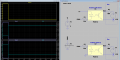
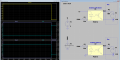
Here are 2 simulations for duty cycles of 10% and 90%

In each, the yellow trace is the PWM signal, the second plot shows the current in the opto diode for a pull down arrangement, resulting in the voltage at the fan being 'in phase' with the PWM and the third plot shows the pull up arrangement, with the fan voltage 'out of phase' with the PWM. This clearly shows that the pull-down arrangement is required.

1640178976121.png

1640179017990.png
 
Last edited:

Thread Starter

MB107

Joined Jul 24, 2016
400
Ah, okay.

The position of the resistor makes no difference, so lets always put the resistor between the GPIO pin and the opto’s LED.

Now, there are two ways to connect the input to the opto:

1. Anode to resistor, cathode to ground.

2. Cathode to resistor, anode to +5V.

The two will operate opposite, one will run the fan at full speed at 100% duty cycle, the other will run at full speed at 0% duty cycle.

Bob
Excellent

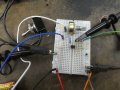
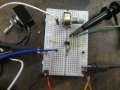
First picture is method 1, Second picture is method 2. And they both work perfectly but reverse of each other.

Thank You
 

Attachments

Thread Starter

MB107

Joined Jul 24, 2016
400
A picture being worth 1000 words...

Here are 2 simulations for duty cycles of 10% and 90%

In each, the yellow trace is the PWM signal, the second plot shows the current in the opto diode for a pull down arrangement, resulting in the voltage at the fan being 'in phase' with the PWM and the third plot shows the pull up arrangement, with the fan voltage 'out of phase' with the PWM. This clearly shows that the pull-down arrangement is required.

View attachment 255791

View attachment 255792
It does work.

Thank you.
 
Top