Facebook
 Google
 GitHub
 Linkedin
Hi, everyone.
I'm trying to simulate a buck converter using BSZ340N08NS3 Infineon Mosfets to evaluate power dissipation of this device. At Infineon webpage¹, I found a .lib designed with many mosfets models including thermal characteristics of the devices and tried to use it, but the simulation got an error like:
"Fatal Error: Analysis: Time step too small; time = 2.38304e-08, timestep = 1.25e-19: trouble with node "n009""
When this kind of error occurs, it usually means the schematics or the models have some kind of problem. I'm not sure I did the importing procedure the right way, but I couldn't find the problem.
I included the ".inc OptiMOS3_80V_LTSpice.lib", placed the "NMOS_thermal5" symbol provided by Infineon and changed the "Spice Model" option with "BSZ340N08NS3" wich is the .SUBCKT name of the model I want to use.
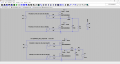
Here is the schematic and the archives of my simularion:
¹->https://www.infineon.com/part/BSZ340N08NS3-G?tab=simmodels
I'm trying to simulate a buck converter using BSZ340N08NS3 Infineon Mosfets to evaluate power dissipation of this device. At Infineon webpage¹, I found a .lib designed with many mosfets models including thermal characteristics of the devices and tried to use it, but the simulation got an error like:
"Fatal Error: Analysis: Time step too small; time = 2.38304e-08, timestep = 1.25e-19: trouble with node "n009""
When this kind of error occurs, it usually means the schematics or the models have some kind of problem. I'm not sure I did the importing procedure the right way, but I couldn't find the problem.
I included the ".inc OptiMOS3_80V_LTSpice.lib", placed the "NMOS_thermal5" symbol provided by Infineon and changed the "Spice Model" option with "BSZ340N08NS3" wich is the .SUBCKT name of the model I want to use.
Here is the schematic and the archives of my simularion:
¹->https://www.infineon.com/part/BSZ340N08NS3-G?tab=simmodels
Attachments
-
4.1 KB Views: 5
-
889 bytes Views: 4
-
136.9 KB Views: 6