looking help on 8051 timer interrupt and switch input

Thread Starter

Parth786

Joined Jun 19, 2017
642
Perth, I think you're forgetting that the timer counts up. So for 10ms, the registers value should be 65,536 - 9216 = 56,320. And for 20ms it would be 65,536 - 18,433 = 47,103
Right. I forget to Subtract value. If you find anything wrong please let me know ?
 

Thread Starter

Parth786

Joined Jun 19, 2017
642
Next step is up to you.
It has been most of topics covered in this thread like basic flow chart , switch button reading and Interrupt. Only one topic left in my incomplete threads that is I2C programming.

I didn't want to jump I will come back but I want to take some rest from interrupt. I want to learn I2C programming.

Problem statement : Make system that show time date and set alarm like alarm watch

I have been already reading about I2C programing. if you allow me. I will go for further process like flow chart, circuit design
 
Last edited:

JohnInTX

Joined Jun 26, 2012
4,787
So, no 3 LEDs? That would introduce you to making a universal timer (system tick) which eventually you'll need to know but we can move to I2C if you want. What I2C device are you wanting to use? Didn't you have a thread on that?
 

JohnInTX

Joined Jun 26, 2012
4,787
Problem statement : Make system that show time date and set alarm like alarm watch
Ahhh... but your problem statement doesn't say anything about I2C yet in #186, you jump into the I2C protocol.

To get you on track, are you just wanting to read and write the DS1307 or are you going to make some sort of clock that just happens to use that RTC? Note that these are two different things and your approach to them will be different. The alarm clock functions use the display, format the time on a display etc. The clock presumably has some sort of user interface to set the time etc. If you are making a clock, you start there and not at the I2C level.

If you want to jump into I2C with the idea of adding the clock functions later you can do that but you have to have an idea of how the clock will work so that you know what to do with the data from the DS1307. At the very least, you'll have to be able to display the time of day to know if the DS1307 is working correctly.

So which is it - clock design or just reading the DS1307 and using the data later?
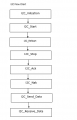
The flow chart you show is not a flow chart for I2C, its more a listing of I2C subroutines in random order..

EDIT: actually, the way I would do this would allow either approach. The RTC has 8 bytes of time-of-day registers. I would read or write these all at once to get an image of the registers into the 8051 for further processing. I would not read bits and pieces, just get the whole thing. So.. if that sounds like a plan, you need two top-level I2C - RTC routines one to read 8 bytes and one to write 8 bytes. I would use an array of bytes as an input-output buffer i.e. reads 8 bytes into the array, writes 8 bytes from the array. Once you can do that, you can display the data in whatever format you want.

Here is a flow chart that implements Fig. 6 of the DS1307 datasheet. It addresses the register stack and reads all 8 RTC registers into an 8 character array in the 8051. After reading, the array contents are what the current RTC registers are.
 

Attachments

Last edited:

Thread Starter

Parth786

Joined Jun 19, 2017
642
To get you on track, are you just wanting to read and write the DS1307 or are you going to make some sort of clock that just happens to use that RTC? . The clock presumably has some sort of user interface to set the time etc. If you are making a clock, you start there and not at the I2C level.

So which is it - clock design or just reading the DS1307 and using the data later?
.
Problem Statement :I want to make system that will show real time hours / minute /second and date/month/year on LCD screen. System That can be set Alarm according to user

I know this is very big project . What should be my approach to complete whole things step by step. I want to divide it into small parts. what should be my first step I think I have to start with read /write ds1307 using I2C protocols. so Please tell me how to divide whole work in small steps to achieve big project? where to start and what should I try to achieve first things ?
 

JohnInTX

Joined Jun 26, 2012
4,787
Problem Statement :I want to make system that will show real time hours / minute /second and date/month/year on LCD screen. System That can be set Alarm according to user

I know this is very big project . What should be my approach to complete whole things step by step. I want to divide it into small parts. what should be my first step I think I have to start with read /write ds1307 using I2C protocols. so Please tell me how to divide whole work in small steps to achieve big project? where to start and what should I try to achieve first things ?
If you are going to use the the DS RTC as a timekeeper, you can consider the I2C part a sub-project. It is a nice sub-system to do and fits your earlier I2C question.

Since I have done this before, I recommend you do it like my flow chart says, that is:
Use an 8 character array in the 8051 as an image of the 8 RTC registers. Reading the RTC loads the array. To write the RTC, YOU load the array then call write.
The flow chart I posted shows how to do the read. That's a good place to start. If you can get through that, writing will be pretty simple.
Once you can read and write the RTC, you can proceed to using the data to make your clock.

So for now, study the flow chart using Fig. 6 in the DS datasheet as your guide. Study the DS datasheet to see what the various registers contain.
Note that each of those function boxes will require I2C coding to implement. You have some I2C code posted but it is not organized. Organize it according to the flow chart. You will need routines to generate Start, reStart, Stop conditions, read one byte, write one byte, check ACK or NAK and generate ACK or NAK.

You should check to see if your simulator has I2C decoding or a logic analyzer or oscilloscope to monitor the SCL, SDA lines. It will be painful if you don't have something to look at the waveforms.
 
Last edited:

Thread Starter

Parth786

Joined Jun 19, 2017
642
So for now, study the flow chart using Fig. 6 in the DS datasheet as your guide. Study the DS datasheet to see what the various registers contain.
Note that each of those function boxes will require I2C coding to implement. You have some I2C code posted but it is not organized. Organize it according to the flow chart. You will need routines to generate Start, reStart, Stop conditions, read one byte, write one byte, check ACK or NAK and generate ACK or NAK.
I2C is a serial communication protocol. It use only two wires for communication. one wire for data and another for clock. Data can be send from master to slave or Slave to master
  • Master send Data to slave
  • Slave send data to Master
What happen when Master send data to slave
Master send first byte to slave that is address of slave device. Slave return acknowledge bit after each received byte. Slave acknowledge means slave got the data and master can send data continue. At the end of last received byte, slave return Not acknowledge bit and Master see not acknowledge bit and terminate transaction

From datasheet
Slave address for I2C Write: 0b11010000 = 0xD0
Slave address for I2C Read: 0b11010001 = 0xD1
starting address Ds137 = 0x00

Example :
The master issues Start sequence , then a write to slave address 0xD0 . The slave ACKnowledges.
The master sends0x00 and the slave ACKs indicating it got the data and the master can continue.
The master sends0xD1 and the slave NAKs indicating it wants no more data.
The master issues a Stop to end the transaction
This is basic routine for I2C program
C:
/* I2C initial condition */
void I2C_Init(void)
   {
       SDA = 1;
       SCL = 1;
   }

/* I2C start condition */
void I2C_Start()
  {
      SDA = 0;
       SCL = 0;
  }

/* I2C start condition */
  void I2C_Restart()
  {
      SDA = 1;
      SCL = 1;
      SDA = 0;
      SCL = 0;
  }

/* I2C stop condition */
  void I2C_Stop()
  {
      SCL = 0;
      SDA = 0;
      SCL = 1;
      SDA = 1;
  }

/* Send ack */  
  void I2C_Ack()
  {
       SDA = 0;
       SCL = 1;
       SCL = 0;
      SDA = 1;
  }

/* Send nak */
  void I2C_Nak()
  {
      SDA = 1;
      SCL = 1;
      SCL = 0;
      SDA = 1;
  }

/* send data to I2C */
   unsigned char I2C_Send(unsigned char Data)
  {
      unsigned char i, ack_bit;
      for (i = 0; i < 8; i++) {
       if ((Data & 0x80) == 0)
         SDA = 0;
       else
         SDA = 1;
       SCL = 1;
         SCL = 0;
       Data<<=1;
      }
      SDA = 1;
      SCL = 1;
      ack_bit = SDA;
      SCL = 0;
      return ack_bit;
  }
/* Read data from I2C */

  unsigned char I2C_Read()
  {
     unsigned char i, Data=0;
     for (i = 0; i < 8; i++) {
       SCL = 1;
       if(SDA)
         Data |=1;
       if(i<7)
         Data<<=1;
       SCL = 0;
     }
     return Data;
  }
I have studied flow chart and datasheet but I am having problem to understand write program. I am stuck in Rectangular box GET ACK/NAK also How to check ACK and Nakc condition ?
C:
void Read_DS1307(void)
   {
      ERROR Flag = 0;
      I2C_Start();
      I2C_Send(0xD0);  /* Send address DS1307 with write comand */
      I2C_Ack();
      I2C_Nak();

// stuck in following
      GET ACK/NAK
      check ACK/NAK //
   }
 
Last edited:

Thread Starter

Parth786

Joined Jun 19, 2017
642
Where did you get I2C_Send() ?
Are you asking about whole function or salve address. I got slave address from this link http://www.embetronicx.com/tutorial...rtc-interfacing-with-8051-alarm-clock-ds1307/
from this link I get this information https://exploreembedded.com/wiki/A6.8051_Interfacing:_RTC_DS1307
The master issues Start sequence , then a write to slave address R/W is 0 . The slave ACKnowledges.
The master sends0x00 and the slave ACKs indicating it got the data and the master can continue.
The master sends0x01 and the slave NAKs indicating it wants no more data.
The master issues a Stop to end the transaction
 
Last edited:

JohnInTX

Joined Jun 26, 2012
4,787
If you look at lines 65-69 in I2C_Send you'll see that it issues the 9th SCL to sample SDA and it returns the result (ACK or NAK) for you so you don't have to do it manually. But I2C_Read does not automatically issue ACK/NAK. That is a good way to do it and is consistent with the read loop of my flow chart. So, modify the flow chart to show that and continue.

If you are going to continue to use code from the internet, at least take the time to read and fully understand what it does and how it does it. That will answer most of your questions. Also, read that datasheet. Your idea of how to read the DS1307 is not correct.
 
Last edited:

Thread Starter

Parth786

Joined Jun 19, 2017
642
If you look at lines 65-69 in I2C_Send you'll see that it issues the 9th SCL to sample SDA and it returns the result (ACK or NAK) for you so you don't have to do it manually. But I2C_Read does not automatically issue ACK/NAK. That is a good way to do it and is consistent with the read loop of my flow chart. So, modify the flow chart to show that and continue.

If you are going to continue to use code from the internet, at least take the time to read and fully understand what it does and how it does it. That will answer most of your questions. Also, read that datasheet. Your idea of how to read the DS1307 is not correct.
Have seen both links. I am confuse, what is address of DS1307 RTC ? In flow chart there is box Get ACK/NAK what is meaning of that box in term of program. does we only call ACK and NAK function?
There is check box check ACK received. what is condition
I understand how does I2C work but I am having problem to write code from flow chart ?
 

JohnInTX

Joined Jun 26, 2012
4,787
If you look at lines 65-69 in I2C_Send you'll see that it issues the 9th SCL to sample SDA and it returns the result (ACK or NAK) for you so you don't have to do it manually. But I2C_Read does not automatically issue ACK/NAK. That is a good way to do it and is consistent with the read loop of my flow chart. So, modify the flow chart to show that and continue.
That means that you don't need the check ACK/NAK in the 'write' part of the flow chart if you use I2C_Send. So scratch those boxes off the flow chart if you use your I2C_Send routine.

On every I2C byte written the master must check ACK or NAK from the slave as it is writing bytes. If it receives ACK, it continues to send the next byte (if any). If it receives NAK, then it must stop transmission and issue a stoP condition. The flow chart I posted shows this clearly. In the case of your particular routine, getting ACK or NAK is part of that routine but it still has to be done.

As for addressing the DS, look again at Fig 6 of the datasheet. It shows that the first byte after Start addresses the chip itself and the second byte sets the register address that you are interested in - in this case 00h.
 

Attachments

JohnInTX

Joined Jun 26, 2012
4,787
It starts out OK but has some issues.
The read loop needs work. After NAK it just needs to send stoP and exit. The 'ByteCount <8' test is not needed since you test to see if you have loaded the last byte into the array (ByteCount ==7). The read loop should look like the one I posted in #187. The issue is obvious if you look at the flow between ByteCount++ and Send Stop Condition. There is no test to indicate which way it goes.

You use Send_I2C OK but you don't test to see if the slave has sent ACK. That means that if the slave is not there, you read a bunch of junk into your array. It would be useful to know if you have good data. See how I handled it in my flow chart.

Better though!

I use Edge Diagrammer for flow charts, state diagrams etc.
 

JohnInTX

Joined Jun 26, 2012
4,787
@Parth786 .. Using a flow chart tool makes a nice looking diagram but it's not necessary while you are figuring out what to do. I use Edge when I need to document stuff and I use it to post here so things are nice and clear. But at the desk, I scribble away on yellow pads until I get something I like, then I code it. Edits are quicker.

Instead of spending lots of time making a pretty flow chart, consider just drawing it out by hand and take a picture. That way when you need to edit it, a few scribbles and you are done. Here's my edit of your chart without fancy pictures. It's not as pretty but conveys the essential information.

In your other thread, members have discussed whether flow charts or pseudo-code is better. What's better is what works for you. I like flow charts at this stage because I think you need practice in tracing the solution to a problem without the structure imposed by a programming language. But pseudo-code is closer to what your 'C' will eventually look like so pick whatever tool works best. I still use flow charts to noodle out the logic of a new problem but use pseudo-code a lot too. Either way, the important thing is to use it to organize your thoughts and ensure that you have designed a solution to the problem at hand and 'tested' it on your desk before spending lots of time coding.
 

Attachments

Thread Starter

Parth786

Joined Jun 19, 2017
642
I want to learn through flow chart. That's why I create a flow chart. I am learning many things through flow chart. English is not my native language. That's why I am taking so much time. Sometime I feel that people think that I don't understand simple things but trust me, I do my best Sometime it happens that after many efforts of people I still can not understand. I feel very bad after the effort of the peoples I don't understand.

I like to learn and I want to learn a lot in embedded system. My purpose is to keep trying as much as I can myself. when people say explain to me. I can't explain very well. For this reasons, many of my threads are incomplete. I am trying my best to improve myself as soon as possible.
Here I learned a lot as much as I didn't learn in my school. There are very good people here.they reply even after all mistakes happened One of them is you. who are still teaching me after my many failures .

I just do not want to read to pass exam. I like making embedded projects. I don't have so much money to buy development board. That's why I am working on simulator. I will try to buy development board quickly as soon as possible. I want my basics to be clear so that I get opportunity to work in company and I can learn lot. so That I can earn little bit of money and learn
 

cmartinez

Joined Jan 17, 2007
8,763
English is not my native language.
And neither is mine, so I understand you perfectly. One thing is to be able to speak colloquial English, and an entirely different, and far more difficult thing is to be able to express oneself in a highly technical language such as the field of electronics requires.

You're doing just fine, Parth. Don't ever give up. Your language skills can only get better with time, patience, and constant interaction with others who share your interests.
 
Last edited:
Top